


Google Ads Introduces Local Customer Optimization

Key Takeaways
- Google Ads has introduced Local Customer Optimization for Performance Max campaigns that focus on store goals.
- The feature is designed to give more attention to people who are near or interested in a business location and appear ready to act.
- Advertisers can reach high-intent local customers across Google Maps, Waze, and local search experiences.
- The feature is meant for offline-focused Performance Max campaigns and does not work with online campaign goals.
- Google is also making it easier for advertisers to bring store sales data into Google Ads through Data Manager.
- The update may be especially useful for retailers, restaurants, and multi-location businesses that want to connect digital advertising with offline activity.
Overview
Google Ads is taking another step towards connecting online advertising with what customers do in the real world. The company has introduced Google Ads local customer optimization, a new feature within Performance Max campaigns built around store-focused goals.
The feature is intended for businesses that care about actions such as store visits, calls, directions, and other offline activity. Instead of treating every potential customer in the same way, Google can give more weight to people who appear to be nearby, planning a visit, searching for a local service, or showing other signs that they may take action soon.
The update also arrives alongside improvements to store sales measurement, giving advertisers more ways to understand whether digital campaigns are leading to meaningful activity inside physical locations.
What Is Local Customer Optimization in Google Ads?
Google Ads local customer optimization is a new option available within Performance Max campaigns that use store-focused goals.
Google says the feature is designed to help businesses reach people who are close to or interested in their area and appear ready to take action. That could include someone searching for a nearby service, checking directions, planning a route, or looking for a business while travelling.
The idea is straightforward. A customer who is a few streets away and actively looking for a nearby store may have much stronger intent than someone casually researching the same service from another location. Local customer optimization gives Google Ads a better way to recognize that difference and direct campaign activity towards people showing stronger local intent.
It works within Google Ads Performance Max campaigns for store goals rather than as a completely separate campaign type.
Advertisers may benefit from:
- Better visibility among people close to a physical business location.
- More focus on users who appear ready to call, visit, or ask for directions.
- Locally relevant ad delivery across Google Maps, Waze, and Search.
- Stronger alignment between advertising spend and offline business goals.
The feature is not available for campaigns focused on online goals. Google also notes that it is not compatible with Performance Max campaigns using Merchant Center products.
Google explains how Local Customer Optimization in Performance Max can prioritize nearby customers who are ready to visit or contact a business.
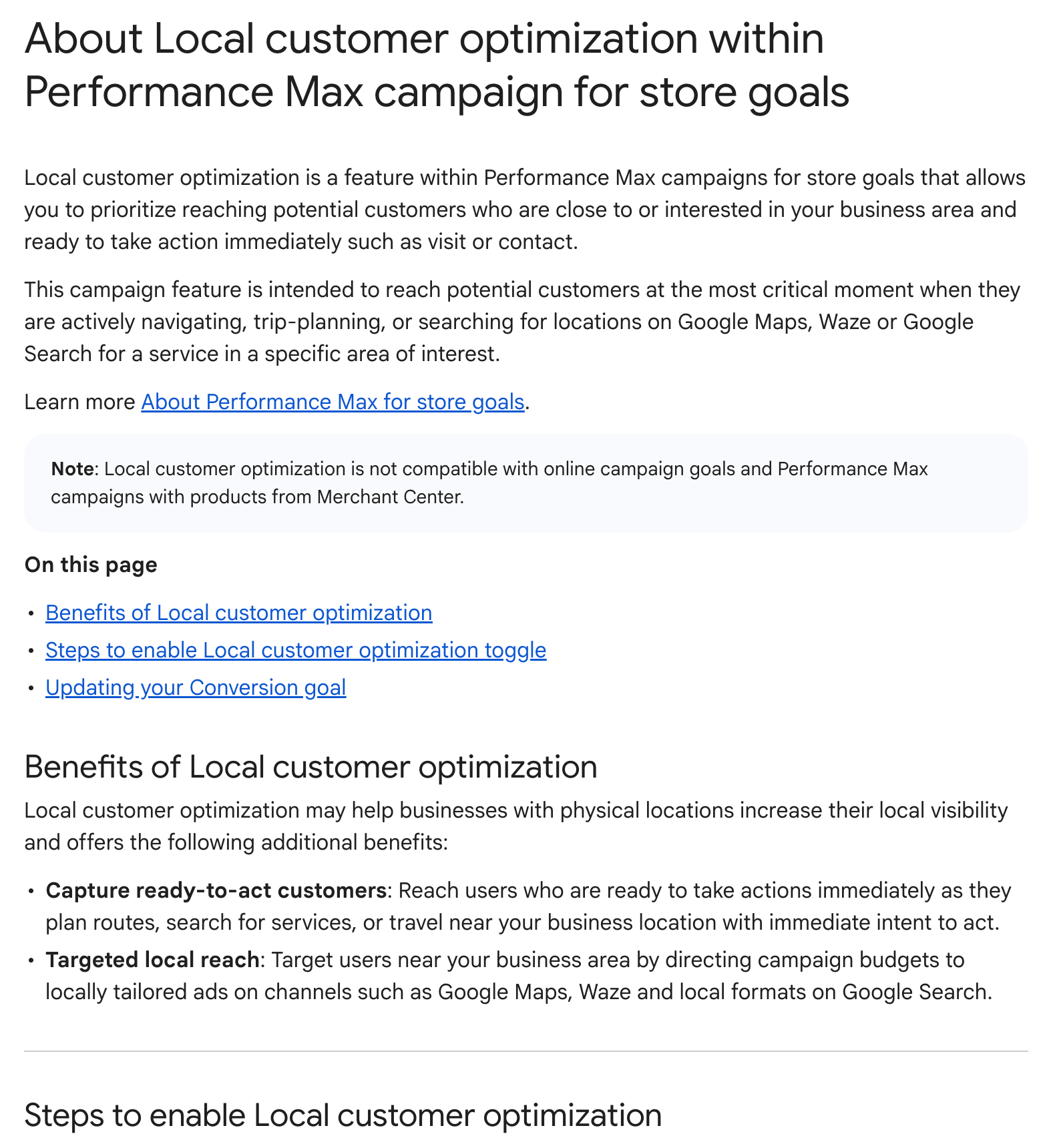
Image Source: Google Ads Help – About Local Customer Optimization within Performance Max campaigns for store goals
How Google Identifies High-Intent Local Customers
The most interesting part of the update is that it goes beyond basic location targeting. Advertisers have been able to target cities, regions, and local areas for years. What makes Google Ads local customer optimization different is its focus on immediate local intent.
Google describes potential customers as people who may be navigating, planning trips, searching for locations, or looking for services in a specific area. The system does not only consider where someone is. It can also look at signals that suggest how close that person may be to taking action.
For example, someone opening Maps to look for a nearby restaurant is likely showing stronger short-term intent than someone simply reading a general article about restaurants in the same city.
The same could apply to someone:
- Looking for directions to a shop.
- Searching for a service near their current location.
- Comparing nearby business options.
- Planning a route through an area where a business operates.
- Using Maps or Waze while already travelling locally.
This gives Performance Max more context when deciding when and where an ad may be useful. It also fits with Google’s wider shift towards automated advertising systems that try to understand intent rather than relying only on fixed audience rules.
Why the Update Matters for Local and Multi-Location Businesses
The feature could be particularly valuable for businesses where physical visits, calls, and offline purchases still play a major role. Retail chains, restaurants, automotive businesses, healthcare providers, and other location-based companies often face the same challenge. A customer may first discover the business through an ad, but the actual purchase or visit may happen later at a physical location. Google is trying to make that journey easier to measure.
Alongside local customer optimization, the company has also expanded options for bringing store sales data into Google Ads Data Manager. Businesses can use connected systems such as CRM platforms and Google Sheets to send offline sales information back into Google Ads. That can give advertisers two practical benefits.
First, campaigns can place more focus on local customers who appear ready to act. Second, businesses can use offline sales data to see whether those campaigns are actually producing valuable results. This matters even more for companies with several locations because performance can differ significantly from one area to another. Better offline data may help businesses understand which campaigns, locations, and customer journeys are producing real revenue rather than just clicks.
What Advertisers Should Check Before Using the Feature
Businesses interested in Google Ads local customer optimization should not treat it as a one-click solution for improving local campaign performance. The quality of the campaign setup still matters.
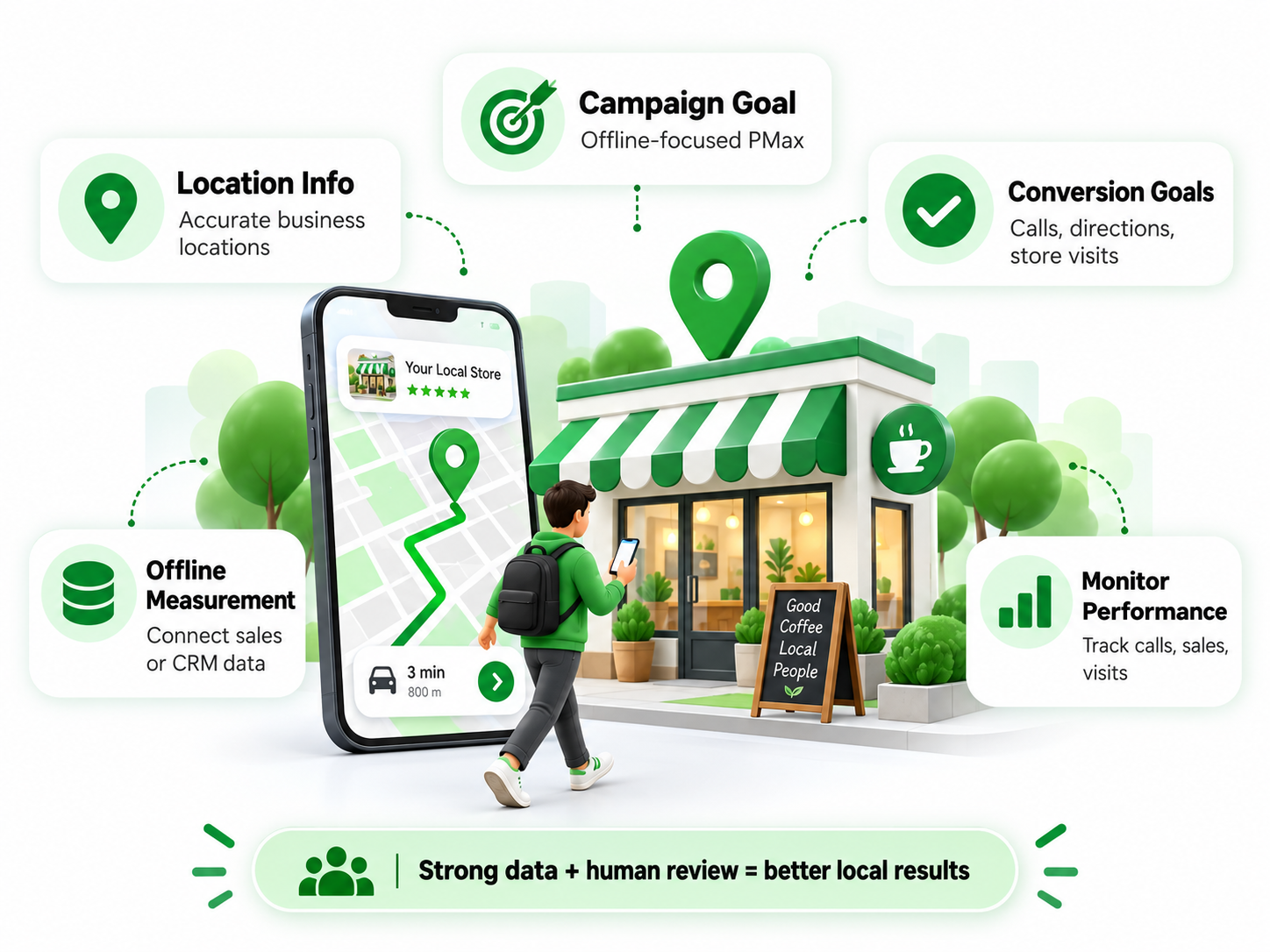
Before using the feature, advertisers should review a few important areas:
- Confirm the campaign goal: The feature is built for Performance Max campaigns focused on offline goals.
- Review location information: Business locations should be accurate so Google knows where customers can actually visit.
- Check conversion goals: Calls, directions, store visits, and other offline actions should match real business priorities.
- Improve offline measurement: Where possible, connect sales or CRM data so campaign results can be compared with actual outcomes.
- Monitor performance after activation: Look at store activity, calls, sales, and other valuable actions instead of relying only on traffic or clicks.
Advertisers should also remember that automation depends heavily on the data and signals it receives. If conversion tracking is weak or business goals are unclear, the system may optimize towards activity that looks useful but does not create real value.
For that reason, the feature is best used as part of a wider local advertising strategy rather than as a replacement for campaign planning, accurate measurement, and regular human review.
Local campaign performance depends on accurate location information, relevant conversion goals, offline measurement, and continuous performance monitoring.
Conclusion
Google’s Local Customer Optimization update gives advertisers another way to connect digital campaigns with real-world customer activity. By placing more emphasis on people who appear close to taking local action, Performance Max may help businesses reach customers who are ready to visit, call, or make an offline purchase. Combined with better store sales measurement, the update could be useful for location-based businesses. Even so, strong results will still depend on accurate goals, reliable offline data, and regular campaign reviews.
Want to improve your local PPC campaigns and get more value from Google Ads automation?
Connect with eSign Web Services to build a more focused, practical, and data-driven paid advertising strategy that improves campaign performance, supports better targeting, and helps generate stronger business results.
Author Details

Ashwani Kumar Sharma
Ashwani has been actively involved in SEO services since 2005. His expertise and distinctive work approaches have made him one of the most experienced and trusted SEO experts in the industry. He is a certified SEO and Google Ads professional. He also has strong business development skills in advanced SEO, PPC, and digital marketing strategies.


