



How to Read & Interpret Google Analytics 4 for Better Ad Decisions

Key Takeaways
- Google Analytics 4 reveals post-click behavior, turning ad data into real revenue insights.
- Focus on engagement and conversions, not vanity clicks, to measure true campaign success.
- GA4 for ads connects channels to outcomes, improving smarter budget allocation decisions.
- Interpreting user journeys uncovers funnel leaks that silently drain ad performance and ROI.
- Event-based tracking shows exactly where users hesitate, drop off, or convert successfully.
- Structured GA4 reporting turns scattered metrics into actionable, performance-driven marketing insights.
- Cross-channel attribution prevents cutting high-impact awareness channels that assist conversions earlier.
- Consistent GA4 reviews create predictable growth through smarter, data-led ad optimization decisions.
Running ads without truly understanding your data is one of the fastest ways to waste budget and stall growth. Many marketers rely on Google Analytics 4 but still make decisions based on clicks, surface-level traffic, or gut instinct. The result is campaigns that look active in reports but fail to drive real business outcomes. High impressions and clicks can create a false sense of progress, while actual ad performance remains disconnected from revenue, qualified leads, or meaningful engagement.
GA4 doesn’t just show what happened; it reveals why performance rises or falls across campaigns, audiences, and landing pages. When used correctly, GA4 for ads helps you identify which channels attract high-intent users, where potential customers drop off in the funnel, and which touchpoints truly influence conversions. This is the difference between “running ads” and building a predictable acquisition system that scales efficiently. Instead of reacting to fluctuating metrics, you gain clarity on what is driving results and what is quietly draining your budget.
In this guide, you’ll learn how to read GA4 reporting with a performance-first lens, interpret GA4 data beyond vanity metrics, and translate insights into smarter ad campaign optimization decisions. Whether you manage paid search, social ads, or multi-channel growth strategies, this framework will help you stop guessing, protect your ad spend, and scale what actually works.
Comprehending GA4 for Advertising
Google Analytics 4 is built around events. It tracks every user action, such as scrolling, clicking, watching videos, or filling out forms, as an event. This approach, known as GA4 events tracking, helps advertisers understand what users do after they click an ad. Instead of focusing on how many sessions there are, advertisers can see specific actions users take. This detailed view turns assumptions into clear insights.
Older analytics platforms were built around sessions. GA4 centers around users and their journeys. That distinction becomes critical when someone clicks an ad on mobile, revisits later on desktop, and converts through a retargeting campaign. When you interpret GA4 data through this user-focused lens, patterns begin to surface. For example, users who scroll deeply or engage with interactive elements often convert at significantly higher rates than those who leave quickly.
GA4 uses machine learning to predict how likely customers are to leave and to make a purchase. These features allow advertisers to plan rather than just report on what has happened. With this new approach, you can anticipate future trends. This change helps you allocate resources more effectively, run better tests, and forecast campaign performance.
Why GA4 Data Improves Ad ROI
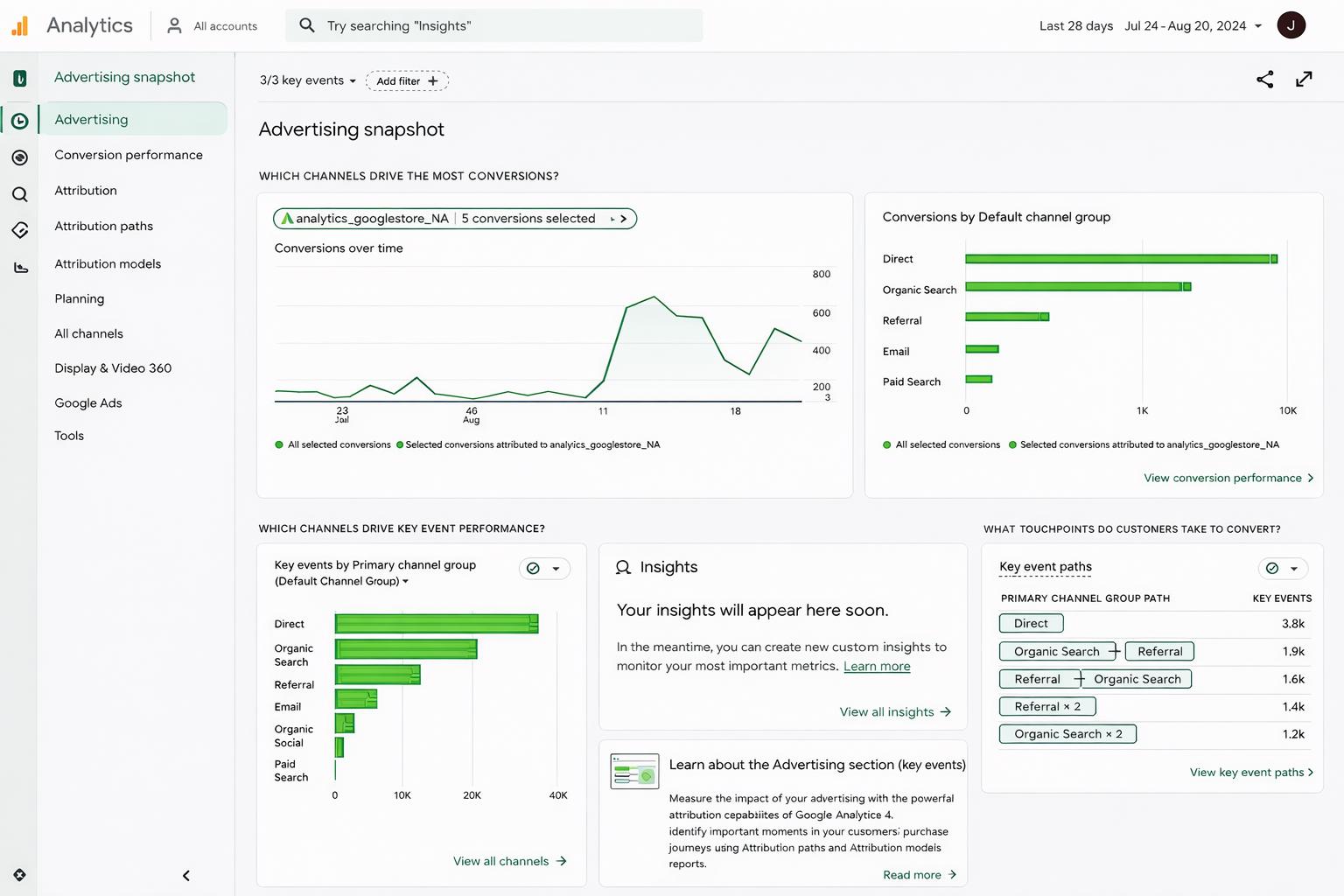
Clicks alone do not define success. GA4 for ads reveals what happens after someone lands on your website. Are they exploring content? Watching videos? Triggering key events? According to Semrush, 58.5% of U.S. searches result in zero clicks. That statistic reinforces a key point: visibility does not equal value. Engagement and action determine whether ad spend generates real business results.
Engagement signals, such as how far people scroll, how long they stay on a page, and how they interact with content, help identify serious visitors versus casual ones. Marketers can use GA4 engagement metrics to quickly spot problems on landing pages. If paid traffic disappears within seconds, the issue might not be targeting; it could be unclear messaging or a weak connection between the ad and the landing page.
The true strength lies in structured measurement. With organized GA4 reporting for marketers, teams can track meaningful conversion events tied directly to revenue or qualified leads. When configured properly through GA4 conversions setup, analytics reflects business outcomes rather than vanity numbers. This clarity strengthens overall GA4 ad performance, enabling confident budget shifts and smarter campaign decisions.
GA4 Reports That Drive ROI
When using Google Analytics 4, it’s easy to get lost in the many available dashboards. However, smart advertisers know that not all reports are equally important. Focus on the reports that affect budget decisions, targeting strategies, and overall improvement of your ad campaigns. By learning to read GA4 data correctly, you will find that a few key reports stand out consistently.
The Most Important Reports to Prioritize:
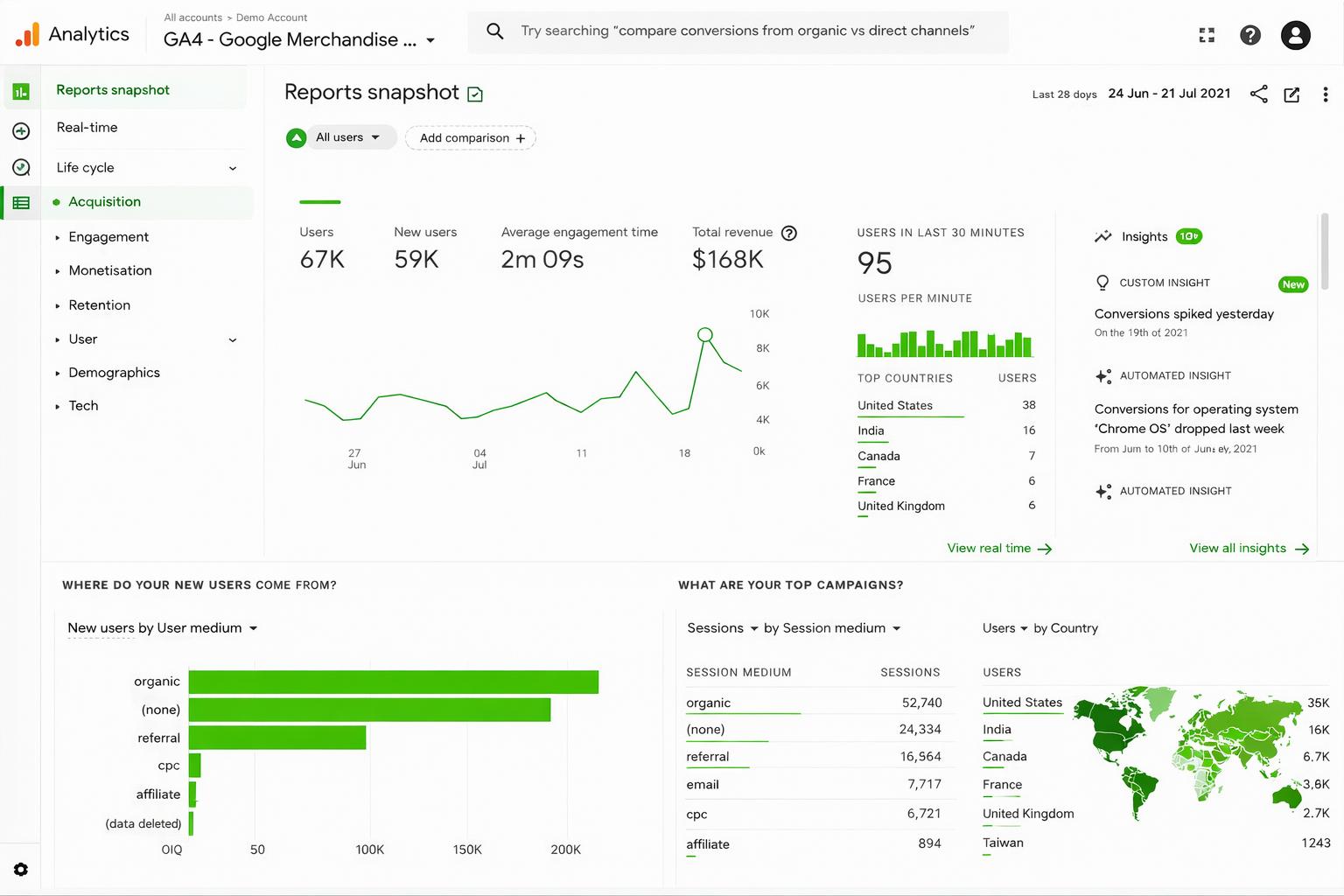
- Traffic Acquisition Reports: Using GA4 acquisition reports, marketers can see which channels not only bring in traffic but also encourage meaningful engagement. These reports show where users come from and how they behave after they land on the site. Instead of focusing solely on high click-through rates, assess session quality and conversion potential.
- Engagement Reports: Advertisers can use GA4 reporting to understand how people interact with their websites. They can look at data like how far users scroll, how long they stay on a page, and how they engage with different events. This information helps determine if landing pages match the ads. When users engage strongly with the content, it often leads to better GA4 ad performance.
- Conversions & Events Reports: Tracking events clearly helps teams measure actions that drive revenue. A well-structured GA4 conversion setup process links performance to real business results instead of just meaningless numbers.
For example, if Campaign A gets 1,200 clicks but has little engagement, and Campaign B gets fewer clicks but shows stronger interactions, Campaign B likely attracts people with higher intent. This difference is crucial for improving GA4 ad performance over time. When used wisely, these reports shift analytics from mere tracking to a decision-making tool.
Turn GA4 Data Into Conversions
To optimize performance, start by identifying where there are gaps. Strong engagement but low conversions often indicate issues in the sales funnel. By checking GA4 ad performance, advertisers can find out if the problem is caused by unclear offers, complicated forms, slow-loading pages, or messaging that doesn’t match what users expect. Instead of cutting budgets right away, using behavioral data helps teams understand the real issue. Regularly interpret GA4 data leads to better and more accurate optimization decisions.
Budget allocation becomes smarter when focused on conversion quality instead of click volume. McKinsey reports that companies using data-driven personalization increase revenue by 10–15%. Insights derived from structured GA4 reporting help marketers compare campaign outcomes based on meaningful actions rather than surface metrics. This supports more confident scaling decisions and strengthens overall ad campaign optimization strategies.
Optimization should never be a one-time adjustment. With consistent GA4 reporting for marketers, teams can refine targeting, adjust creative messaging, and improve landing page experiences systematically. Over time, this disciplined approach improves engagement rates, strengthens conversion paths, and delivers sustainable improvements in overall GA4 ad performance without increasing wasted spend.
Use GA4 for Better Targeting
Targeting the right audience is more effective when you focus on actual behavior instead of just demographics. With Google Analytics 4, marketers can access detailed information on user engagement, events, device use, and how deeply users interact. When you interpret GA4 data correctly, you can find out which groups of users are more likely to make a purchase and which groups need different messages or offers.
How GA4 Strengthens Audience Targeting:
- Behavior-Based Segmentation: Instead of grouping users by age or location, GA4 reporting for marketers allows you to segment users based on their actions on the site. This shows which users engage deeply with content and which ones leave quickly, helping you improve your targeting strategies.
- Smarter Remarketing Strategies: With GA4 for ads, you can create remarketing audiences based on important events. For instance, you can target users who looked at pricing pages but didn’t finish their purchase. You can send them messages that match their stage in the buying process. This approach makes your GA4 ad performance better by being more relevant.
- Improved Prospecting Through Lookalike Modeling: High-performing segments in Google Analytics 4 help you create lookalike audiences for your ads. This fact-based strategy improves your ad campaigns by reaching more people who are likely to convert, similar to your successful customers.
When strategies to reach an audience are based on real behavior instead of guesses, campaigns become more efficient. This makes the messaging more relevant to the audience and improves overall performance in a way that is both sustainable and measurable.
Measure Cross-Channel Impact
Modern customer journeys are messy; and that’s normal. A user might click a paid search ad on Monday, read a blog post on Wednesday, see a retargeting campaign on Friday, and convert the following week. If you only credit the last click, you miss the real story. That’s where Google Analytics 4 changes the conversation.
Instead of asking, “Which channel closed the sale?”
Ask:
- Which channel introduced the brand?
- Which one built trust?
- Which one nudged the final decision?
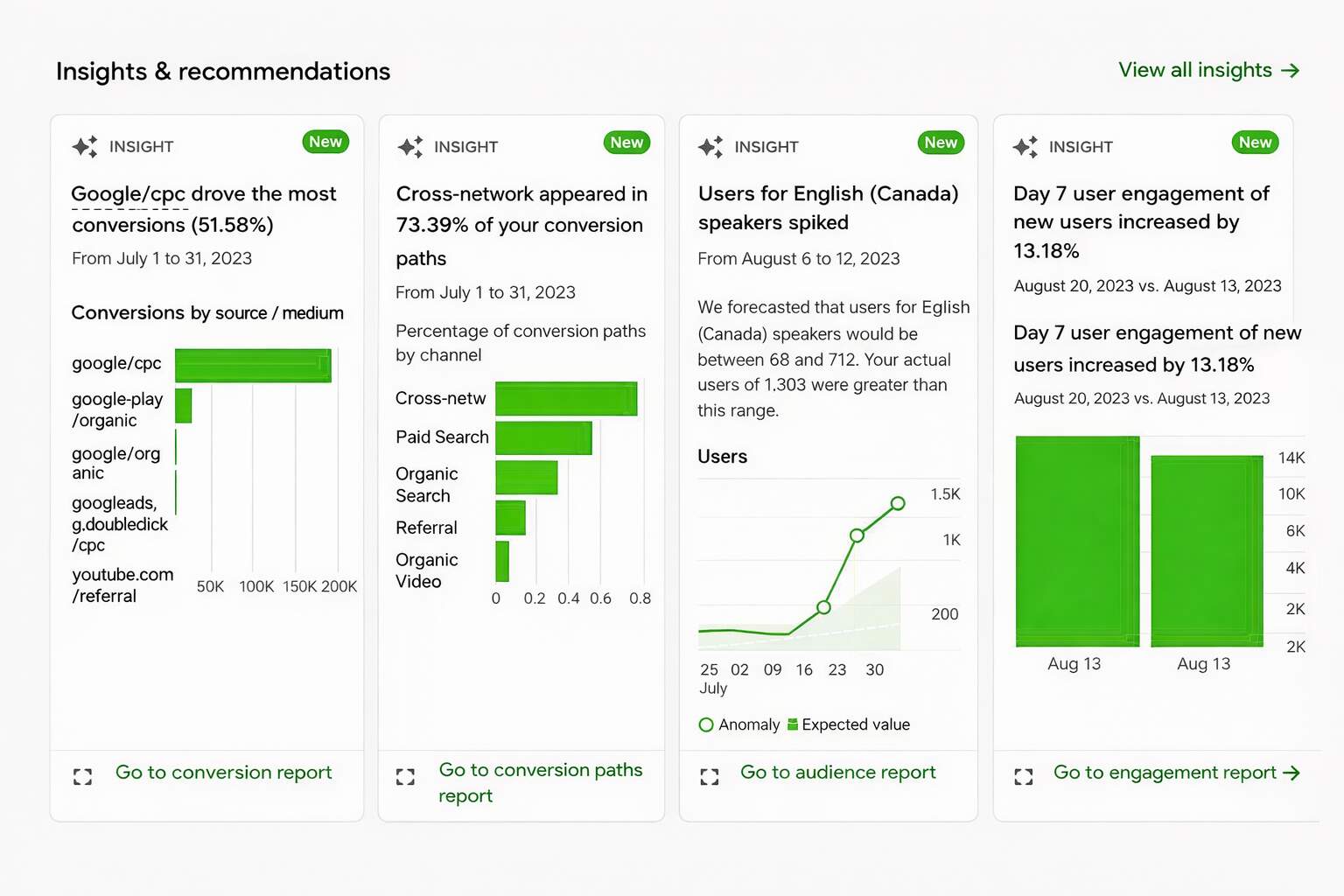
Using attribution modeling inside GA4, marketers can see how touchpoints work together. Data-driven attribution distributes credit based on contribution rather than guesswork. When you interpret GA4 data through this lens, patterns become clear. Paid social may not often close conversions, but it can often assist them. Organic search might nurture intent. Paid search might capture demand.
Here’s what these changes do:
- You stop cutting budgets from “assisting” channels too quickly
- You allocate spend based on influence, not ego
- You strengthen overall GA4 ad performance
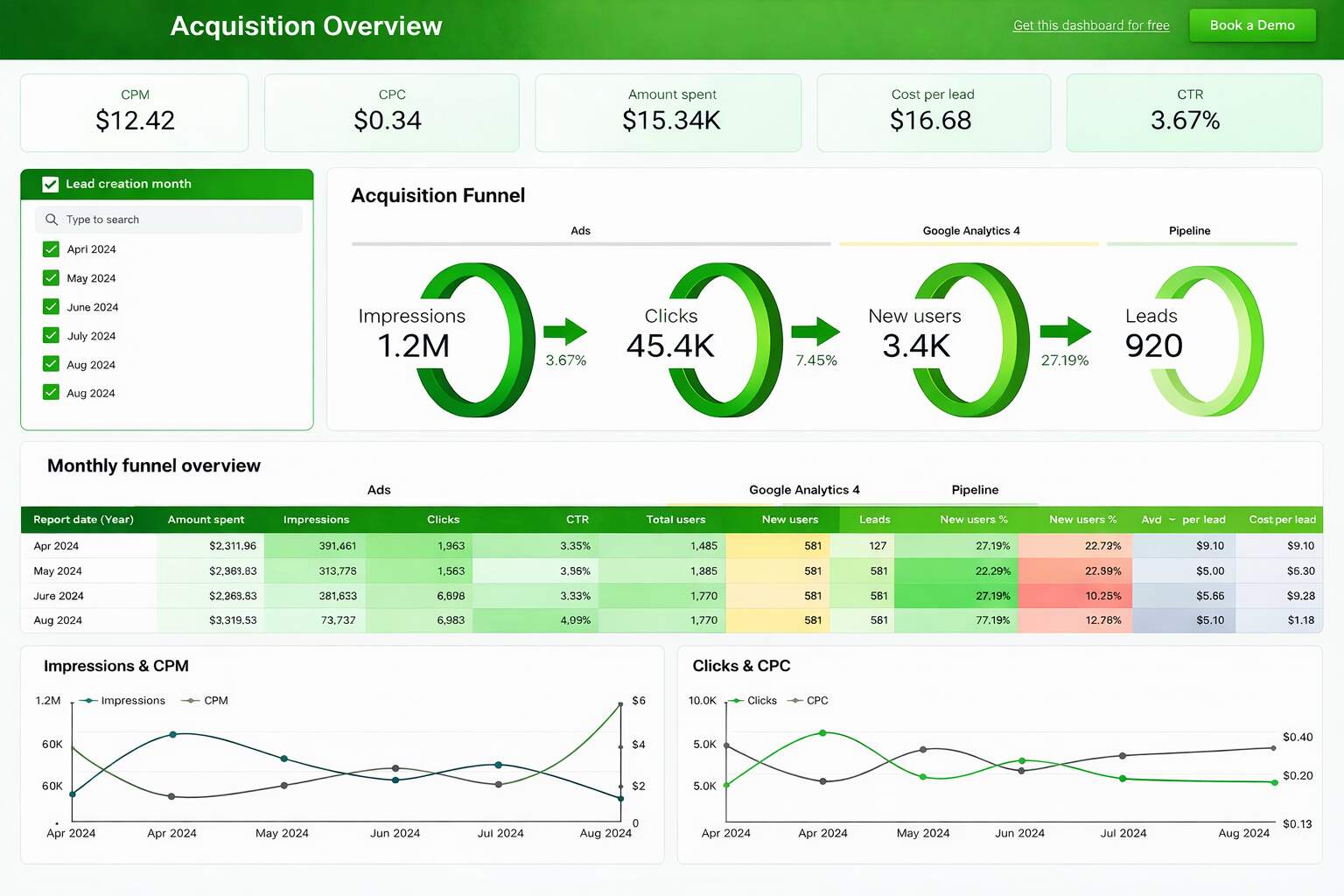
With structured GA4 reporting, cross-channel visibility becomes strategic leverage. Instead of optimizing channels in isolation, you optimize the ecosystem. And that’s how smarter ad campaign optimization actually happens , not by chasing last-click numbers, but by understanding the full journey.
Optimize Ads With GA4 Insights
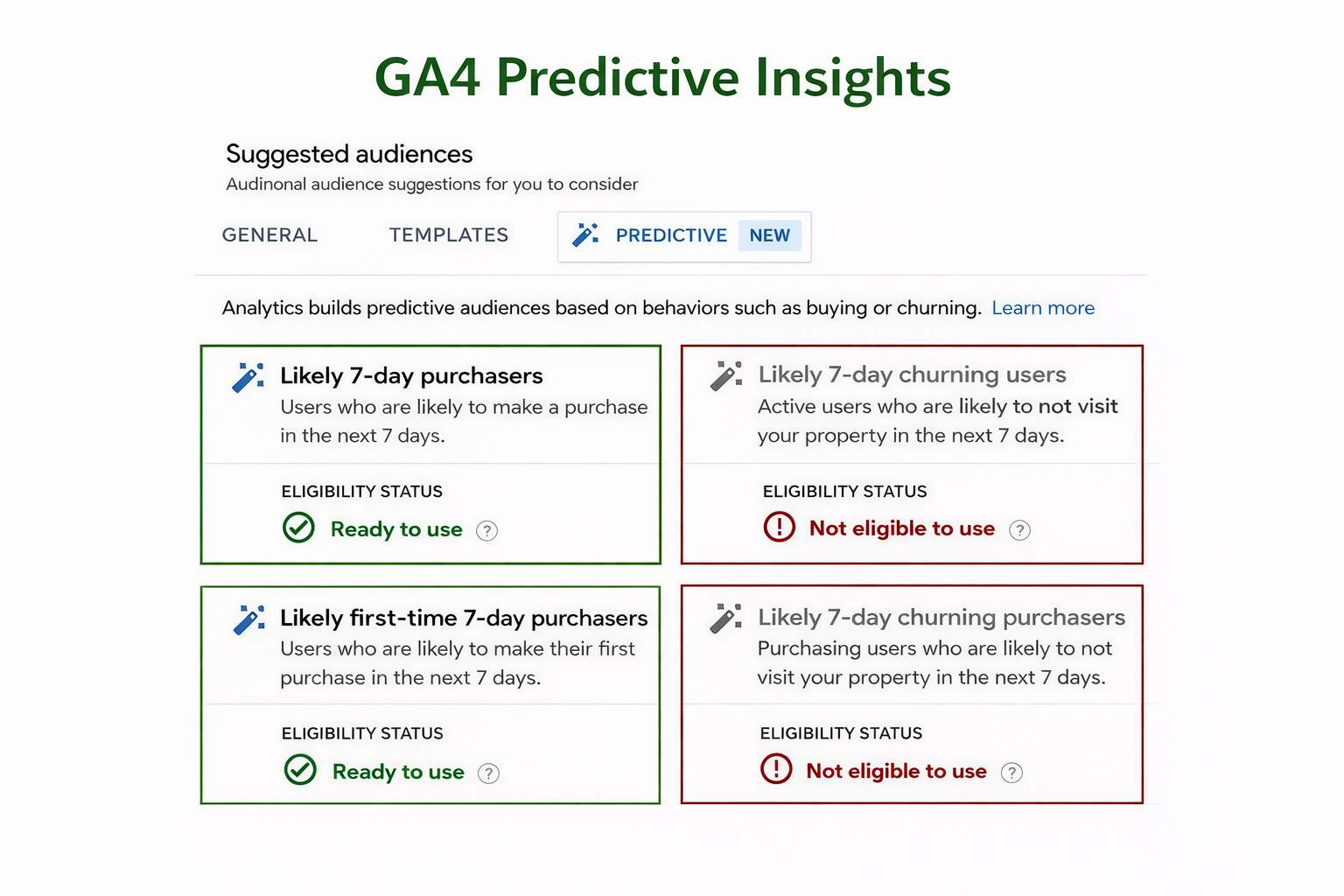
Great ads don’t stop at the click. With Google Analytics 4, you can use GA4 Predictive Insights to understand which users are most likely to convert — and then target them more intelligently.
GA4 creates predictive audiences based on real behavior signals (like purchases, engagement, and return visits). For example, it can identify users such as Likely 7-day purchasers, Likely first-time 7-day purchasers, and Likely 7-day churning users. This makes targeting more accurate because you’re not guessing based on demographics — you’re acting on probability.
Here’s how this improves performance:
- Smarter remarketing: Show follow-up ads to users who are most likely to buy soon, instead of wasting budget on low-intent visitors.
- Better budget allocation: Shift spend toward high-probability segments, so your campaigns focus on outcomes, not just clicks.
- Stronger ad relevance: Match your ad creative and offer to the user’s predicted intent — purchase-ready vs. at-risk-to-drop.
When you consistently use GA4 Predictive Insights, optimization becomes proactive. You’re not only reporting what happened — you’re using data to influence what happens next, improving GA4 ad performance with more efficient targeting and higher-quality conversions.
Use GA4 Data to Drive Better Ad Results
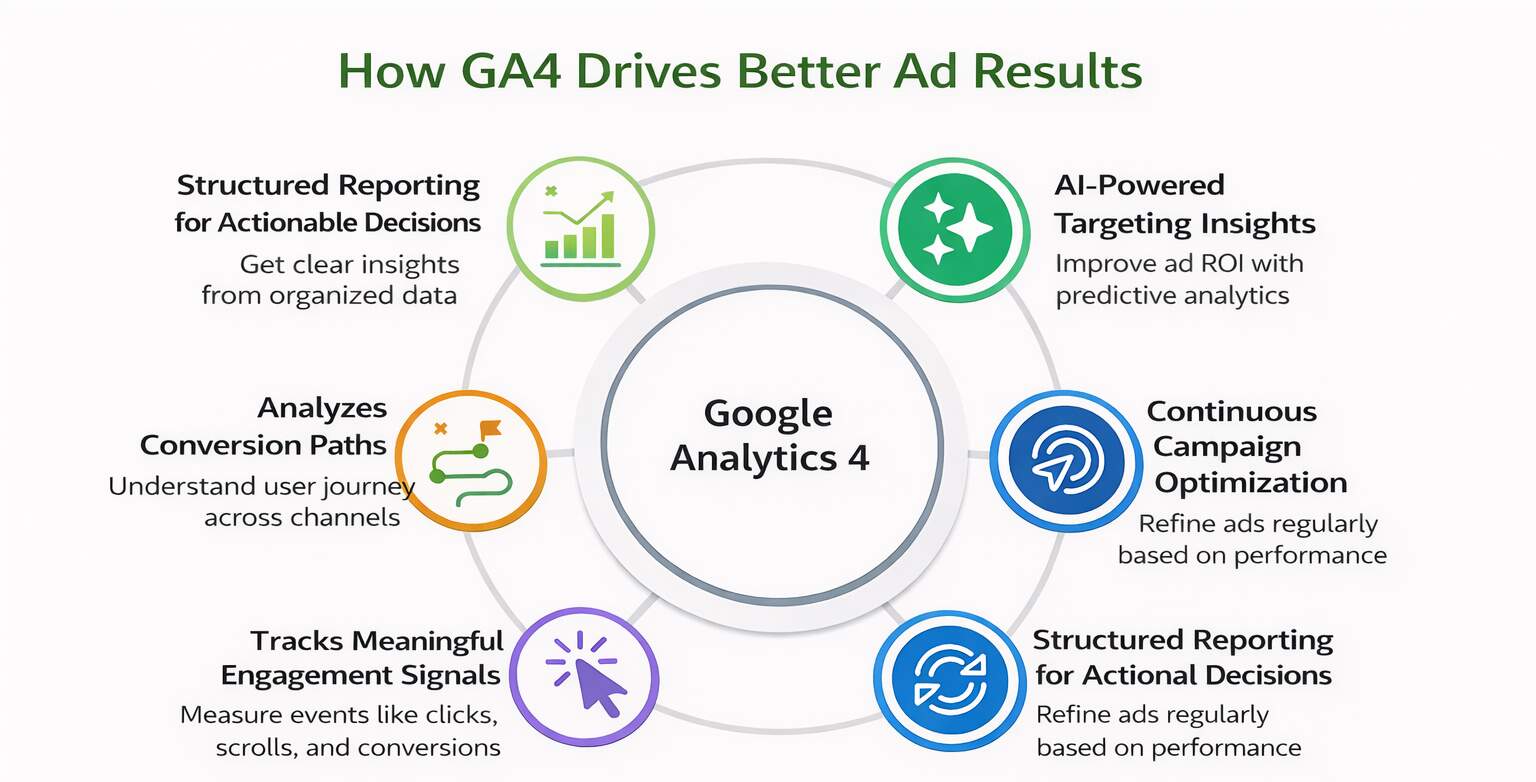
Growing traffic may look impressive on paper, but traffic alone rarely guarantees revenue. Real performance comes from understanding user behavior and acting on it. With Google Analytics 4, advertisers can move beyond vanity metrics and focus on signals that directly influence business outcomes. When you consistently interpret GA4 data, optimization becomes deliberate rather than reactive.
How to Turn GA4 Insights Into Better Results:
- Prioritize Engagement Over Volume: Using structured GA4 reporting, marketers can measure meaningful events, engaged sessions, and conversion paths. This ensures that campaigns are evaluated based on quality, not just clicks. High engagement typically signals stronger purchase intent and better overall GA4 ad performance.
- Maintain Clear Tracking Structure: Accurate event tracking and organized dashboards allow GA4 reporting for marketers to remain actionable. When conversion events are clearly defined, insights become easier to interpret and apply toward smarter ad campaign optimization decisions.
- Create a Consistent Review Rhythm: Weekly tactical reviews identify short-term issues, while monthly evaluations guide strategic budget shifts. Using GA4 for ads, teams can continuously refine targeting and creative alignment without relying on guesswork.
When analytics becomes an ongoing feedback system rather than a one-time review, performance steadily improves. That discipline transforms data into direction and ensures sustainable growth across campaigns.
GA4 Mistakes That Hurt Ad Performance
Even great ads can underperform when GA4 isn’t set up the right way. These are the mistakes teams run into most and they’re usually fixable:
- Optimizing for clicks, not results: Clicks feel good, but they don’t pay the bills. If you’re not tracking real outcomes like purchases, form submits, or demo bookings, you’ll optimize toward the wrong signals.
- Treating every action as a “conversion”: When everything is a conversion, nothing is. Too many micro-events inflate performance and make it harder to see what’s actually driving revenue.
- Giving all the credit to the last click: Buyers don’t convert in one step. If you only credit the final touchpoint, you’ll cut channels that quietly build trust and demand earlier in the journey.
- Not seeing where users drop off: Without funnel visibility, you’re guessing why conversions stall. Most issues live on landing pages, forms, or message mismatch, not in targeting.
- Disconnected ad and analytics data: When GA4 and ad platforms don’t align, reports contradict each other, and decisions suffer. Clean measurement turns confusion into clarity.
Wrapping It Up
Better ad performance doesn’t come from more dashboards; it comes from better decisions. When you use Google Analytics 4 as a strategic tool instead of just a reporting platform, your campaigns shift from reactive spending to intentional growth. You stop optimizing for clicks and start optimizing for outcomes that move revenue, pipeline, and customer value.
Teams that consistently interpret GA4 data gain a measurable edge. They identify high-intent audiences faster, fix conversion leaks earlier, and allocate budgets based on real impact, not assumptions. Over time, this compounds into lower acquisition costs, stronger funnel performance, and more predictable scaling across channels.
If your GA4 setup feels overwhelming, misaligned with your ad platforms, or disconnected from actual business results, you don’t need more reports, you need a system that turns analytics into action. From GA4 conversion tracking to performance-focused dashboards and ad optimization frameworks, it’s about turning scattered data into consistent growth.
Ready to Turn GA4 Into Revenue, Not Just Reports?
If your reports look busy but don’t clearly connect ad spend to revenue, your tracking is working against you. Most teams don’t lack data, they lack clarity from GA4. When events, conversions, and attribution aren’t set up correctly, even good campaigns can be misread.
Start with a focused GA4 audit to uncover where your tracking breaks and which ads actually drive revenue. Contact us now to see how your analytics can power smarter ad decisions.
Frequently Asked Questions (FAQs)
Question: Why is Google Analytics 4 important for ad decision-making?
Answer: GA4 helps advertisers understand what users do after clicking on ads, not just how many clicks they receive. By tracking engagement, events, and conversions, GA4 connects ad spend to real user behavior and business outcomes. This allows marketers to identify which campaigns attract high-quality users, where users drop off, and what actions lead to conversions. As a result, ad strategies become more data-driven, focused on performance quality rather than surface-level metrics alone.
Question: How is GA4 different from traditional analytics tools for advertisers?
Answer: GA4 uses an event-based tracking model instead of focusing mainly on sessions and page views. This allows advertisers to analyze specific user actions such as scrolls, clicks, video views, and purchases. GA4 also emphasizes user journeys across devices and channels, giving a clearer view of how ads contribute to conversions over time. For advertisers, this means better visibility into post-click behavior and more accurate insights for optimizing campaigns and landing pages.
Question: Which GA4 metrics matter most for ad performance?
Answer: The most useful GA4 metrics for advertisers include engaged sessions, engagement rate, key events, and conversions. These metrics help evaluate the quality of traffic driven by ads rather than just volume. When combined with acquisition data, these insights reveal which campaigns drive meaningful actions. Focusing on these metrics supports smarter budget allocation, creative optimization, and landing page improvements that directly impact business outcomes.
Question: Can GA4 help improve ad targeting?
Answer: Yes. GA4 enables marketers to analyze user behavior, engagement patterns, and conversion paths to identify high-value audience segments. These insights can be used to refine targeting strategies, build remarketing audiences, and inform lookalike or similar audience creation in ad platforms. By basing targeting decisions on real user behavior rather than assumptions, advertisers can improve campaign relevance, efficiency, and overall return on ad spend.
Question: How can GA4 support better budget allocation decisions?
Answer: GA4 allows advertisers to compare campaigns based on engagement and conversion quality, not just click volume. This makes it easier to identify campaigns that generate high-intent users and stronger business outcomes. Budgets can then be shifted toward higher-performing campaigns and away from those that drive low-quality traffic. Over time, this leads to more efficient spending and improved return on investment across paid channels.
Question: What role does GA4 play in landing page optimization?
Answer: GA4 shows how users interact with landing pages after clicking on ads, including engagement levels, key actions, and drop-off points. These insights help identify friction in the user journey, such as unclear messaging or confusing layouts. By using GA4 data to guide landing page testing and improvements, marketers can better align on-site experiences with ad messaging, reduce bounce rates, and increase conversion rates from paid traffic.
Question: Can GA4 be used alongside ad platform reporting?
Answer: GA4 is best used as a complement to ad platform dashboards, not a replacement. While ad platforms provide performance data related to impressions, clicks, and cost, GA4 reveals what users do after they arrive on the site. Combining both sources gives a more complete view of campaign performance, connecting ad spend to actual user engagement and conversions, and enabling more informed optimization decisions.
Question: Is GA4 suitable for non-technical marketing teams?
Answer: Although GA4 has a learning curve, it can be effectively used by non-technical teams once key reports and events are understood. By focusing on a few core reports related to acquisition, engagement, and conversions, marketers can extract actionable insights without deep technical expertise. With basic training and proper setup, GA4 becomes a practical tool for guiding everyday ad optimization and performance reviews.
Question: How often should advertisers review GA4 data?
Answer: GA4 data should be reviewed regularly to support continuous optimization. Weekly reviews help identify short-term performance trends and issues, while monthly analysis supports strategic decisions around budget allocation and creative direction. Regular monitoring ensures that insights are acted upon in a timely manner, enabling advertisers to test improvements, measure impact, and refine campaigns based on real user behavior over time.
Question: Does GA4 directly improve ad performance?
Answer: GA4 itself does not improve performance, but the insights it provides enable better decisions. When advertisers use GA4 to understand user behavior, identify drop-offs, and measure meaningful conversions, they can optimize targeting, creatives, and landing pages more effectively. The performance gains come from how teams interpret and act on GA4 data, turning insights into continuous improvements across campaigns.
Author Details

Ashwani Kumar Sharma
Ashwani has been actively involved in SEO services since 2005. His expertise and distinctive work approaches have made him one of the most experienced and trusted SEO experts in the industry. He is a certified SEO and Google Ads professional. He also has strong business development skills in advanced SEO, PPC, and digital marketing strategies.


