



5 Plugins You Must Use in Your WordPress Blog

WordPress has become one of the most popular platforms for creating and managing blogs. Also, a plugin is an additional component that adds a particular feature or function to a self-hosted WordPress website. Instead of changing complicated website code manually, a blogger can install a suitable plugin to perform many common tasks.
Plugins can help with spam control, website speed, contact forms, sitemaps, security, backups, and many other areas. The important point is not to install every plugin you come across. A better approach is to choose a small number of useful plugins that solve real problems.
A Quick Comparison of the Five WordPress Plugins
| Plugin | Best Use | Key Benefit | Price |
| Akismet | Spam comment filtering | Reduces manual moderation by identifying suspicious comments | Free for personal blogs; paid plans for commercial use |
| All in One SEO Pack | SEO management | Helps control titles, meta descriptions, canonical URLs, and other basic SEO settings | Free version available; Pro version available |
| WP Super Cache | Website caching | Creates static page versions to reduce server work and improve loading speed | Free |
| Contact Form 7 | Contact forms | Lets visitors send inquiries through customizable website forms | Free |
| Google XML Sitemaps | XML sitemap creation | Automatically creates and updates a sitemap for search engines | Free |
Prices and plugin options can change, so website owners should always check the developer’s website before choosing a paid service. Now that we have seen the five plugins at a glance, let’s look at each one in more detail. The sections below explain how every plugin works, why it can be useful for a blog, and what you should know before using it.
5 Essential WordPress Plugins for Your Blog
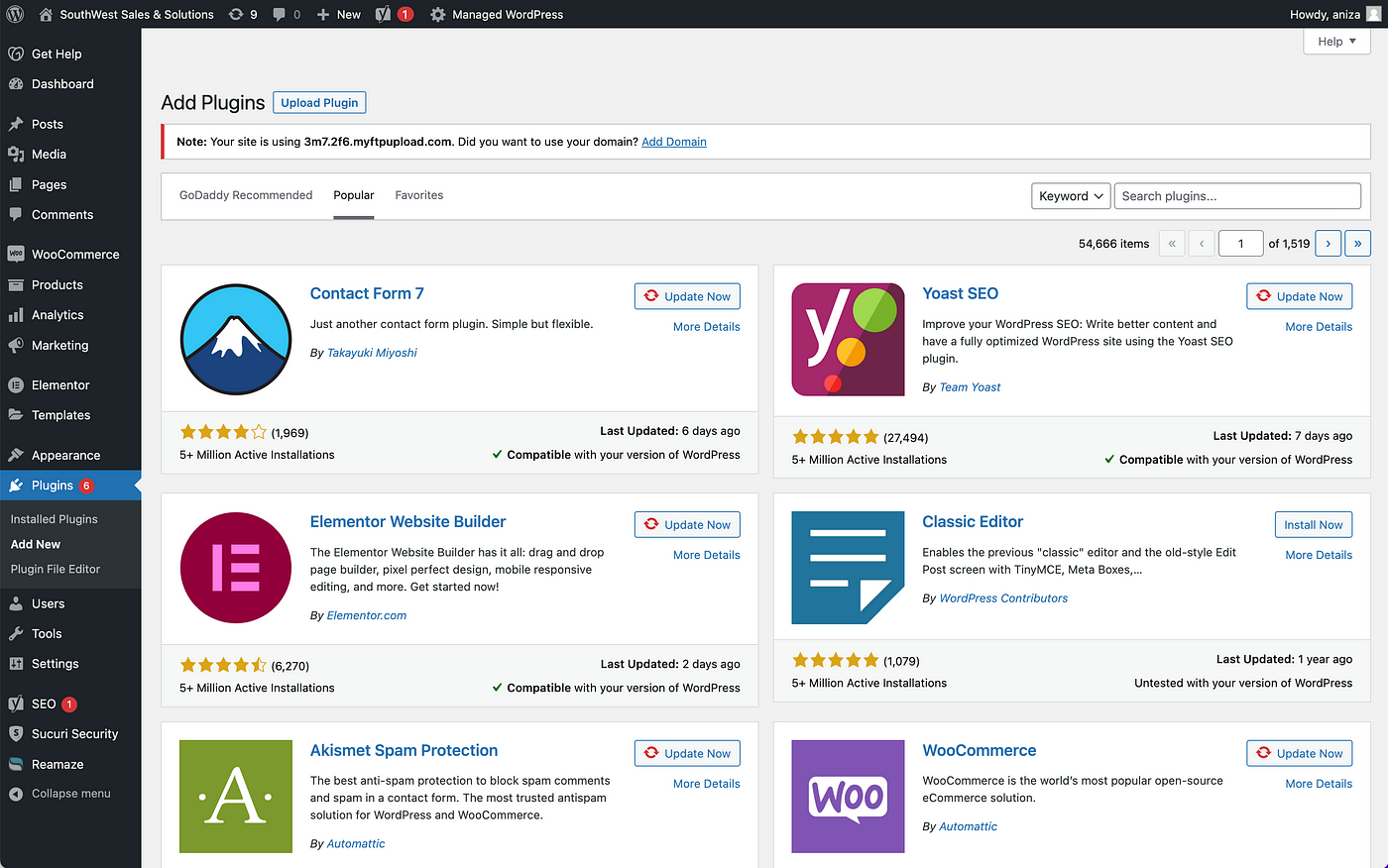
The right plugins can make everyday blog management much easier by taking care of important tasks such as spam control, SEO, caching, contact forms, and sitemap creation. Here are five useful WordPress plugins that cover these key areas without adding unnecessary complexity to your website.
-
Akismet
Bloggers who allows comments on a blog soon discovers that not every submission comes from a genuine reader. Spam comments can contain advertising, irrelevant text, suspicious links, or repeated messages posted automatically across many websites. Deleting them one by one quickly becomes tiresome, especially as the blog grows. That is the problem Akismet plugin is designed to handle. It checks incoming comments and compares them with information from its spam detection service. Messages that appear suspicious can be moved into the spam area instead of appearing directly beneath an article. Many WordPress installations already include Akismet, although the plugin still needs to be activated and connected using an API key.
Personal bloggers can use it without paying, while commercial users need a paid plan. Small-business use starts at around $5 per month, which can be worthwhile when a website receives a steady stream of unwanted comments. No automatic filter is perfect, so it is still sensible to look through the moderation and spam queues from time to time. A genuine message can occasionally be caught by mistake. Even so, Akismet greatly reduces the amount of manual checking needed and helps keep public comment sections cleaner. For blogs that encourage discussion, that can make a noticeable difference. Readers are more likely to take part when the comments underneath an article contain useful conversations rather than rows of advertisements and questionable links.
-
All in One SEO Pack
Titles and descriptions may look like small details, but they play an important part in helping search engines understand individual pages. Editing this information directly inside theme files is not practical for most bloggers, particularly when new content is being published regularly. All in One SEO Pack brings many of these controls into the WordPress administration area. It can help with page titles, Meta descriptions, canonical URLs, and other basic optimisation settings. Some information can be generated automatically, while individual posts can be adjusted when more control is needed. The standard version is free, which makes it accessible to bloggers who simply need the main features.
A Pro edition is available for those who want additional options and support. This gives users room to begin with the free version rather than paying for features they may not need. Another well-known option is WordPress SEO by Yoast. Since both plugins cover several similar areas, running them together is usually unnecessary. One properly configured SEO plugin is far more sensible than installing several tools that try to manage the same information. It is worth keeping expectations realistic as well. A plugin can make SEO settings easier to manage, but it cannot turn weak content into strong content. Useful articles, clear organisation, relevant internal links, and sensible page titles still require attention from the person running the website. For bloggers who want easier control over important page information without regularly touching website code, all in One SEO Pack offers a practical solution.
-
WP Super Cache
A WordPress page is not always stored as one finished file waiting to be shown to visitors. The system may need to process PHP, collect information from the database, load theme files, run plugins, and bring several other elements together before a page appears. Doing all of that repeatedly for the same page can create unnecessary work for the server. A caching plugin offers a simpler route by keeping a ready-made version that can be delivered to visitors more quickly. With WP Super Cache, WordPress can generate static HTML copies of pages and serve those files to many visitors. Because the plugin is free, bloggers can introduce basic caching without adding another regular expense to the website. Its simpler settings are often enough for ordinary blogs, while more advanced users can make further adjustments if required.
W3 Total Cache is another popular choice and provides a wider range of performance controls, although the additional options can make it more complicated for beginners. One small issue with caching is that an old version of a page may sometimes remain visible after you make an update. In most cases, clearing the cache solves the problem and allows the newer version to appear. The real benefit is not simply that a caching plugin sounds technical. Faster page delivery makes browsing more comfortable for readers, while reducing some of the repeated work the server performs. For a blog that is receiving more traffic, WP Super Cache can therefore be a useful addition without costing anything.
-
Contact Form 7
There are plenty of reasons someone may want to contact the person behind a blog. A reader might spot an error in an article, ask a question, suggest a future topic, enquire about a service, or simply send some feedback. You could publish an email address directly on the site, but a contact form is often tidier and easier to manage. Contact Form 7 provides a straightforward way to create one inside WordPress, and the plugin itself is free. A basic form may include only a name, email address, subject, and message. Business websites can make the form more detailed by asking for information such as a telephone number, company name, or type of enquiry.
The advantage is flexibility. A small personal blog does not need to create an unnecessarily long form, while a company can collect the extra details it requires before responding to a potential customer. Messages submitted through the form can be sent to an email address chosen by the website owner. This allows enquiries to stay organised without placing a personal email address prominently across the site. Once the form is live, send a few test enquiries before relying on it. Check that each field behaves properly and confirm that the messages arrive at the correct email account. A contact page is of little use if visitors think they have successfully reached you while their messages are actually going nowhere. For anyone who needs a simple contact option without paying for a commercial form builder, Contact Form 7 is one of the most practical choices available.
-
Google XML Sitemaps
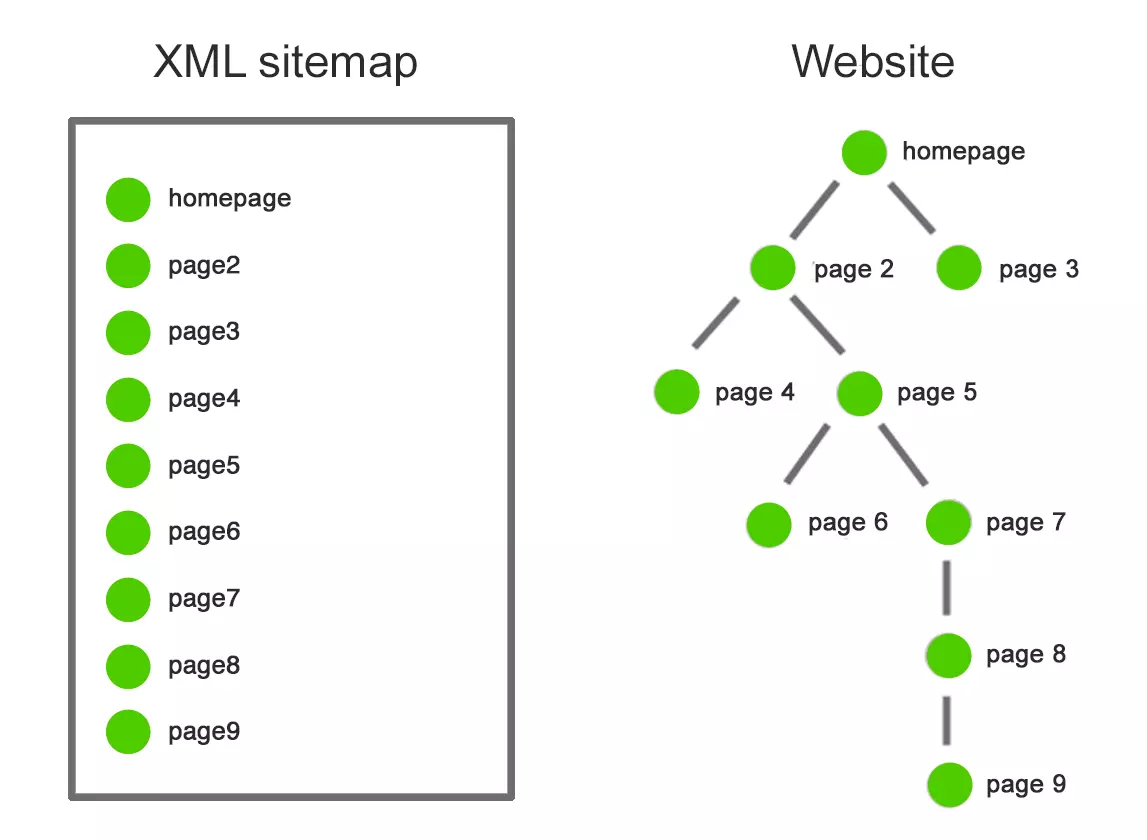
As a blog grows, keeping track of every published URL becomes increasingly difficult. A new website may contain only a handful of articles, but after months of regular publishing it can have dozens or even hundreds of pages, categories, and archives. Search engines usually discover content by following links, but an XML sitemap gives them an additional organised list of URLs to work with. Creating and updating that file manually would be inconvenient for most bloggers. This is where Google XML Sitemaps becomes useful. The free plugin can automatically generate an XML sitemap and update it as new content is added. Despite the name, the sitemap is not useful only for Google. Other major search engines can make use of the same information.
Once the sitemap is available, its location can be submitted through services such as Google Webmaster Tools. This gives search engines another way to discover pages across the website without requiring the blogger to maintain the file by hand. There is still some responsibility on the website owner’s side. Not every URL necessarily belongs in a sitemap. Test pages, unfinished sections, or content that should remain out of search results may need to be treated separately. For a growing blog, the main attraction is convenience. Instead of remembering to update a sitemap every time another article goes live, the plugin handles much of the process automatically and does so without adding a paid service to the website.
Keep Plugins Updated and Check Your Blog Regularly
WordPress, themes, and plugins are updated from time to time, so blog owners should check the administration area regularly for available updates. Updates can fix bugs, improve compatibility, or patch security holes. When you update a plugin , test all the important pages to check that everything is still working . Test the contact form, look through some articles, have a look at the menus, and make sure the website still looks good. When installing or updating a plugin, if the problem suddenly appears, then temporarily disabling that plugin can help find the cause. It may seem like extra work, but regular maintenance is a lot easier than trying to fix a neglected website later.
For bloggers who need more than plugin-level changes, professional web design and development services can also help improve website functionality, usability, and overall performance.
Choose Plugins According to the Needs of Your Blog
The five plugins discussed above cover some of the most useful areas for a typical WordPress blog: spam protection, search optimization, caching, reader contact, and search engine discovery. A useful plugin should make the blog easier to manage, improve the experience of visitors, or handle a task that would otherwise require unnecessary manual work.
The best WordPress setup is usually the one where every installed plugin has a clear reason for being there. Choose carefully, keep the plugins updated, review them from time to time, and concentrate on the most important part of any successful blog: publishing useful content that people actually want to read.
If you are planning to improve your WordPress blog but are unsure which plugins, settings, or optimization methods are right for your website, professional web support can make the process easier. Get our expert assistance to improve your WordPress website’s performance, usability, and search visibility with a setup that suits your actual needs.
Author Details

Ashwani Kumar Sharma
Ashwani has been actively involved in SEO services since 2005. His expertise and distinctive work approaches have made him one of the most experienced and trusted SEO experts in the industry. He is a certified SEO and Google Ads professional. He also has strong business development skills in advanced SEO, PPC, and digital marketing strategies.


