



Step-by-Step PPC Campaign Setup Guide for Beginners

Key Takeaways
- Plan before spending: define goals, target CPA, test budget, and evaluation window clearly.
- Prioritize intent over volume: focused, high-intent keywords beat bloated, mixed-intent lists every time.
- Write ads as promises: mirror searcher language, state value clearly, and align expectations.
- Build single-purpose landing pages: fast, mobile-friendly, trust-rich, with one clear action for each visitor.
- Treat tracking as infrastructure: measure every meaningful action across Google Ads and analytics.
- Optimize patiently: review data weekly, refine keywords, expand winners, and pause persistent losers.
- Avoid classic pitfalls: over-broad targeting, weak offers, bad UX, broken tracking, inconsistent management.
Pay-per-click advertising appears simple at first glance: you select some keywords, write an ad and point traffic to your site. In reality, most beginners learn the hard way that click is not equal to customer. Budgets are vanish away on vague targeting, poorly-structured accounts, and landing pages that feel like they belong in a different century to the ad you just paid for. For those of you with a small team, or even in the mindset of wanting to wear every hat, it’s often easy to say “PPC is too much, let me focus on organic or social only,” while your competition sits there and purchases visibility above you quietly.
The good news is, you don’t need a massive agency budget, or 10 years of experience, to start your own successful campaign. You do need a method. Start by treating PPC like a controlled experiment, not a gamble: one goal, one audience, one offer, and a clear “success” metric you can measure in a week. When you build the account structure and tracking first, every click tells you something useful, and you can scale what works instead of throwing more money at noise.
This PPC campaign setup guide for steps is designed for practical constraints: limited time, fixed budgets, and fear of showing ROI (or not) asap. It guides you through the most important PPC planning process steps, such as how to set goals, define an audience, choose keywords and create ad copy, and then optimize your campaign over time. You will also learn where beginners typically make costly mistakes and how to avoid falling into the same traps. At the end, you’ll have an actionable, repeatable system for getting your first campaigns up and running with confidence
Step 1: Understanding PPC & Choosing Your Platform
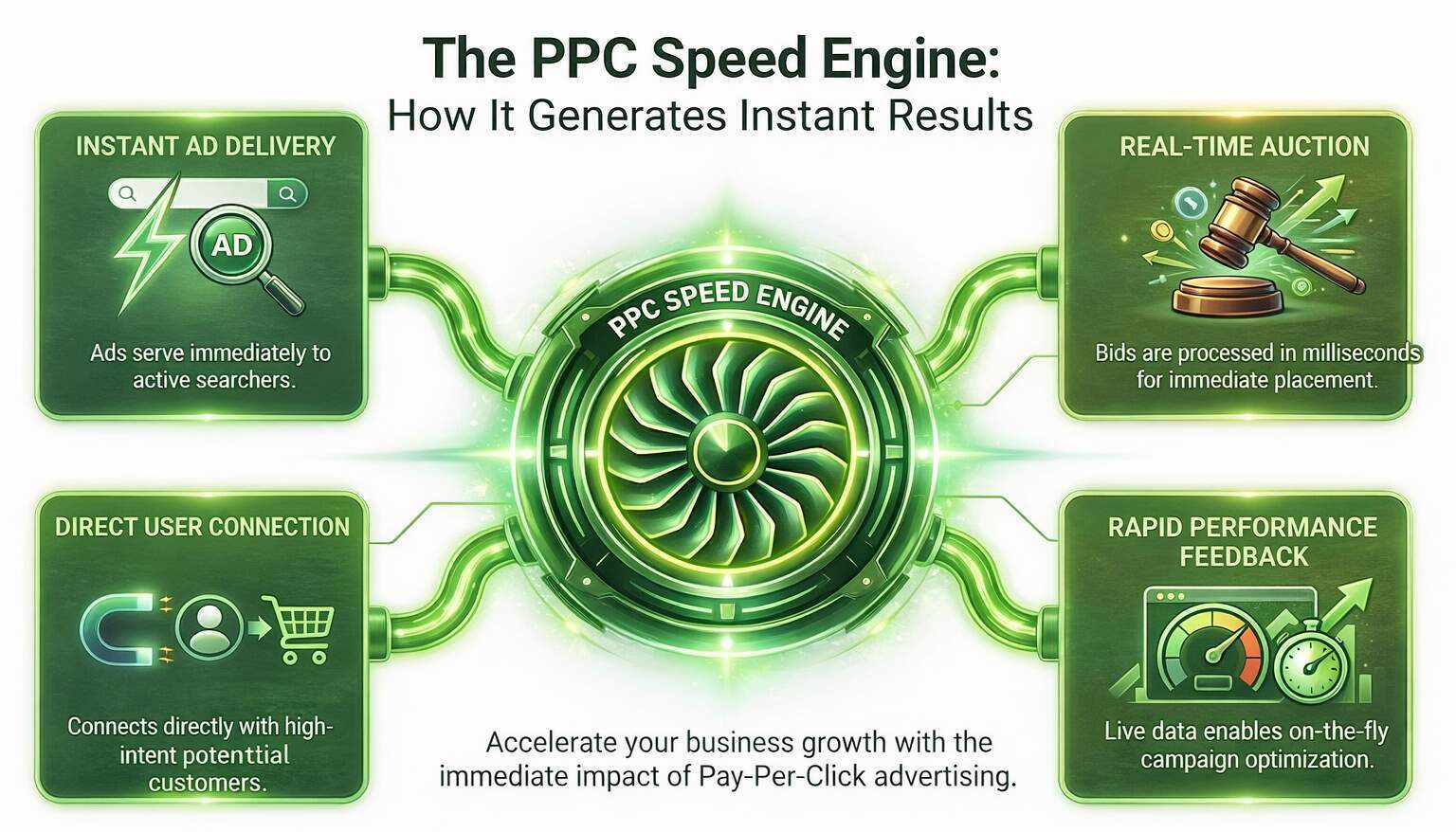
At its core, pay-per-click advertising is simple: you pay when someone clicks your ad, not just when it’s shown. Search platforms like Google match your ads to keywords users type, then run a Google Ads auction in milliseconds to decide which ad appears and in what position. If your bid, relevance, and quality score are competitive, you show up on the results page in front of people who are actively looking for what you sell. That’s why PPC for small businesses can feel so powerful: you’re not shouting at a cold audience; you’re stepping in front of active demand when it matters.
The “fast” part comes from control. You can launch a new campaign and start receiving traffic the same day, unlike SEO. But that speed cuts both ways. Benchmarks show average Google Ads search conversion rates in the ~3–7% range, depending on industry, meaning most clicks won’t result in leads or sales. If your targeting is sloppy or your offer is weak, you’re paying for noise. Treat PPC as a precision channel: specific keywords, specific audiences, and specific landing pages that make it easy to convert.
Step 2: Set Goals, Budget, and Success Metrics
Before You Touch Google Ads
Most failing accounts don’t die because of “bad buttons” in the interface. They die because there was no plan before the card was added. A solid PPC strategy for beginners starts with brutally clear answers to three questions: what do you want people to do, what is that action worth, and how much can you afford to spend to acquire it? A call booking, a form submit, or an ecommerce purchase may all be “conversions,” but they don’t carry the same value. If you aren’t clear on that value, bidding decisions turn into guesswork.
Industry data shows average search conversion rates of 3–5% across many verticals, though high-intent sectors can see higher rates. That means you need to think backwards. If one lead is worth $200 and you’re comfortable paying $50 to get it, a 5% conversion rate implies a maximum cost-per-click of about $2.50. Suddenly, “small” targeting tweaks become financial decisions instead of cosmetic changes. Beginners who skip this step often call PPC “too expensive,” when the real problem is that they never defined what success looks like.
Three numbers to define before launch in your beginner PPC campaign setup:
- Define a realistic target cost per acquisition and a clear acceptable range for variation tolerances.
- Set a monthly test budget you can genuinely afford to lose while learning and optimizing.
- Decide the minimum evaluation period in weeks before judging performance or making major changes confidently.
Once these are written down, every later decision – bids, keywords, and pauses – has a clear frame. It stops budget changes from becoming emotional reactions to a bad day and turns them into logical responses to data. It also makes it easier to explain, defend, and adjust your PPC decisions with stakeholders, because the success criteria were agreed upfront.
Step 3: Do Smart Keyword Research & Build a Lean Structure
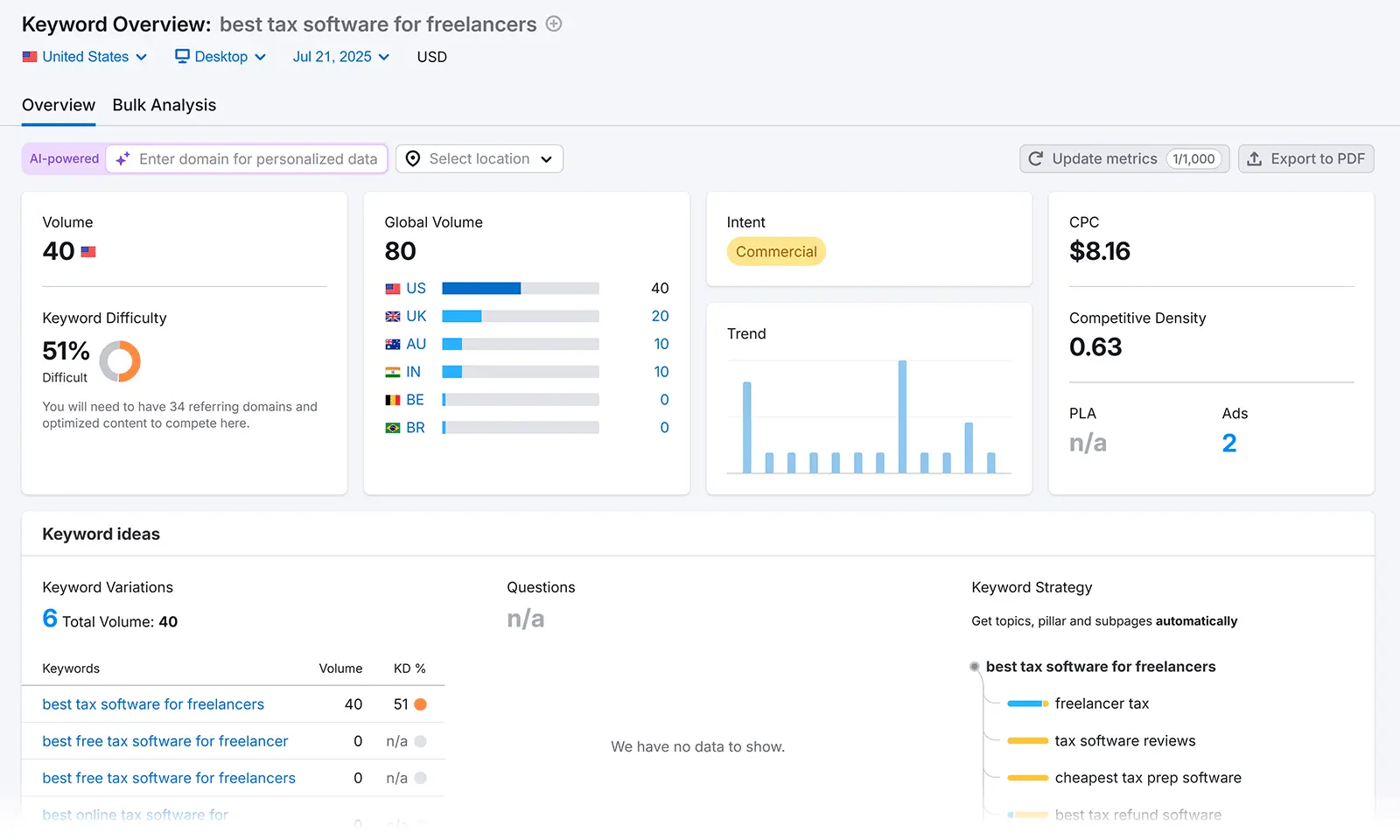
If your keywords are wrong, nothing else can save the campaign. Solid keyword research fundamentals goes beyond “what would I type” and digs into intent, volume, and competitiveness. Start with obvious core terms, then branch into variants using planner tools. Look for phrases that sound like problems (“emergency plumber near me”), comparisons (“best invoice software for freelancers”), and ready-to-buy searches (“book piano movers Melbourne”). These usually convert better than broad, research-style queries. The trap many beginners fall into is overloading a campaign with hundreds of variations that no one has time to monitor.
From there, think about structure. Clean ad groups and campaigns keep your account organized and your ads tightly aligned with queries. Campaigns should be grouped by goal or product line; tightly related keyword themes should group ad groups. Ten well-chosen terms in a focused ad group will almost always beat a grab-bag of fifty. A good rule of thumb for PPC campaign steps setup guide execution: if your ad copy can’t naturally include virtually every keyword in the group, your grouping is too broad and should be split out before you go live.
Step 4: Match Your Message to the Right Searcher
Keyword intent is not academic — it’s your ad budget. A search for “how to set up campaigns” does not mean the same thing as “best plumber near me,” even if both mention your industry. Beginners often mix informational and transactional terms into the same ad group and then wonder why the “good” keywords don’t seem to perform. Deciding which terms deserve a “learn more” type ad versus a “book now” ad is a core part of PPC strategy for beginners and may be the difference between a 1% and 5% conversion rate.
This is where your negative keywords list becomes a protective shield. If you sell premium consulting, you probably don’t want clicks for “free”, “cheap”, or “DIY template.” If you ship only in one country, you don’t wish to “Canada” or “UK” queries eating into your budget. Many of the worst first PPC campaign mistakes show up here: failing to add obvious negatives, assuming match types will filter enough, and letting irrelevant search terms accumulate for months. Reviewing search term reports weekly and adding negatives is the easiest way to stop paying for junk.
Step 5: Create Ads That Earn Clicks
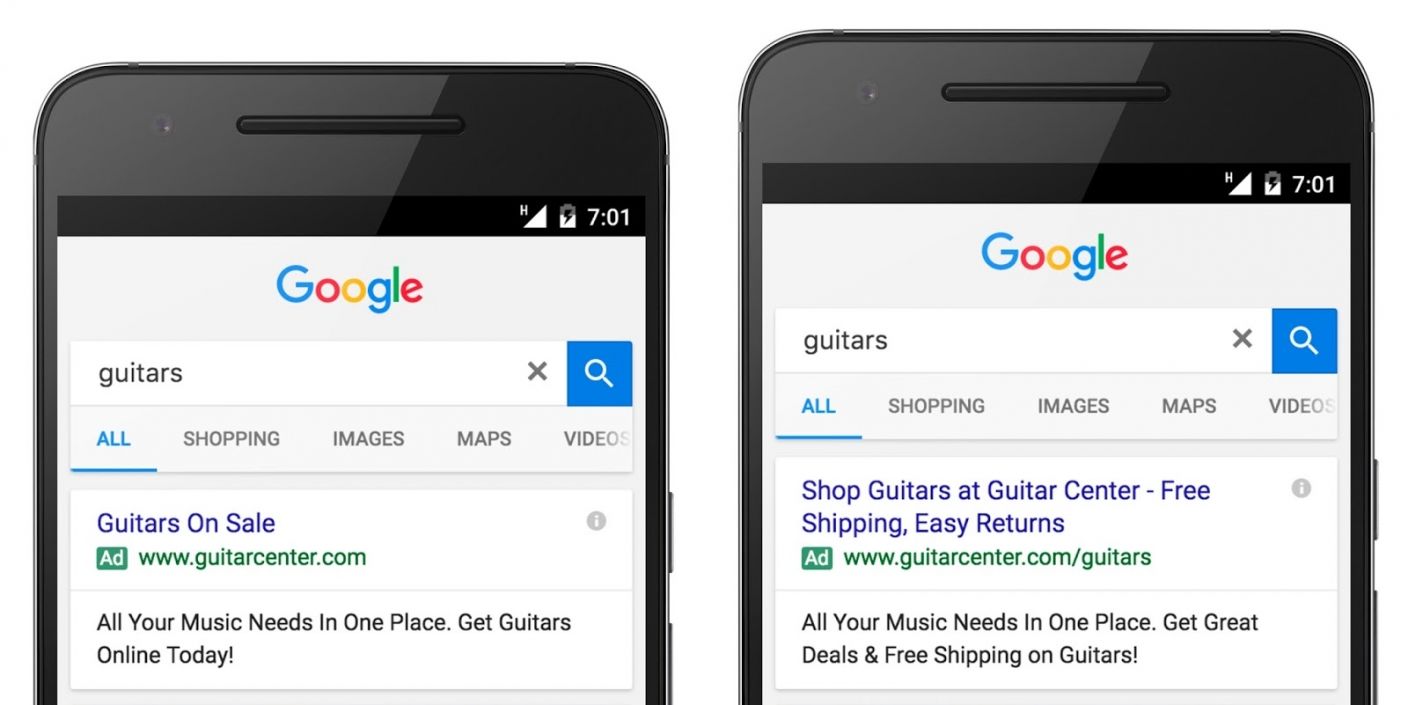
Ad copy is where your planning stops being theory and starts costing money. Your headlines don’t need to be clever; they need to prove, fast, that you understand the searcher’s problem and have a better answer than the other ads on the page. Treat every ad as a short sales pitch that explains what you do, who it is for, and why this click is worth paying for – both for you and the user. If you’re unsure how to set up a Google Ads campaign that actually works, start by following a few simple rules. You can begin by reviewing this guide on how you can start a Google Ad campaign to understand the fundamentals of campaign setup and structure, including setting goals, choosing keywords, and launching your first ads..
- Match the query in your headline: Echo the user’s phrasing so the ad feels like a direct response to their search, then use descriptions to add detail on turnaround time, pricing style, guarantees, or next steps.
- Make the value obvious, not vague: Avoid soft claims like “high quality” on their own. Add specifics: response times, service areas, free consultations, or risk-reversal elements that reduce hesitation.
- Use extensions as strategic real estate: Sitelinks can drive to pricing, case studies, or FAQs; callouts highlight perks like “No long-term contracts”; structured snippets showcase service categories; for PPC for small businesses, location and call extensions turn mobile searches into fast conversations.
When the copy and extensions work together, every ad feels like a direct, trustworthy path to a solution instead of a generic brand teaser. The promise in the ad and the experience after the click should line up cleanly; overpromise in the copy and dump people on a vague homepage, and even the best-written ad will stop earning profitable clicks.
Step 6: Build Landing Pages That Actually Convert
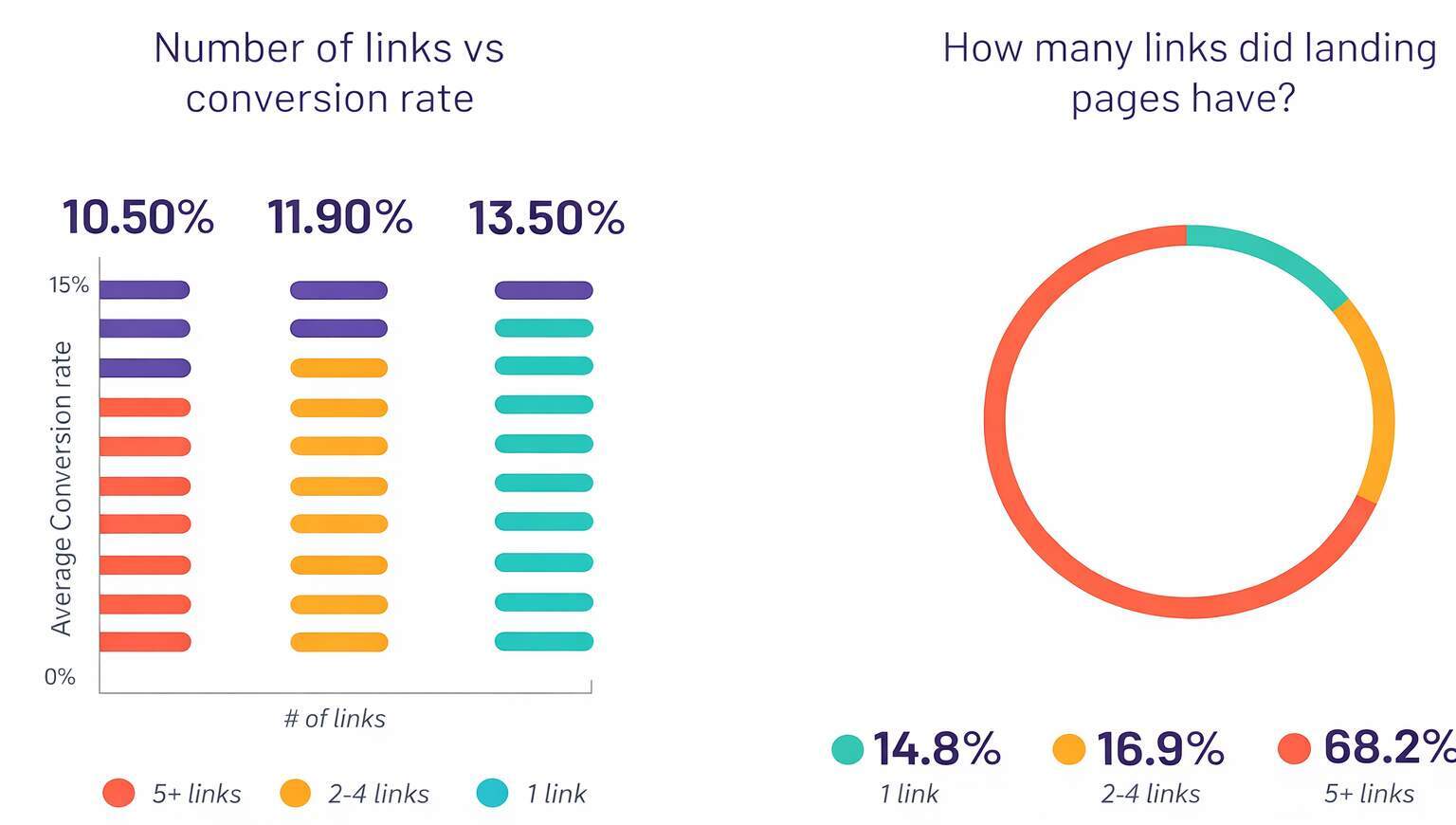
Sending paid clicks to your homepage is like inviting guests to a party and then dropping them off at a shopping mall. Landing pages for PPC should be single-purpose: one audience, one promise, one primary call to action. If the ad says “Same-day AC repair,” the page must immediately confirm that, not hide it below a hero slider about “quality HVAC solutions.” Studies show that clear, intent-matched pages generally convert far better than generic ones, even when traffic volume is similar.
Speed and mobile experience are not “bonus points” here. A laggy page or one that requires zooming and pinching on a phone will quietly kill conversions, no matter how good your targeting is. This is where you connect PPC and UX: load time, clarity, and form length all shape performance. Treat landing pages for PPC as testable assets, not one-time builds. Run A/B tests on different headlines, form fields, and social proof blocks. A small uplift in conversion rate can dramatically increase your effective return on ad spend (ROAS) without increasing media cost.
For this section, a visual works well: a simple mockup comparing a weak landing page (a generic hero, multiple conflicting CTAs) vs. a strong one (a matched headline, a single CTA, trust badges).
Step 7: Install Tracking Before You Spend a Dollar
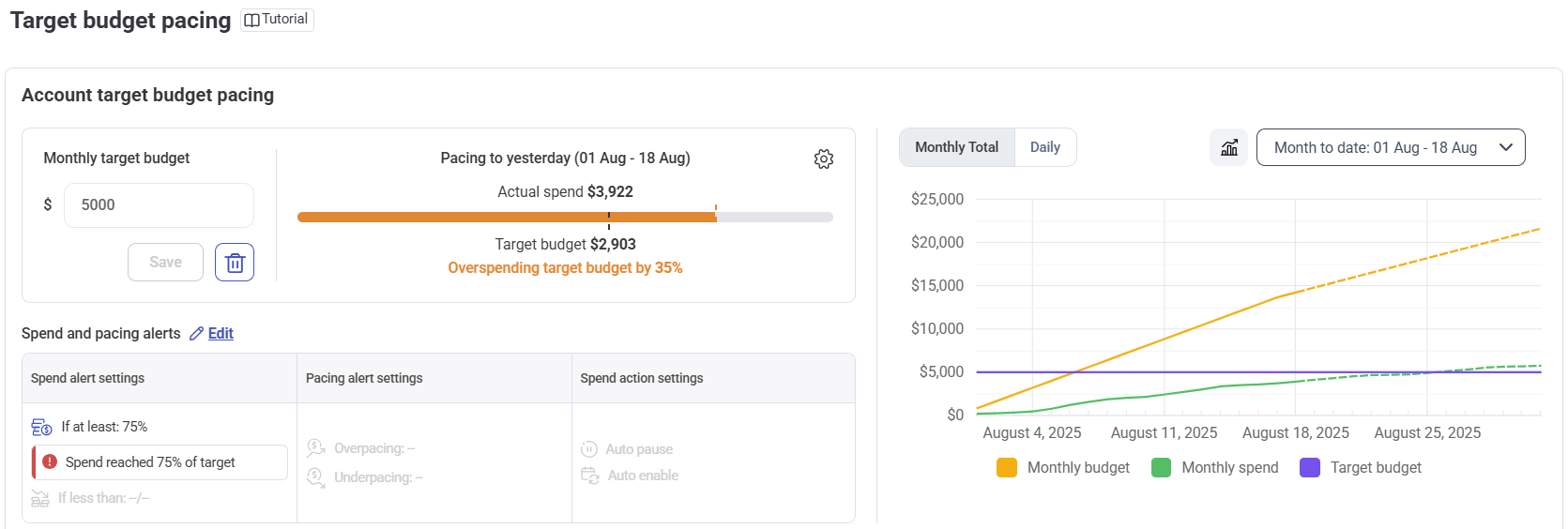
If you can’t measure results, you’re not doing PPC – you’re donating money. Proper conversion tracking in PPC starts with two layers: platform conversions (in Google Ads itself) and analytics tracking (e.g., GA4). The platform needs conversion signals to optimize bids, while analytics helps you understand full journeys, multi-touch paths, and where users actually drop off. Skipping either layer guarantees you will over-credit certain keywords, miss assisted conversions, and struggle to scale winning campaigns.
At minimum, every lead form, purchase event, or key engagement should trigger a conversion. In GA4, that might be “generate-lead” or “purchase”; in Google Ads, you’ll import those events or create direct conversion actions. The key is consistency: if your funnel changes or you redesign your forms, tracking must be updated immediately. Beginners often focus heavily on the interface side of how to set up Google Ads and then leave tags misconfigured. Your goal is simple but non-negotiable: every time real money changes hands or a qualified lead comes in, both systems must be notified.
Step 8: Launch Soft, Watch Closely, and Optimize With Discipline
The first month of a new campaign is not about “maximizing volume”; it’s about learning as cheaply as possible. Start with conservative bids, a focused geography, and tight match types. Watch search term reports, device breakdowns, and early conversion patterns. Industry data shows Google Ads average conversion rates in the low single digits across many sectors, so big swings from day to day are normal at small sample sizes. Overreacting to one bad day is a classic beginner mistake.
Instead, build habits. Check performance for your ad groups and campaigns at least twice a week. Pause obviously irrelevant search terms, trim underperforming keywords, and shift budget toward themes with early promise. Make one change at a time and give it enough data to prove itself. Over time, you’ll layer in experiments: new ads, new landing page variants, and different bidding strategies. The goal for any PPC strategy for beginners is stability first, scale later. A small but profitable campaign can always be expanded, but a chaotic one is hard to “fix” without starting over.
Common First-Campaign Mistakes
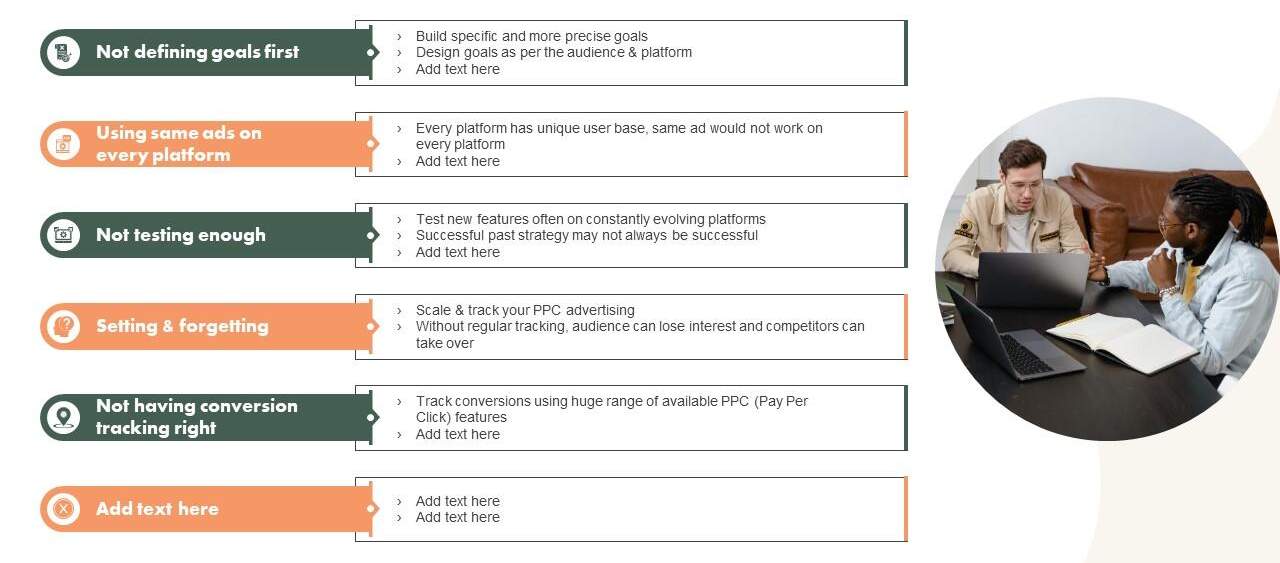
Most of the “PPC doesn’t work for us” stories come from avoidable errors, not impossible markets. The biggest first PPC campaign mistakes usually fall into five areas: over-broad targeting, weak offers, broken tracking, lazy landing pages, and hands-off management. If you load one campaign with every product, mix match types freely, and then send all traffic to the homepage, you’ve basically set your budget on fire and hoped Google would read your mind.
The fix isn’t magic; it’s structure and discipline. Keep themes narrow so ads feel hyper-relevant, ensure your negative keywords list is maintained like a firewall, and protect your budget from vanity terms that get clicks but never convert. Make sure someone is responsible for weekly reviews, not just “when we have time.” Many beginners also underestimate seasonality and competition – costs can spike during peak periods or in crowded industries, so you need to adjust bids and expectations accordingly. And if you ever feel completely lost inside the interface, that’s not a sign PPC “doesn’t work”; it’s a sign the account needs a reset.
Here’s one place where pointers help clarify the most painful mistakes:
- Relying only on broad match, with no tight themes or negative keywords, wastes budget fast.
- Ignoring mobile load speed, poor layouts, and clumsy forms kills conversions from otherwise good traffic.
- Letting unstructured campaigns run for months without audits or changes hides problems and blocks scaling.
If you avoid these, you’re already ahead of most beginner PPC campaign setup attempts. From there, your main job is steady refinement: tighten themes, test stronger offers, and remove anything that never converts. That discipline slowly turns a shaky first campaign into a durable acquisition channel instead of another failed experiment.
Conclusion: Turn Structure Into a Real PPC Advantage
When you look back across this journey, a pattern emerges: the strongest PPC accounts are rarely the flashiest, they are the most disciplined. You took time to price your conversions, mapped intent into tightly themed ad groups and campaigns, grouped those terms cleanly, and wrote ads that feel like helpful answers instead of loud billboards. You backed those ads up with landing pages for PPC that actually match the promise of the click, and you treated tracking as non-negotiable infrastructure rather than a nice-to-have add-on.
What you have now is more than a checklist; it is a working blueprint you can run again and again. This PPC campaign steps setup guide gives you a way to launch, review, and refine without guessing, no matter how often platforms tweak their interfaces or add new features. Start with smaller budgets, learn from your data, and keep trimming what does not perform. Over time, the chaos of “let’s just try some ads” turns into a predictable acquisition system that your team can understand, defend, and scale with confidence. The more cycles you run through this framework, the cheaper and more reliable every click becomes, and the easier it is to justify scaling.
Ready to Turn Clicks Into Customers That Stick?
If you want expert support applying this playbook inside a real account, eSign Web Services can help you translate structure into revenue: auditing your setup, tightening targeting, rebuilding weak ads and pages, and installing clean tracking so every dollar is accountable. Start with one focused campaign, prove it can generate profitable leads, and then scale what works instead of guessing with your budget.
Frequently Asked Questions (FAQs)
Question: How much money do I need to start a PPC campaign?
Answer: You can start PPC with as little as $10–20 per day, but that only tests basics. A budget of $100–300 per month provides enough data to judge performance. The right spend depends on goals, competition, and cost per click. Too little budget limits learning speed, delays optimisation, and often creates false conclusions about whether advertising actually works in real markets without consistent impressions and conversions over time for businesses initially.
Question: How long does it take to see results from PPC advertising?
Answer: You will see traffic almost immediately after ads go live, which is PPC’s biggest advantage. However, reliable performance insights take time. Expect two to four weeks to collect usable data and sixty to ninety days for proper optimisation. Early results are volatile, so judging success too quickly often leads to wasted spend, poor decisions, and unnecessary campaign resets before algorithms stabilise and intent patterns become clearer for advertisers long term.
Question: Should I hire an agency or manage PPC campaigns myself?
Answer: Managing PPC yourself is possible for simple campaigns if you invest learning time. Risk increases with higher budgets and competition. If you spend over $2,000 monthly, operate in crowded markets, or cannot review data weekly, professional help becomes sensible. Agencies reduce expensive mistakes, improve structure, and accelerate optimisation faster than trial and error ever will while protecting performance during scaling phases and reporting accountability clearly for growing businesses long term.
Question: What’s the difference between broad match, phrase match, and exact match keywords?
Answer: Exact match triggers ads only for closely matching searches, giving maximum control. Phrase match allows variations while keeping intent intact. Broad match shows ads for related terms, expanding reach but risking irrelevant clicks. Beginners should prioritise phrase and exact match first to control costs, understand intent, and avoid budget waste while learning campaign behaviour before testing broader expansion strategies later with strong conversion tracking in place from day one properly.
Question: How do I know if my PPC campaign is successful?
Answer: A successful PPC campaign is measured against its goal, not clicks alone. Sales campaigns focus on cost per acquisition and return on ad spend. Lead generation tracks cost per lead and lead quality. Awareness campaigns prioritise impressions and click-through rate. Always compare costs to profit margins or lifetime value to judge whether growth is sustainable after factoring attribution windows and conversion delays across realistic buying cycles within your industry context.
Question: How long should I let a new campaign run before making changes?
Answer: New PPC campaigns need data before judgement. Avoid major changes in the first few days unless tracking or delivery is broken. Let ads gather clicks and initial conversions, then review performance weekly. Decisions based on daily spikes usually cause instability. Patterns over time reveal what actually works and what should be scaled or paused once statistical significance and intent trends are clearer for confident optimisation decisions without emotional reactions interfering.
Question: What are negative keywords and why do they matter so much?
Answer: Negative keywords prevent ads from appearing on irrelevant searches that waste budget. They filter traffic before you pay for clicks. Without them, campaigns attract low-intent users and burn spend quickly. Regularly reviewing search term reports and adding negatives improves relevance, lowers costs, and increases conversion rates more reliably than increasing bids or budgets during ongoing optimisation and scaling phases for long-term efficiency and control across competitive paid environments online advertising.
Question: Is automated bidding safe for beginners?
Answer: Automated bidding works best when platforms have enough conversion data to learn patterns. For new campaigns, manual or controlled bidding provides clarity and cost control. Once consistent conversions exist, automation can scale efficiently. Using automated bidding too early often increases costs, reduces transparency, and makes optimisation harder because the system lacks reliable historical signals during early learning phases of account development and unstable conversion attribution across fragmented user journeys initially.
Question: How many keywords should I include in my first PPC campaign?
Answer: Start with a small, tightly themed keyword set focused on high intent. Fewer keywords are easier to monitor, optimise, and understand. Large lists dilute budgets and hide performance signals. Once you identify profitable search themes, expand gradually. Control and clarity early lead to stronger scaling decisions later without overwhelming management time or data interpretation during early-stage PPC testing cycles with limited budgets and resources available to marketers at launch stages.
Question: When should I consider hiring an agency or PPC specialist?
Answer: If you cannot review campaigns weekly, struggle to interpret performance data, or spend enough that errors become expensive, hiring a specialist makes sense. PPC punishes inattention. Experienced agencies bring structure, testing discipline, and risk control. Their value lies in protecting budgets while scaling profitably, not simply running ads when internal time, expertise, or focus is limited and growth pressure increases operational complexity across competitive digital channels over sustained periods consistently.
Author Details

Ashwani Kumar Sharma
Ashwani has been actively involved in SEO services since 2005. His expertise and distinctive work approaches have made him one of the most experienced and trusted SEO experts in the industry. He is a certified SEO and Google Ads professional. He also has strong business development skills in advanced SEO, PPC, and digital marketing strategies.


