



How a Facebook Business Page Helps You Reach More Customers

Social networking sites are no longer used only for chatting with friends or staying in touch with old classmates. People spend a good amount of time browsing these sites, sharing updates, following interests, and discovering new businesses. That naturally gives companies another place to reach potential customers. Among the many social media networking platforms, Facebook has become one of the most widely used. It was originally created mainly for personal connections. Users made profiles, added friends, shared photographs, and posted information about their interests, hobbies, likes, and dislikes.
As Facebook became more popular, business owners started noticing something important: their customers were already spending time there. Many of them began creating personal-style profiles for their businesses. It seemed like an easy way to get noticed, but personal profiles were never really designed for business use.
That is where a Facebook Business Page becomes a better option.
Keep Your Business Separate from Your Personal Facebook Profile
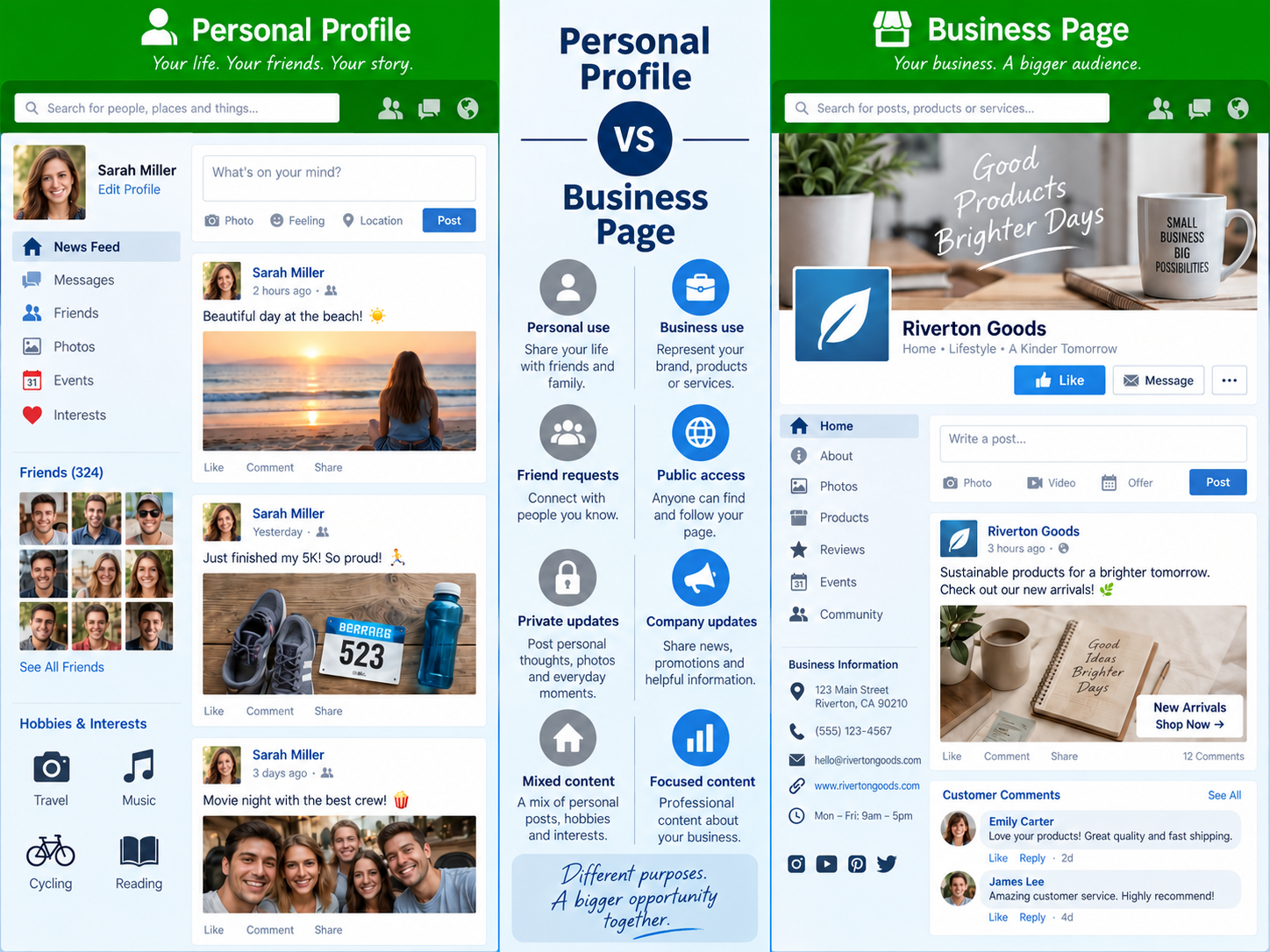
A personal Facebook profile is meant for an individual. It represents a person and usually contains personal details, interests, photographs, and updates.A business page, on the other hand, is meant to represent a company, brand, service, organization, or professional activity.
Think of a personal profile like your home. People usually need to send a friend request before becoming part of your network. A business page is more like a shop. Visitors should be able to walk in, look around, understand what you offer, and decide whether they are interested. That difference may sound small, but it matters when you are trying to attract customers. If someone is interested in your company, they probably do not want to send a friend request and wait for you to approve it just to learn more about what you do.
Let Customers Discover Your Business without a Friend Request
One of the biggest advantages of having a Facebook Business Page is that people can view it without waiting for approval. Imagine someone hearing about your company and searching for it on Facebook. If you are using a personal profile, they may need to send a friend request before accessing everything you want them to see. Now imagine that you are busy, away from the computer, or simply unable to log in for a day. That person may be left waiting.
Online visitors are not always patient. If they cannot quickly find the information they need, they may simply search for another company. A business page removes this unnecessary step. People can visit the page, look at the information, read updates, and learn about the business immediately. That makes the whole experience much easier.
Give Your Company a More Professional Facebook Presence
Using a personal profile for a company can sometimes make the business look less organized. Customers generally expect businesses to have a proper place where they can find company-related information. A business page gives you that space without mixing it with personal updates.
You can keep the focus on things such as:
- Business information
- Products or services
- Important announcements
- Photographs
- Useful updates
- Contact details
- Customer discussions
This gives visitors a clearer idea of what the business is about. It also prevents the awkward situation where personal photographs, family updates, or unrelated posts appear alongside business information. Keeping personal and business activity separate is usually a better choice.
Make Important Business Information Easier to Find
Another useful point is that customers don’t need to become your Facebook friends to connect with your company. This can make people feel more comfortable. A customer may be interested in your products or services but may not want to share personal profile information with a business owner. That is completely understandable.
A business page allows people to follow or show interest in the company without creating a personal connection. This works better for both sides. You can still stay connected with clients you have met personally, but your business page becomes the main place for company communication.
Reach Customers with Timely Updates and Useful Content
A Facebook Business Page can also act as another place where people discover basic information about your company. Someone may hear the business name from a friend, see it mentioned somewhere else, or come across one of your updates. From there, they can visit the page and learn more.
The page can give them a quick introduction to the business before they decide whether to contact you or visit your website. This is particularly useful because not every potential customer will discover a company in the same way. Some may search through a search engine. Others may find the business through Facebook or through something shared by another user. Having a proper business page gives these people somewhere useful to go.When deciding what to publish, practical social media content ideas for small businesses can make it easier to balance company news with helpful, interesting, and engaging updates.
Turn Facebook Engagement into Website Visits
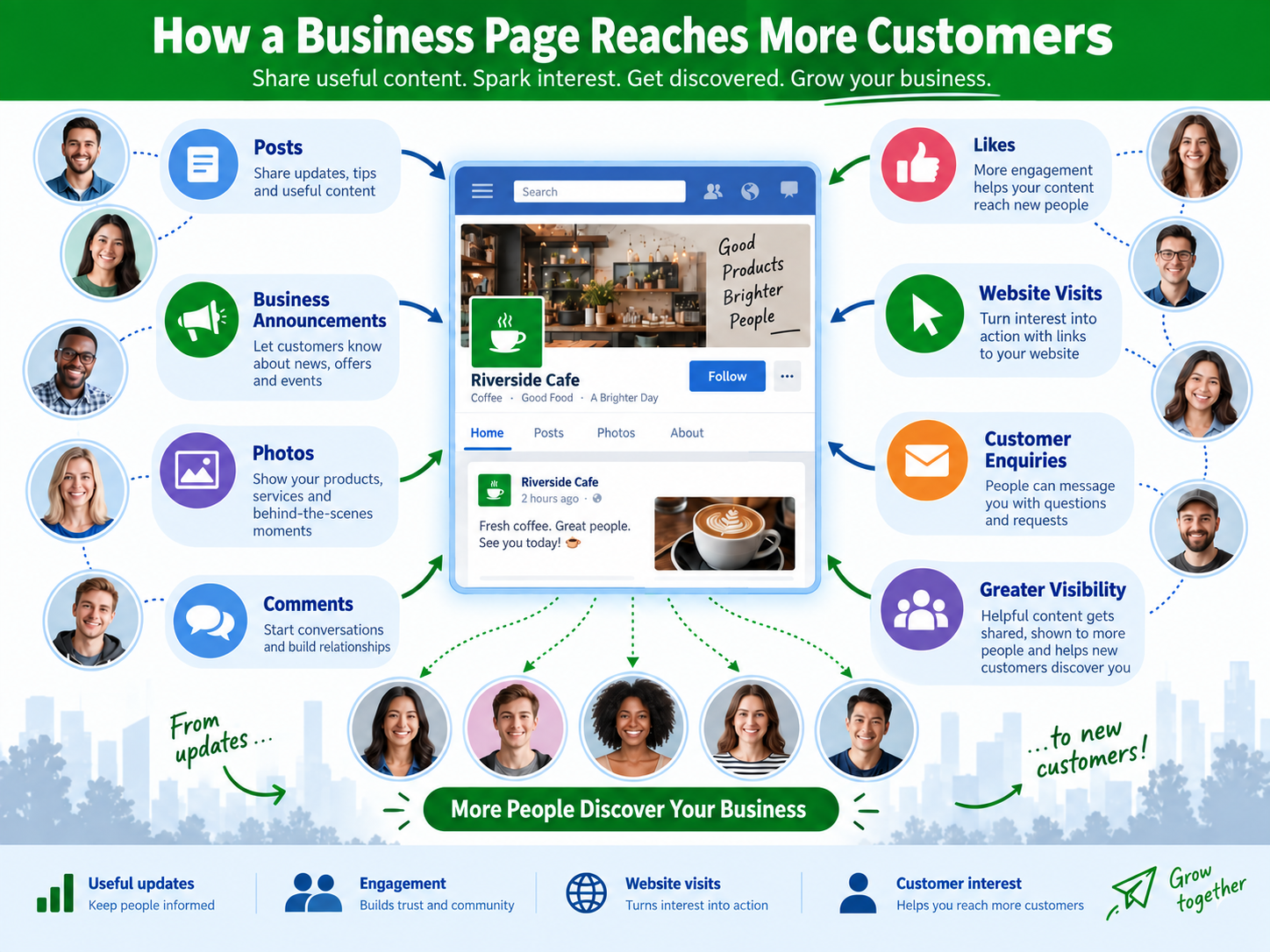
A Facebook Business Page also gives companies a simple way to share updates. You may want to tell people about a new service, business announcement, useful article, upcoming event, or other information. Instead of sending the same message to customers one by one, you can post it on the page.
Those interested in the business will then see those updates when they visit the page or while they are browsing Facebook. The trick is not to make every post an ad. People tend to respond better when a business mixes promotional information with useful or interesting content. If each update is just “buy this” or “contact us now,” followers can quickly become disengaged. Give them a reason to keep checking the page.
Make Customer Conversations Easier
Your Facebook page does not need to replace your business website. In fact, the two can work together. A Facebook update may catch someone’s attention, while your website can provide more complete information about your services, products, company, or contact details.
For example, you might share a short introduction to a new service on Facebook and then direct interested people to your website for the full details. This gives customers multiple ways to discover your business. Businesses can also track website traffic from social media to understand whether Facebook updates are actually encouraging interested users to visit important pages on the company website.Facebook can start the conversation, while the website provides the deeper information a serious customer may need before deciding.
Use Facebook Insights to Understand Your Audience
Customers often have small questions before they are ready to contact a company formally. They may want to ask about a service, comment on an update, or find basic information. A business page gives them another way to interact with the company. This can make communication feel more open and less formal.
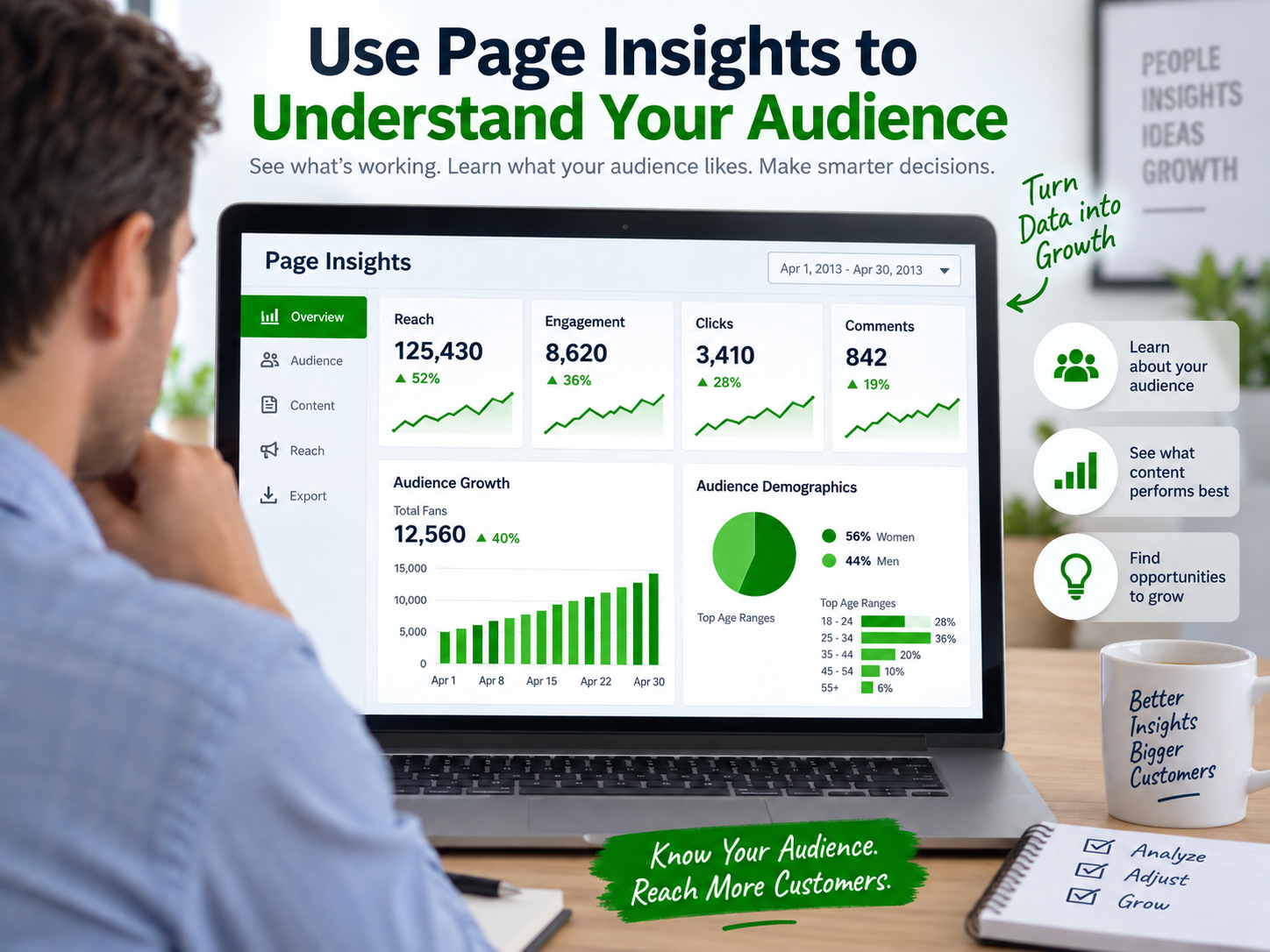
It also lets companies listen. Questions and comments can let you know what customers are interested in, what they find confusing, or what information they’d like to see. Facebook Insights can make this feedback more useful by showing patterns in how people respond to page activity. Reviewing social media KPIs such as engagement, clicks, reach, and audience growth can help a business understand which types of updates are producing a meaningful response.
Such feedback can be useful in planning future updates or improving the way you describe your services.
Keep Your Page Active Enough to Stay Relevant
Creating the page is only the first step. An empty page that has not been updated for months may not give visitors a very positive impression. You do not need to post every few hours, but the page should look active.Add useful information, respond when customers leave genuine questions, and make sure important business details are correct. It is also better to post when you actually have something worth saying rather than filling the page with unnecessary updates. A few useful posts are more valuable than many posts that give visitors nothing interesting to read.
Make Facebook Part of Your Wider Online Marketing Strategy
A Facebook Business Page is most useful when it works as part of your wider online presence rather than standing alone. It gives potential customers another place to discover your business, understand what you offer, see recent updates, and connect with you in a way that feels quick and convenient. At the same time, it keeps business communication separate from your personal profile and gives your company a more organized presence on the platform.
The real value of the page is how you use it. Keep information accurate, share content that is really useful, respond to customer questions, and guide interested visitors to your website to make your overall marketing efforts more valuable. If it’s hard to consistently keep track of all this, professional social media support can help you create a more defined strategy, maintain an active business presence, and make Facebook work more effectively with your other digital marketing channels.
Comments
Author Details

Ashwani Kumar Sharma
Ashwani has been actively involved in SEO services since 2005. His expertise and distinctive work approaches have made him one of the most experienced and trusted SEO experts in the industry. He is a certified SEO and Google Ads professional. He also has strong business development skills in advanced SEO, PPC, and digital marketing strategies.


What’s up, just wanted to tell you, I loved this article.
It was inspiring. Keep on posting!