


10 Website Trust Signals That Make Visitors More Confident About Your Business

Key Takeaways
- Visitors often decide quite quickly whether a business looks professional, reliable, and safe enough to contact or buy from.
- Clear company details help people understand who runs the business and whether the information they see can be trusted.
- Genuine reviews, testimonials, and case studies give potential customers a better idea of what working with a company is actually like.
- Relevant qualifications, certifications, memberships, and awards can help establish credibility when visitors can verify them.
- Real photographs of employees, offices, products, and completed projects can make a business feel more genuine than a website filled with stock images.
- Clear pricing, policies, and service processes help customers understand what they’re getting into before making a decision.
- Website security, privacy information, mobile usability, and reliable performance all influence how comfortable visitors feel.
- Trust signals are more useful when they appear throughout the website, especially where customers are likely to have questions or concerns.
It can be a great website, fast-loading and well-explained, but can still leave visitors unsure about the company behind it. Most people have a few questions before they buy something, book an appointment, or fill out a contact form. Is this a legit business? Will it do what it says it will? Have other customers had a positive experience? And what if it all goes wrong? If these questions go unanswered, people can just walk away without getting in touch with you at all even if your service is exactly what they need.
In this blog, we’ll look at ten website trust signals that can help people feel more comfortable choosing your business. We’ll cover everything from company information and customer reviews to real photographs, pricing, security, and useful content. You’ll also learn where these details should appear, which ones matter most for different businesses, and how to check whether your improvements are helping turn visitors into inquiries and customers.
Why Website Trust Matters Before Conversion
Getting people to visit your website is one thing. Convincing them that your business is worth contacting is another.
Someone may like your products or services but still hesitate because they don’t know enough about your company. Strong website credibility helps address those concerns by giving visitors the information they need to make a more confident decision.
1. Visitors Often Know Very Little About the Business
Think about someone visiting your website for the first time after finding it on Google. They may never have heard your company name before. They don’t know your employees, haven’t used your services, and have no personal experience to judge you by.
That means your website needs to make a good introduction. Visitors should be able to quickly find out what you do, who you serve, and how they can contact you. A well-written about page, service descriptions, and genuine customer reviews can do wonders to make a new business seem less scary.
2. Online Decisions Involve Uncertainty
People can’t always inspect a product, meet a service provider, or see how a company operates before making an online decision. Naturally, that creates some concerns.
Customers may wonder about:
- Quality: Will the product or service meet their expectations?
- Pricing: Is the cost reasonable, or will additional charges appear later?
- Security: Can they safely enter personal or payment information?
- Reliability: Will the company deliver what it promises?
- Customer service: Will someone help if something goes wrong?
- Legitimacy: Is this a genuine business they can contact and verify?
These questions do not suggest that visitors are suspicious of every company. They just want to be sure they don’t make a bad decision.” When your website clearly speaks to these concerns, it gives people fewer reasons to hesitate.
3. Trust Reduces Perceived Risk
The more important or expensive a decision feels, the more reassurance people usually want. Someone buying a $20 accessory might be satisfied with a few positive reviews and a clear return policy. A homeowner planning a $20,000 renovation will probably want to see previous projects, licenses, customer experiences, and details about the contractor’s process.
Both customers want to be reassured, but they need different levels of information. Your website must present enough evidence to match the level of risk in choosing your business.
Trust Signal 1 – Clear and Complete Business Information
One of the easiest ways to build trust online is to make your company easy to identify. No one should have to go through multiple pages just to find out who owns the site, where the business is located, or how to contact them. Even basic company information can influence someone to reach out to a company they don’t know.
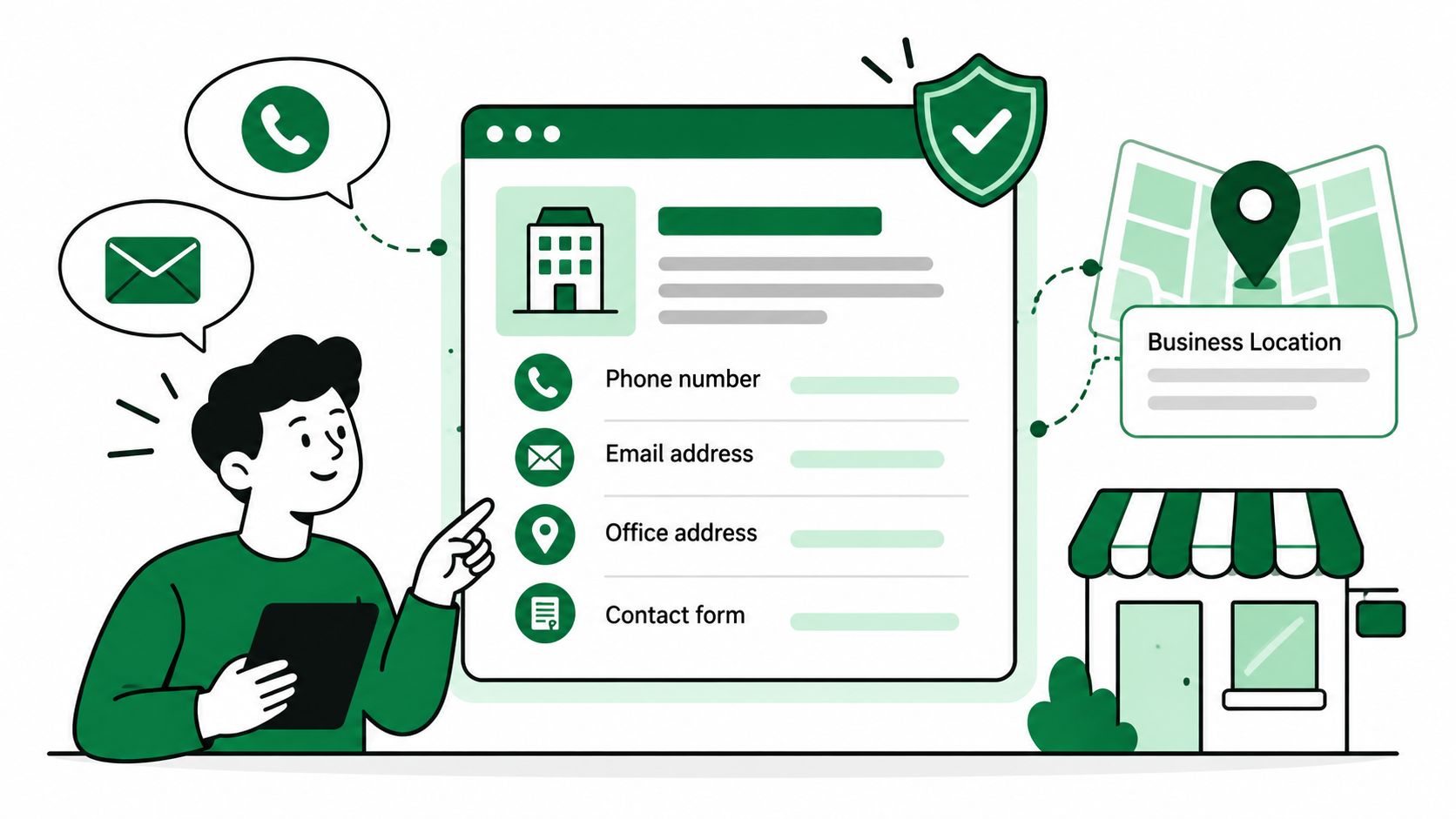
1. Provide Real Contact Information
Visitors should have a reliable way to reach your business. Depending on how your company operates, useful contact information might include:
- Phone number: A working number for inquiries or customer support.
- Email address: A professional address customers can use.
- Office address: A genuine business location, where relevant.
- Contact form: A simple option for submitting questions or requests.
Not all businesses need to have a public office. For example, an online service provider may be remote. But customers should still know how to get in touch if they need help.
2. Make Location Information Easy to Verify
Location information is particularly important for businesses that focus on local clients. Think about hiring a cleaning company that claims to serve your city but doesn’t specify a clear service area or have verified contact information. You may be wondering whether the company actually supplies to your area.
Provide accurate addresses where appropriate, hours of operation, and directions or service areas. Ensure these are consistent with your Google Business Profile and other major listings.
Trust Signal 2— An “About Page” That Builds Confidence
Many businesses treat their about page as somewhere to share a short company history and a few statements about their values. But visitors often want something more useful. They want to know who’s behind the company, what experience the team has, and why the business exists. A thoughtful about page can improve business website credibility by making the company feel more familiar and easier to understand.
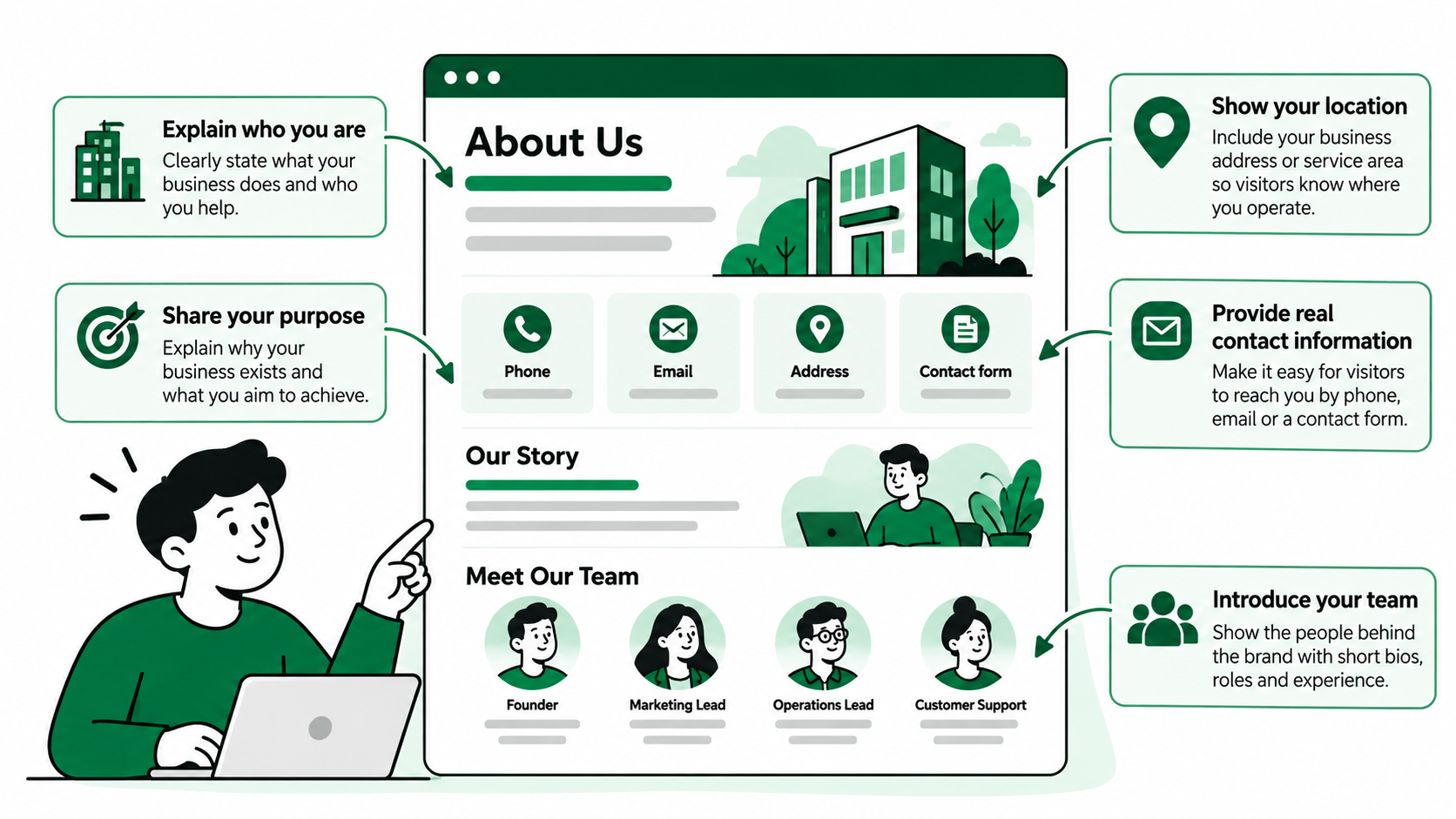
1. Explain Who the Business Is
Keep it simple. Tell what your company does and who it helps. Do not start off with generic statements about being innovative, passionate, or industry leading. For instance, a commercial cleaning company could advertize that it offers scheduled cleaning services for offices, medical clinics, and other workplaces.
That tells visitors something useful immediately.
2. Introduce the People behind the Brand
Customers often feel more comfortable when they can see who they’ll be working with. Introduce your founders, management, or other important team members. Short bios that explain each person’s role and experience are especially useful for professional services. For example, a consulting company may present the specialists who are responsible for the various services. These details allow visitors to view the people behind the business name.
Trust Signal 3 – Real Customer Reviews and Testimonials
Before trying a new business, many people want to hear from customers who’ve already used it. That’s why genuine online reviews and client testimonials can be so valuable. They provide social proof by showing that other people have dealt with the company and are willing to share their experiences.
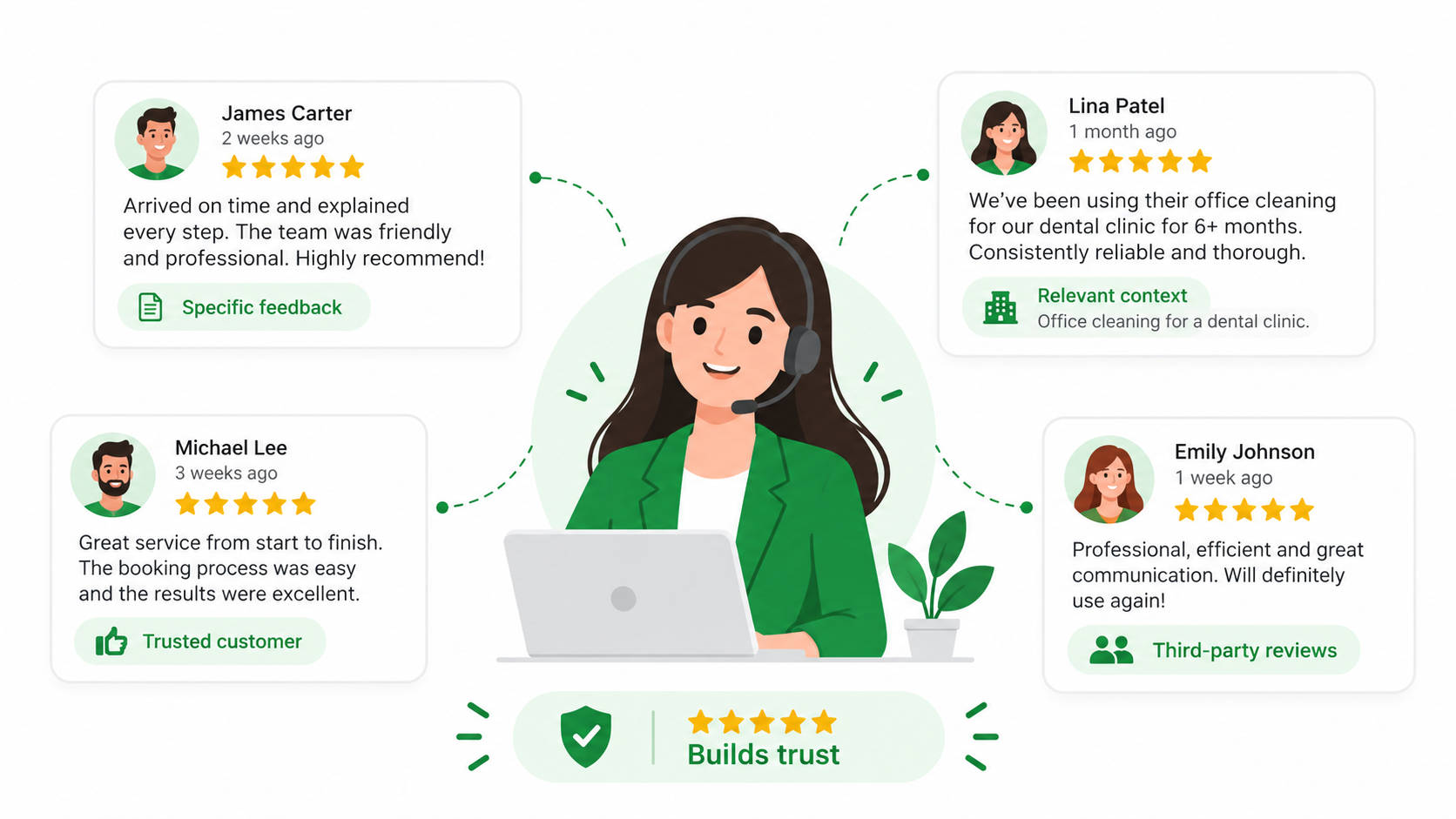
1. Use Specific Testimonials
A testimonial that simply says “Excellent service” is positive, but it doesn’t explain what made the experience good. More detailed feedback gives visitors something meaningful to consider.
For example, a customer might explain that a renovation company arrived on time, kept them informed about the work, and completed the project within the agreed schedule. That tells a prospective customer much more than a general compliment. Whenever possible, use feedback that describes a real experience rather than relying only on short praise.
2. Include Relevant Context
A testimonial becomes more helpful when visitors understand the situation behind it. Where appropriate, include details such as:
- Service used: What the customer purchased or requested.
- Industry: The type of business or sector involved.
- Customer type: Whether the feedback came from an individual or organization.
- Problem solved: What the customer needed help with.
For example, a testimonial from another business owner could be especially relevant for a business owner seeking accounting support. The more the experience mirrors the visitor’s situation, the easier it is for them to see how your service might help.
3. Use Third-Party Reviews Where Relevant
Another reassurance is reviews on Google and established industry platforms. Visitors might also be interested in reading feedback on other sites to get a wider range of customer experiences.
When applicable, link your authentic review profiles. Don’t rely on misleading ratings or present feedback in a way that gives visitors a false impression.
Trust Signal 4 – Detailed Case Studies and Proven Results
Reviews tell people whether customers were happy with a service. Case studies explain what the business actually did and what happened as a result. Good case studies can be especially helpful for businesses selling complex services or handling projects that involve significant investment.
They give prospective customers a closer look at your experience rather than asking them to rely entirely on promises.
1. Start With the Customer Problem
Begin by explaining the situation the customer was dealing with. What wasn’t working? What did they want to improve? Why did they decide to seek help?
For example, a marketing agency might describe a client receiving plenty of website traffic but very few qualified inquiries. This gives readers a reason to care about the project before you explain what your team did.
2. Add Context to Results
Numbers are more useful if readers know what they mean. While saying inquiries are up 30% sounds promising, visitors might also like to know the timeframe, starting point, and work involved.
Provide enough context to explain how the result was measured. It’s also worth bearing in mind that results can be influenced by factors such as budget, competition, and the customer’s circumstances.
3. Avoid Unsupported Performance Claims
Never make up numbers or make a project sound more successful than it was. If you cannot verify a result, do not state it as fact.
You can still make a useful case study by describing the customer’s problem, what you did, and the practical improvements made. The honest examples are more convincing than impressive numbers that can’t be substantiated.
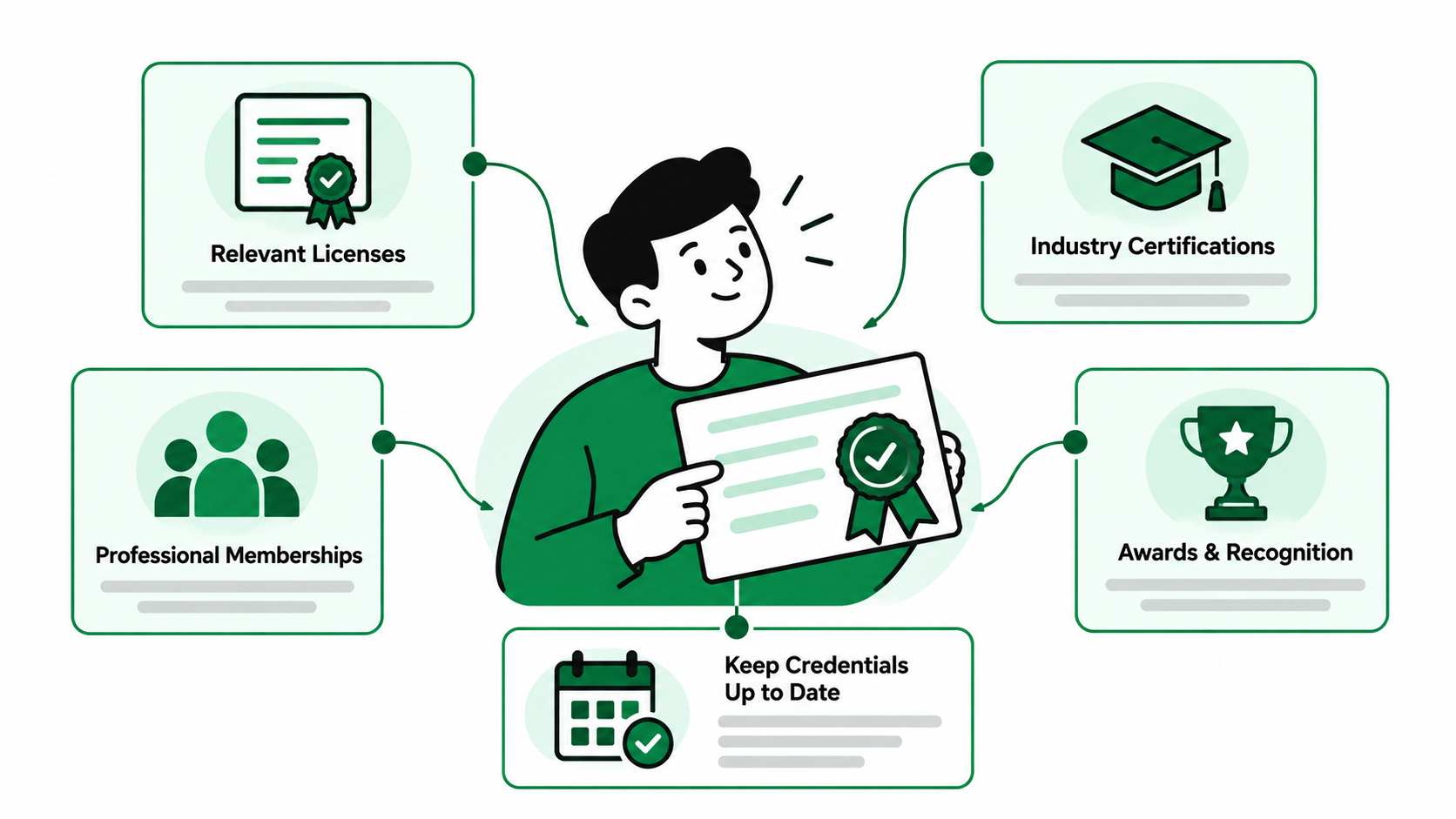
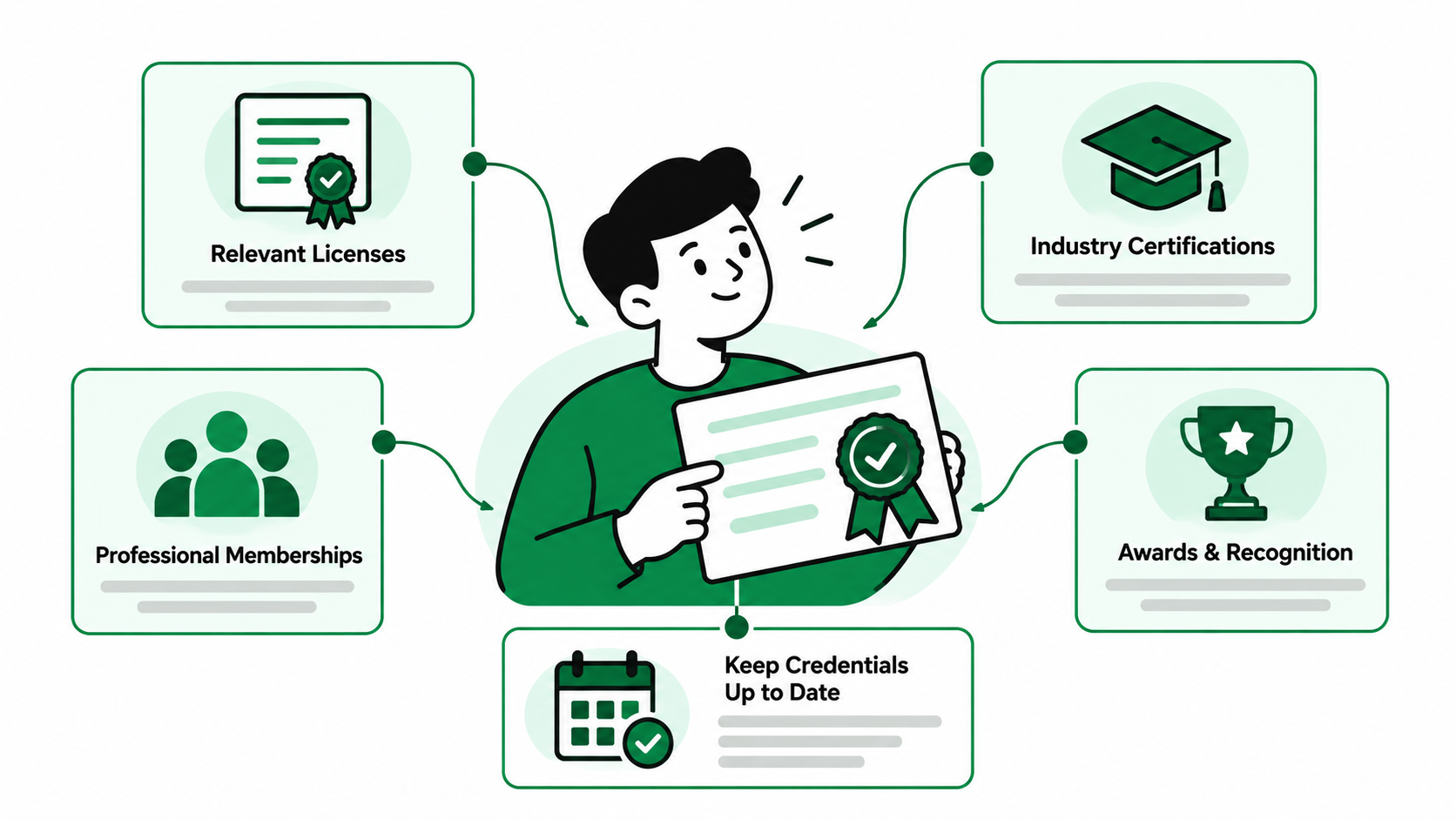
Trust Signal 5 – Professional Credentials, Certifications, and Memberships
In some industries, customers need more than positive reviews before they feel comfortable choosing a provider. They may want to know whether the company has the right qualifications, training, or professional recognition. Relevant company credentials can help answer those questions, particularly in fields such as healthcare, construction, finance, and technical services.
1. Display Only Relevant Credentials
Your website doesn’t have to list every award or membership. Select credentials that would help customers understand the service you provide.
For example, a contractor’s trade license in the relevant area may carry a lot more weight with a homeowner than an unrelated business award. The page can start to feel cluttered with too many badges. Highlight those qualifications your audience is most likely to know or appreciate.
2. Explain What Important Certifications Mean
Industry certifications are often full of acronyms your customers may not understand. Instead of showing a logo and hoping visitors will understand what it means, tell them what the certification signifies.
For example, a technical service provider could mention that a particular certification relates to professional training or compliance with recognized standards. A short explanation makes the credential more useful.
3. Keep Credentials Current
A license that has expired or membership that is no longer current can cast doubt on the company’s professional standards. Check regularly the qualifications you posted on your website.
Remove or edit any of this information that is out-of-date or no longer applies. It’s a small task to keep your credentials current—and one that can prevent credibility problems needlessly.
Trust Signal 6 – Real Photos of Your Business, Team, or Work
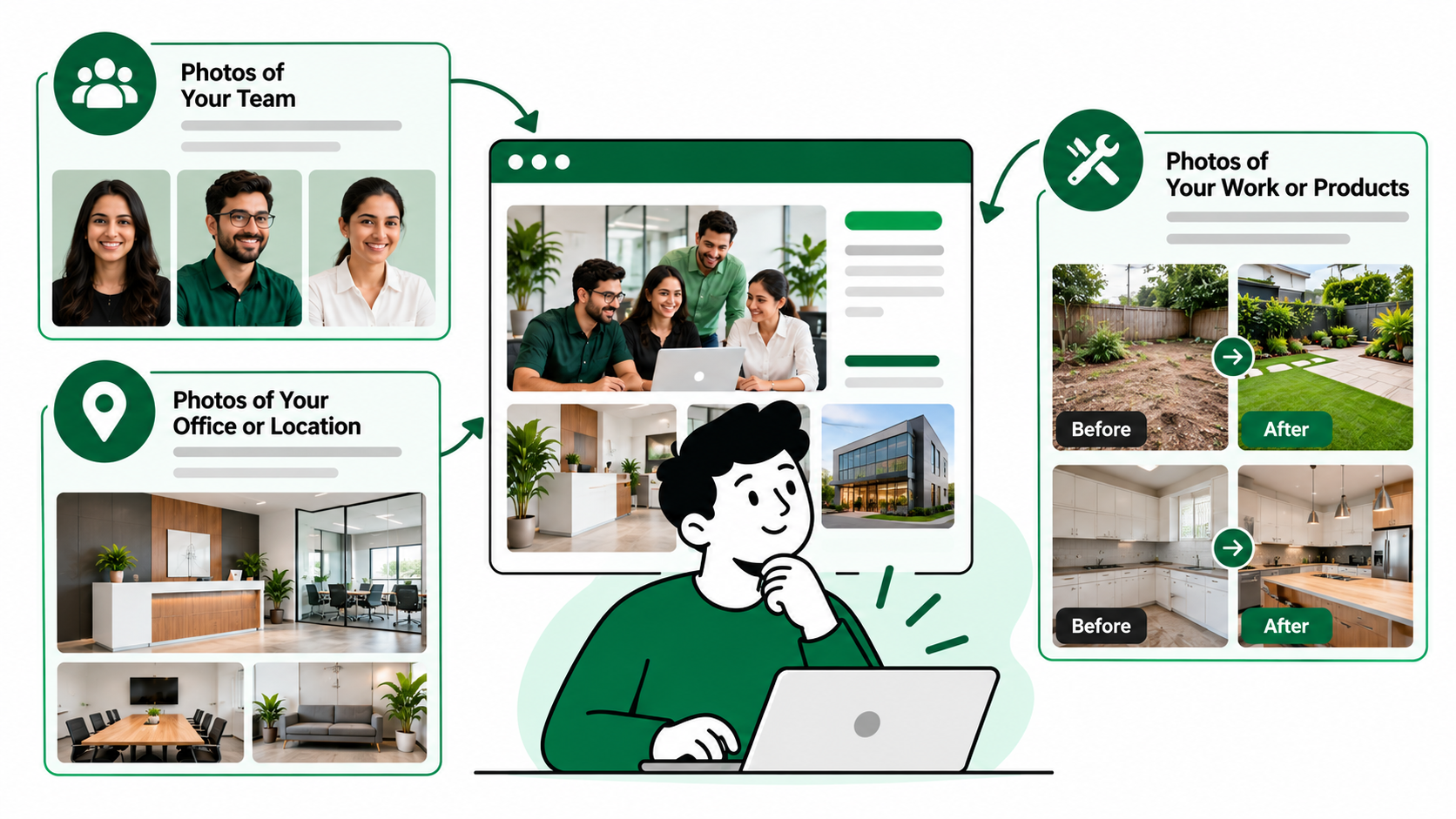
People often feel more comfortable dealing with a company when they can see what it actually looks like. Genuine photographs can help visitors picture the people they’ll meet, the premises they’ll visit, or the quality of work they can expect. Unlike generic stock images, real business photos show something specific about your company.
1. Show the People behind the Business
Introduce the employees or professionals customers may encounter. A consulting firm might display its advisers, while a local contractor might include photos of its team on projects. The photos don’t need to resemble magazine advertisements. They just need to be genuine, clear, and business appropriate. Seeing real people can make a strange company seem more real.
2. Show the Actual Office or Location
If your customers come to your premises, photos can help them know what to expect. A clinic may show its reception room and treatment rooms. A restaurant can have a dining area that it displays. Photographs of an agency’s offices and meeting spaces may be included. These pictures give visitors a sense of the environment before they come. They can also offer reassurance that the business is located somewhere real.
3. Show Products or Completed Work
For many businesses, examples of actual work are more convincing than general descriptions. Useful photographs might include:
- Contractors: Completed renovations, installations, or repairs.
- Designers: Real projects and finished designs.
- Manufacturers: Products, equipment, or production facilities.
- Retailers: Accurate photographs of products being sold.
- Service providers: Suitable examples of completed work.
For example, a landscaping business can display before and after photos of an entire garden project. It gives visitors a better feel for what it can do than a series of generic outdoor shots. Remember to obtain permission when displaying customer properties or identifiable individuals.
Trust Signal 7 – Clear Pricing, Processes, and Expectations
A visitor may believe your company is legitimate and still decide not to contact you. Sometimes the hesitation has nothing to do with your reputation. They simply don’t know how much the service might cost or what happens after they inquire. Clear website transparency can help remove those uncertainties.
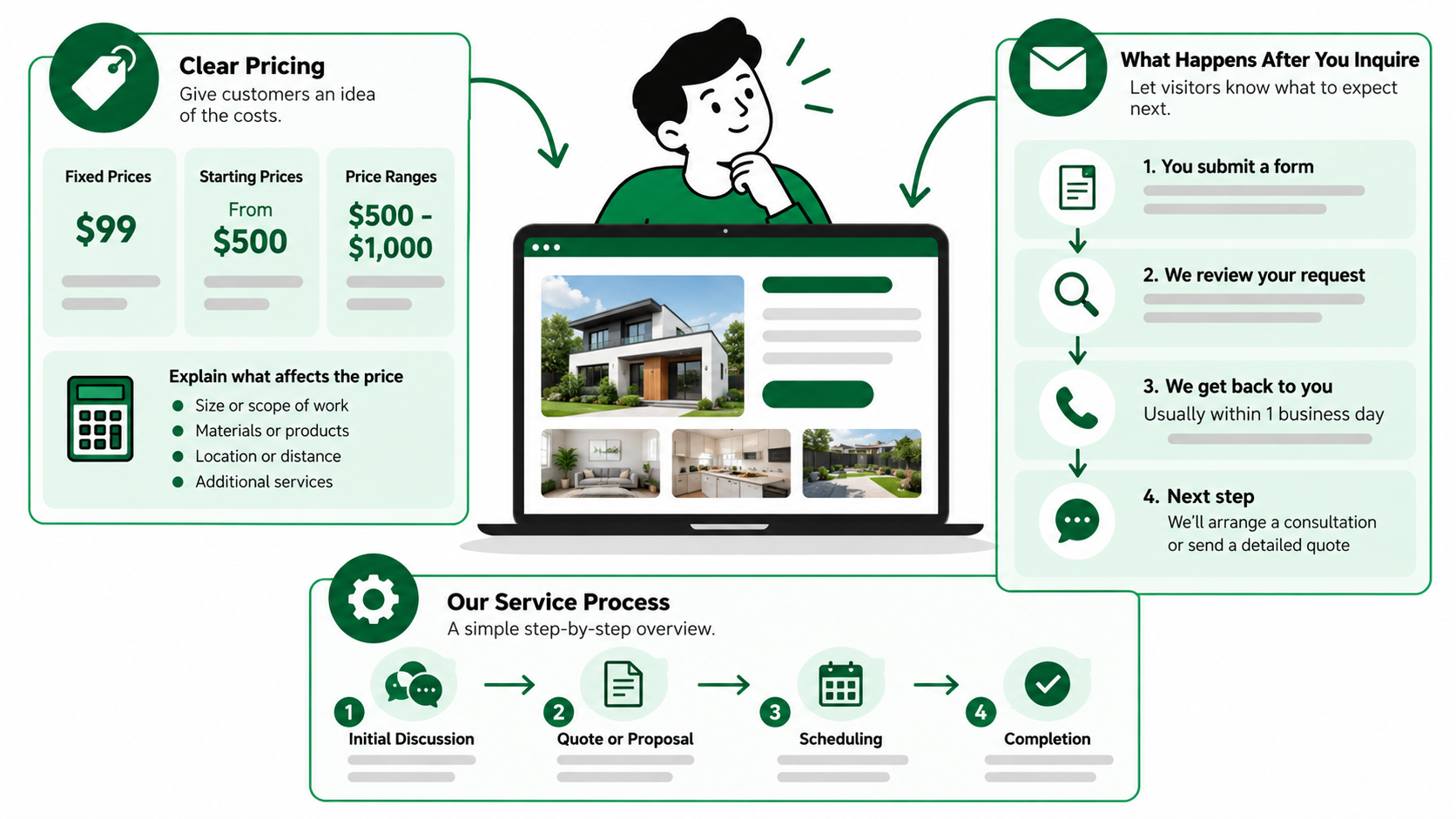
1. Explain Pricing Where Possible
Not every business can publish a fixed price. Custom services, professional consultations, and complex projects often require individual quotations. However, you can still give visitors some useful guidance.
Depending on your business, consider including:
- Full prices: Suitable for products or standardized services.
- Starting prices: Helpful when costs depend on the scope of work.
- Pricing ranges: Useful for giving customers a general expectation.
- Quote calculations: Explain which factors affect the final price.
For example, a moving company might explain that costs depend on distance, property size, access, and additional services. Even without an exact price, customers gain a better understanding of what influences the quotation.
2. Explain What Happens After Inquiry
Many websites ask visitors to submit a form without explaining what happens afterward. Will someone call? Will they receive an email? Is the next step a consultation or a quotation?
Answer these questions next to the form. For example, you might say your team will review the request and get back to you within a business day. People are more comfortable sharing their details when they know what to expect.
3. Explain the Service Process
When you are new to a service, it can seem complicated until someone explains the main steps. For example, a consulting company might describe an initial discussion, then a proposal, project planning, and delivery. A home renovation company might describe its process for inspections, estimates, scheduling, and completion.
A simple explanation is that visitors do not need to internalize details. They need enough information to see what working with you entails.
Trust Signal 8 – Secure and Professional Website Experience
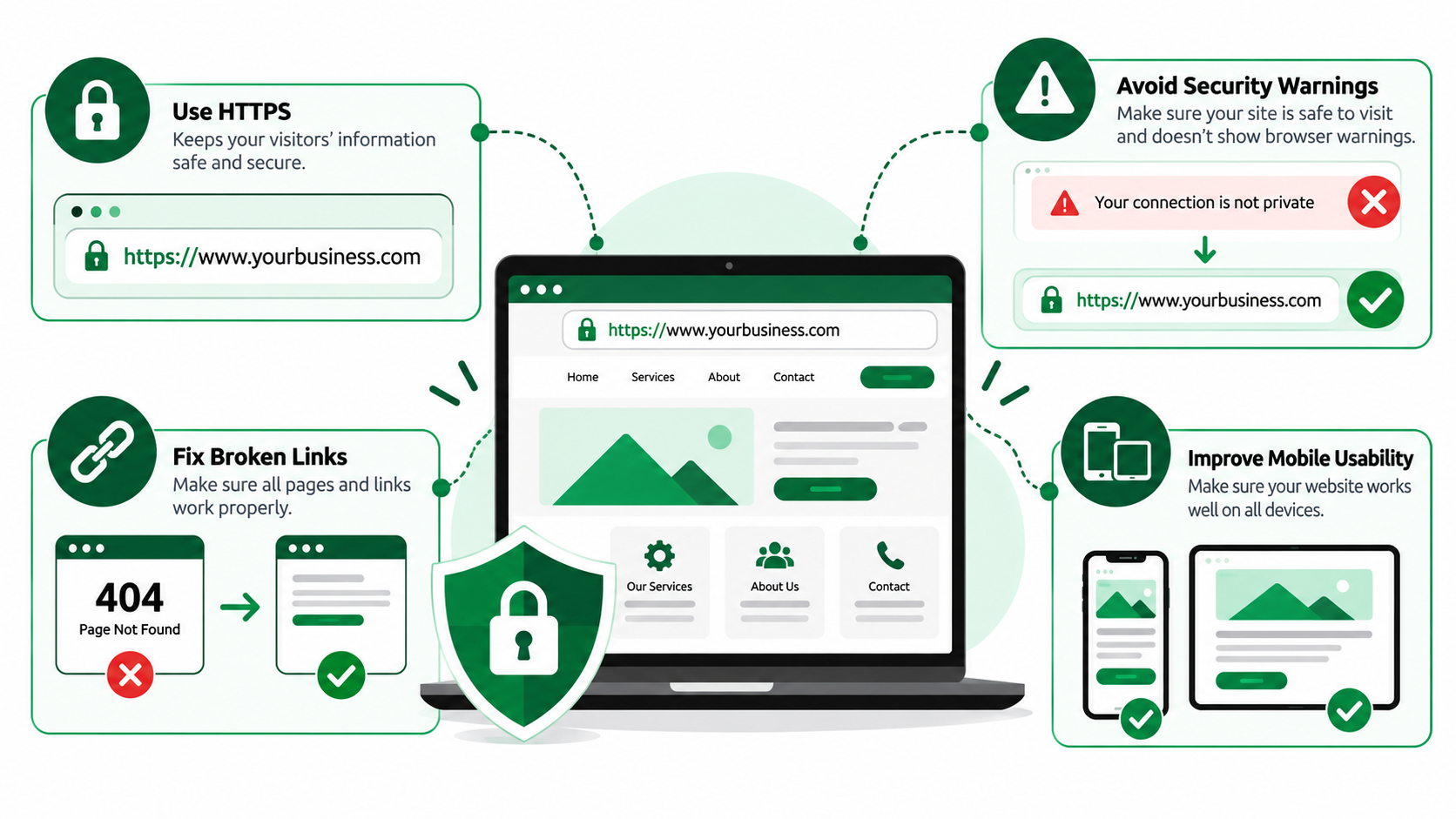
Visitors don’t need to be tech savvy to understand when a website is not functioning properly. They may be wondering how well the business is maintained when they encounter a broken contact form, a browser warning, or a page that takes too long to load. A secure website and dependable browsing experience are basic parts of creating a professional impression.
1. Use HTTPS
HTTPS protects information sent between your website and your visitor’s browser. This is particularly important when entering contact details, passwords, or payment information.
But just because a site has HTTPS doesn’t mean it is trustworthy. Consider this a baseline security measure and not a complete proof of legitimacy.
2. Avoid Browser Security Warnings
Few things will make you hesitate more than a browser warning about an unsafe connection. Such warnings may be due to expired certificates or other security problems. Regularly check your website’s security configuration and patch problems quickly. Visitors shouldn’t have to ignore a warning to view your services or contact your team.
3. Fix Broken Links and Pages
Broken links can make a website appear neglected. What if someone goes to a service page and gets an error message? They may wonder whether the company is still in business or even whether it has a website. Explore important navigation links, contact pages, and service areas. Fix broken links and redirect obsolete pages as appropriate.
4. Improve Mobile Usability
Lots of people visit business websites from their phones. If text is too small, buttons are difficult to tap, or forms don’t fit the screen, they may leave before taking action. Make sure your website looks great on smaller devices. Make sure you include service information, contact buttons, and inquiry forms.
Trust Signal 9 – Transparent Privacy, Returns, Guarantees, and Policies
Customers often want to know what happens if a purchase doesn’t work out or what will happen to their information. Clear policies help you respond to those questions before problems occur.
The exact information needed depends on your business, but transparency can support customer confidence online by making responsibilities and expectations easier to understand.
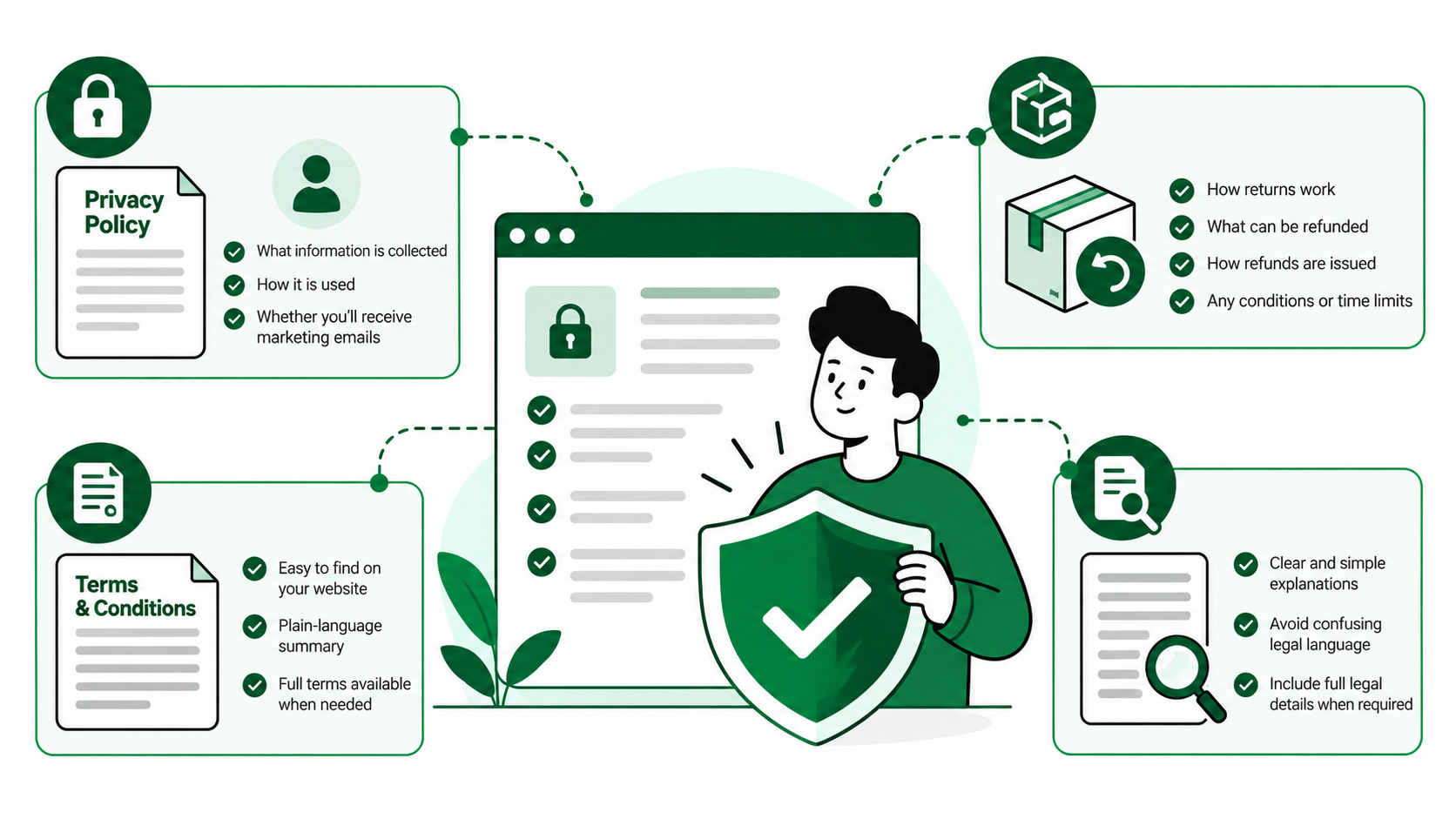
1. Make Privacy Information Accessible
If your website collects personal information, visitors should be able to understand how that information is used. Make your privacy policy easy to find. For example, a person filling out a contact form may want to know whether their information will be used only to respond to them or if they will receive marketing emails as well. Your speech must be consistent with your actions and applicable law.
2. Show Return and Refund Policies for Ecommerce
When people buy online, they usually look at the return conditions before they buy, especially from a store they don’t know. How Do Refunds Work? What Can I Get a Refund For? How Do Refunds Get Issued? Are There Any Conditions? Don’t make customers wade through pages and pages to find this information. Clear policy helps people know what their options are before they spend their money.
3. Make Terms Easy to Locate
Before a product is purchased or a service is agreed to, important terms should be provided. Add links in logical places like the website footer, checkout, or relevant service pages. A plain-language summary of key terms may help customers better understand more complex agreements. Where appropriate, full terms should still be given.
4. Avoid Confusing Legal Language Where Simple Explanations Are Possible
Some policies do need to have formal legal language, but customers shouldn’t have to decipher complex language to understand basic conditions. For example, a subscription company can explain cancellations in plain English and then provide a link to the full agreement. Policies are more understandable when you explain them simply, but you don’t leave out the legal details you need.
Trust Signal 10 – Consistent Expertise through Useful Content
A website can have clear contact details, strong reviews, and an attractive design but still leave visitors unsure about the company’s expertise. The information you publish gives people another way to judge whether you understand their needs. Useful content can demonstrate experience before a customer ever speaks with your team.
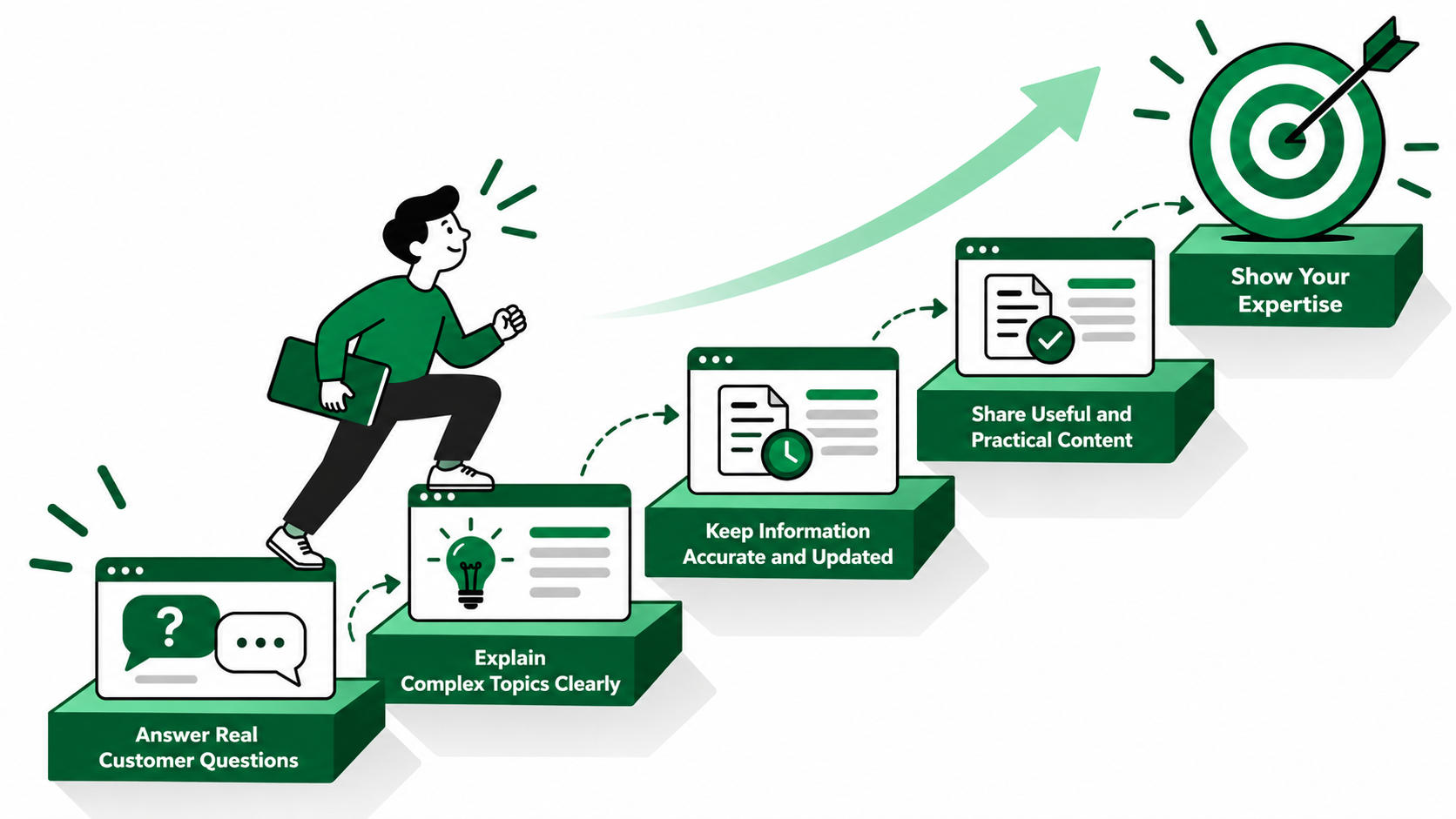
1. Answer Real Customer Questions
Start with the questions people regularly ask before buying your products or services. Your sales team, support staff, and inquiry records can be useful sources of ideas.
For example, a roofing company might explain how homeowners can tell whether a roof needs repair or replacement. A software provider could answer common questions about implementation times and support. These topics are useful because they come from genuine customer concerns.
2. Explain Complex Topics Clearly
You don’t need complicated language to demonstrate expertise. In fact, being able to explain a difficult subject clearly often makes the information more useful.
For example, an accounting firm might explain a tax requirement with a straightforward example, qualifying any salient exceptions. The goal is to help visitors understand the issue, not to impress them with technical jargon.
3. Keep Information Accurate and Updated
Outdated information can be problematic, particularly when it relates to rules, prices, technology, or professional requirements. Check critical articles and service pages regularly. Update info when circumstances change and remove claims that are no longer valid. Add the date of publication or the most recent review where appropriate.
4. Avoid Generic Content Written Only for Traffic
Publishing more articles doesn’t make a website more useful. Visitors might be turned off if you keep saying the obvious and not answering questions. Use it with practical tips, clear explanations, real-life examples, and lessons from real experience. A few in-depth resources that help customers might be more valuable than a huge collection of articles that say very little.
Where Should Trust Signals Appear on a Website?
Trust elements are most useful when visitors see them at the moment they need reassurance. Putting every review, certification, and badge into one section may leave important questions unanswered elsewhere. A trustworthy business website should make relevant evidence available throughout the customer journey.
1. Homepage
The homepage should clearly introduce your business to visitors. Add a brief description of your offerings, along with pertinent credibility signals such as client testimonials, applicable experience, and easily accessible contact details. You don’t need to show all your awards and certifications right away. Help visitors understand the company and get to the next page they need.
2. Service Pages
Service pages should include evidence related to the particular service. For example, a commercial contractor would show completed jobs, qualifications relevant to the job, and testimonials from similar customers. That is more useful than displaying a generic review that has little to do with the service in question.
3. Product Pages
Product pages need to help shoppers understand exactly what they are buying. Accurate photos, honest reviews, product information, delivery details, and return policies can all help. If the product carries a warranty, explain what the warranty covers. Customers should be able to make an informed decision without having to look elsewhere for basic information.
4. Landing Pages
A landing page needs to be focused on the offer that the visitor is coming for. For example, a page selling website redesign services might contain suitable project samples, customer reviews, and an explanation of the process. Do not clutter the page with irrelevant badges or claims. Select information that helps the visitor make a decision.
5. Contact and Form Pages
Individuals are often reluctant to share their personal information, particularly if they do not know the company. Let them know what will happen after they complete the form, how quickly they can expect a response, and what will happen to their information. Keep your form simple, and only ask for the information you really need.
6. Checkout Pages
When shoppers are at checkout, they are often thinking about payment, delivery, and what happens if something goes wrong. Make key costs, payment options, and return information easy to scan. Use proper security measures and avoid needless distractions. The checkout experience should be designed to allow customers to complete their purchase without any nasty surprises.
Which Trust Signals Matter Most for Different Types of Businesses?
Different customers want different types of reassurance. A person hiring a local electrician may want to see licenses and completed projects. A business selecting a software vendor might be more interested in technical expertise and case studies. Your best bet is to stay on point with your audience.
1. Local Service Businesses
Local service companies need to show that they’re genuine, reliable, and capable of completing the work.
Useful signals include:
- Genuine customer reviews
- Accurate addresses and service areas
- Real team and project photographs
- Relevant licenses
- Examples of completed work
For instance, if a homeowner needs a plumber, they may want to check whether the company services their area, has relevant experience, and has good reviews. Such details may make it easier to select a local provider.
2. Professional Services
Professional services often involve specialized knowledge and important decisions. Qualifications, case studies, team profiles, testimonials, and evidence of expertise can be particularly valuable.
For example, someone choosing a financial adviser may want to understand the adviser’s professional background and approach before arranging a consultation.
Visitors need confidence in the people providing the service, not just the company name.
3. Ecommerce Businesses
Online shoppers are worried about product quality, delivery, payment security, and returns. Good trust elements are product reviews, secure checkout, clear return policies, delivery details, and easy customer support. If a customer can get the right product details and understand what happens if the item is not suitable, an unknown store may be a little more palatable.
4. B2B Companies
Business-to-business purchases may be for larger budgets and involve several people in the decision. Detailed case studies, real client logos, measurable results, team expertise, and clear service information allow buyers to understand a provider’s fit. For instance, when selecting a partner for IT services, a company may want to know how similar organizations were supported and what the implementation process was like. Buyers can then use concrete evidence to rationalize their choices to themselves.
Trust Signals That Can Actually Make a Website Look Less Trustworthy
Some parts of a website are meant to create confidence, but they do the opposite. This happens a lot when claims sound too good to be true, badges aren’t recognizable or visitors can’t verify the information. A trust signal only works if people have a reason to believe it.
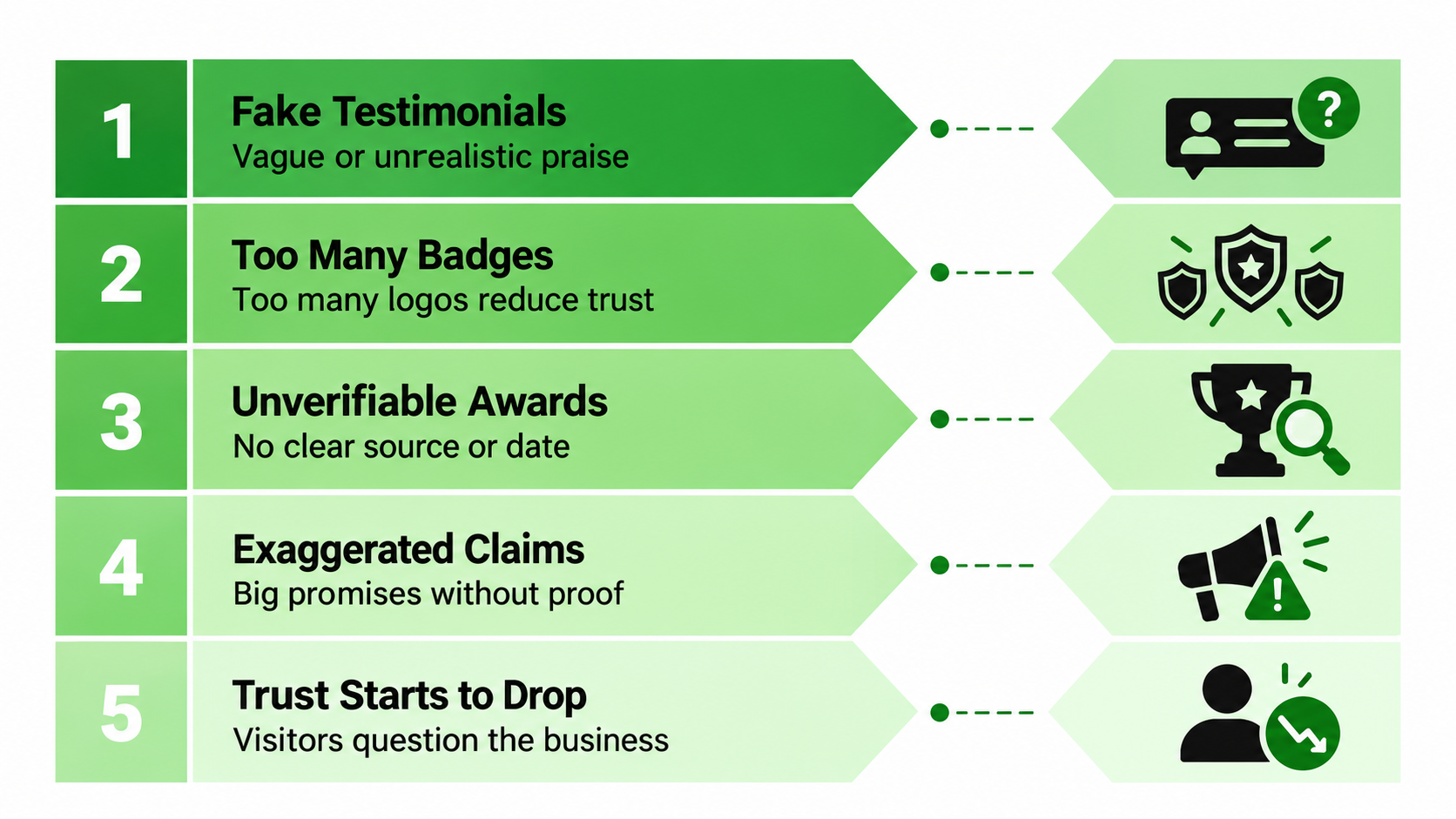
1. Fake-Looking Testimonials
You may get suspicious of testimonials with vague names, similar writing patterns, or unrealistic compliments. Wondering whether the comments came from actual customers. Use genuine feedback and add relevant information where permitted. You don’t have to make every testimonial sound perfect.
2. Too Many Trust Badges
A website with badges all over it can look cluttered and hyper-promotional. Some logos may also mean little to the average visitor. Select credentials that suit your business and your audience. If a certification is obscure but important, briefly explain what it is.
3. Unverifiable Awards
If they are real and significant, awards can enhance your credibility. But an award without an issuing organization, a date, or an explanation may not be very reassuring. Provide visitors with sufficient information to understand and verify the recognition, where possible.
4. Exaggerated Claims
“Best company in the world,” “Guaranteed results,” or “100% success” may sound impressive, but they can also raise suspicion if there is no evidence to support them. Even a well-established business should be cautious of absolute promises. But use specific descriptions of your experience, services, and accomplishments.
How to Audit Your Website for Missing Trust Signals
You don’t need a complete redesign to identify credibility problems. A careful review can reveal missing information, weak evidence, or confusing experiences that may be making visitors hesitate. Start by checking whether your website clearly shows:
- Business identity and company information
- Working contact details
- Genuine address information where relevant
- Team members and professional profiles
- Relevant qualifications
- Customer reviews and testimonials
- Case studies and completed projects
- Real photographs
- Pricing information where practical
- Service and enquiry processes
- Accessible privacy information
- Appropriate website security
- Guarantees or return policies where applicable
- Helpful and accurate content
Reviewing these elements can help you identify gaps that may affect customer confidence. Focus on improving areas where information is missing, unclear, or outdated. Even small changes can make your website more credible, reliable, and easier for visitors to trust.
Common Website Trust Mistakes Businesses Make
Credibility problems don’t always come from one major mistake. Often, several smaller issues make a website feel less reliable.
Common examples include:
- Hiding contact information: Making it unnecessarily difficult to reach the business.
- Using only stock photos: Showing little evidence of the actual team or work.
- Showing fake-looking testimonials: Publishing feedback that seems generic or exaggerated.
- Leaving team pages incomplete: Providing little information about the people behind the company.
- Publishing unsupported claims: Making promises without credible evidence.
- Keeping outdated awards or credentials: Displaying qualifications that are no longer current.
- Using vague service descriptions: Failing to explain what customers actually receive.
- Hiding pricing unnecessarily: Leaving visitors unsure about potential costs.
- Missing privacy information: Not explaining how submitted details are handled.
- Allowing broken pages or forms: Making the website appear poorly maintained.
- Showing old reviews only: Providing little recent evidence of customer experiences.
- Using aggressive pop-ups: Interrupting visitors before they can explore the website.
- Creating artificial urgency: Pressuring people with misleading deadlines.
- Making the company difficult to verify: Providing incomplete or inconsistent business details.
One old photo might be overlooked by a visitor. But if they see a broken form, vague company info, and questionable testimonials as well, those worries can pile up. By regularly looking at the website, you can catch these problems before they start to affect more potential customers.
A Practical Website Trust Framework
It’s easier to improve trust when you have a clear process to follow. Don’t just post random badges or testimonials. Instead, answer the questions visitors are likely to ask—starting with whether your business is legitimate.
Step 1 – Prove the Business Is Real
Make your company identity easy to understand. Provide accurate contact details, relevant location information, and a useful about page. Visitors should be able to identify who operates the website without having to investigate several external sources.
Step 2 – Prove the Business Is Capable
Show why your company is qualified to provide the service. Leverage relevant experience, professional credentials, case studies, completed projects, and hands-on content. Back up what you say with real evidence. Don’t just make general statements.
Step 3 – Prove Other Customers Trust It
Include genuine reviews and testimonials where appropriate. Choose feedback that describes actual customer experiences. Relevant third-party review profiles can also help visitors learn more about how others have dealt with your business.
Step 4 – Reduce Risk
Add important pricing information, policies, guarantees, and service processes. Be clear and upfront about the limitations and commitments before someone buys or asks a question. People should know what they’re agreeing to and not be surprised by the conditions down the road.
Step 5 – Make the Website Feel Safe
Maintain HTTPS, reliable forms, functional links, and good mobile usability. Troubleshoot browser and technical issues quickly. A well-kept website builds confidence in the company it represents.
Step 6 – Make the Next Step Clear
Let your visitors know what happens after they contact you, ask for a quote, book an appointment, or buy a product. Use simple calls to action and set expectations around response times where possible. So visitors move forward without wondering what will happen next.
Final Thoughts
A few badges or good reviews on a page don’t make a website trustworthy. When people know who is behind a business, can verify important claims, see real customer experiences, and know what to expect before taking action, they feel more confident. Clear information about the company, real photos, relevant qualifications, useful content, and transparent policies all help to build that confidence. A secure, well-maintained website matters too, because technical problems can make visitors question a business before they’ve even explored its services.
The best thing to do is reassure throughout the customer journey. A visitor to a service page may be looking for experience, and a shopper at checkout may be more focused on security of payment and returns. Visitors can make more confident decisions when the right information is available at the right time. This can help to reduce unnecessary hesitation, improve the quality of the inquiry, and give your business more opportunities to convert interested visitors into customers.
Is your website giving visitors enough confidence to contact your business or make a purchase?
With eSign Web Services, you can improve credibility, content quality, user experience, and conversion paths. Contact our team to identify missing trust elements and create a clearer, more reassuring experience for your potential customers.
Frequently Asked Questions
Question: What are website trust signals?
Answer: Website trust signals are information that helps visitors determine if a business is real, trustworthy, and safe to do business with. These include contact information, customer reviews, professional qualifications, security features, and clear policies. These features help to make people feel more comfortable before they buy or make an inquiry.
Question: What are the most important trust signals for a business website?
Answer: Key trust signals are clear company information, real reviews, relevant qualifications, actual photos, case studies, secure browsing, and transparent policies. The right mix is different for each business. Professional service providers may need to emphasize expertise; online retailers need to focus more on delivery, returns, and payment security.
Question: Do customer reviews increase website trust?
Answer: Real experiences of customers can tell visitors how other people felt when dealing with a business. Specific feedback is especially useful when the person is not familiar with the company. Reviews, however, should be genuine and reported accurately. People don’t trust exaggerated or misleading statements; they doubt them.
Question: Do trust badges improve conversions?
Answer: Trust badges that are recognizable and relevant can reassure visitors when you communicate something meaningful, such as a legitimate certification or a payment security feature. But badges won’t magically boost your conversions. A page can become too cluttered with too many unfamiliar or unverifiable logos. Usefulness is a function of credibility, context, and placement.
Question: Are testimonials better than reviews?
Answer: Testimonials and reviews are different sorts of reassurance. Companies tend to cherry-pick and show you the testimonials they like, whereas third-party reviews can give a broader range of customer experiences. Both can be useful if they are real and relevant. Pairing them together gives visitors more information before they contact you.
Author Details

Ashwani Kumar Sharma
Ashwani has been actively involved in SEO services since 2005. His expertise and distinctive work approaches have made him one of the most experienced and trusted SEO experts in the industry. He is a certified SEO and Google Ads professional. He also has strong business development skills in advanced SEO, PPC, and digital marketing strategies.


