


Why Your Google Business Profile Gets Views but Not Enough Calls or Leads

Key Takeaways
- A high number of Google Business Profile views does not automatically mean the profile is attracting the right local customers.
- Google’s performance reporting separates views from actions such as calls, website clicks, directions, and other interactions, so businesses should evaluate what happens after visibility is achieved.
- Incomplete business information, weak service details, poor photos, outdated hours, or unclear positioning can reduce the chance that a profile view becomes an inquiry.
- Reviews matter because they influence both customer trust and local prominence; Google notes that review count and positive ratings can support local ranking.
- Local visibility depends heavily on relevance, distance, and prominence, so high views from low-intent or poorly matched searches may not generate many leads.
- The profile should make it easy for customers to understand services, location, hours, contact options, and the next step without having to search elsewhere.
- Strong photos, service information, and accurate business details can make the profile more useful and more persuasive to potential customers.
- The most useful local SEO metric is not profile views alone, but how many relevant customers turn those views into calls, website visits, bookings, or other meaningful actions.
Seeing your Google Business Profile views increase might feel like a good sign. More people are finding your business on Google Search and Maps, so you would naturally expect more calls and enquiries. But what happens when the views keep growing and hardly anyone gets in touch? Perhaps your website isn’t getting many visitors, appointment bookings are slow, or the calls you receive aren’t from people who actually need your services. This can be disappointing, especially when you’ve spent time improving your local visibility. The real issue may not be how many people find your business, but what makes them leave without contacting you.
There are several reasons this can happen, and some are easier to fix than you might think. In this blog, we’ll look at what might be stopping potential customers from reaching out, from unclear service details and outdated photos to weak reviews and website issues. We’ll also cover practical ways to improve your profile and encourage more people to take the next step.
First, Understand What a Profile View Actually Means
It’s easy to get caught up in profile views, particularly when the numbers are increasing month after month. But before we uncork the champagne, it’s worth knowing what Google is actually measuring.
Google Business Profile performance reports separate out people who have seen your listing and people who have interacted with your listing. Views are how many times your profile has been seen on Google Search or Maps according to Google’s reporting definitions. Calls, website clicks, and direction requests are recorded separately. So, a view tells you that your business was noticed. It doesn’t tell you whether someone was interested enough to become a customer.
1. A View Is Not the Same as Intent
Not everyone looking at your profile is planning to buy something. Some people are comparing businesses, some are looking into an area, and a few may just be curious about what’s around.
Think about someone searching for “cafes in Delhi.” They might browse several listings while planning a weekend outing. Someone searching for “coffee shop open near me” may be looking for somewhere to visit immediately. Both searches can generate visibility, but they don’t carry the same level of urgency. Understanding local search intent helps you distinguish casual interest from genuine buying potential.
2. A View Is Not the Same as a Lead
A profile view means someone looked at your listing. A lead is a more meaningful action, such as contacting your business, requesting an appointment, or submitting an inquiry. Even then, not all interactions are worth it.
For example, someone might call a plumbing company to ask about a service it doesn’t provide. The call happened, but it wasn’t a qualified business opportunity. This is why tracking Google Business Profile calls is useful, but understanding what happens during those conversations matters just as much.
3. High Visibility Can Hide Weak Conversion
A business receiving thousands of views might appear to be performing exceptionally well. But those numbers mean little if no one takes the next step.
Consider two businesses:
- Business A: Receives 5,000 profile views but generates only five qualified inquiries.
- Business B: Receives 700 views and generates 25 qualified inquiries.
Business B has far less visibility, yet it’s attracting more potential customers. The lesson is simple. GBP performance shouldn’t be judged by how often people see your listing alone. What they do afterward tells a much more useful story.
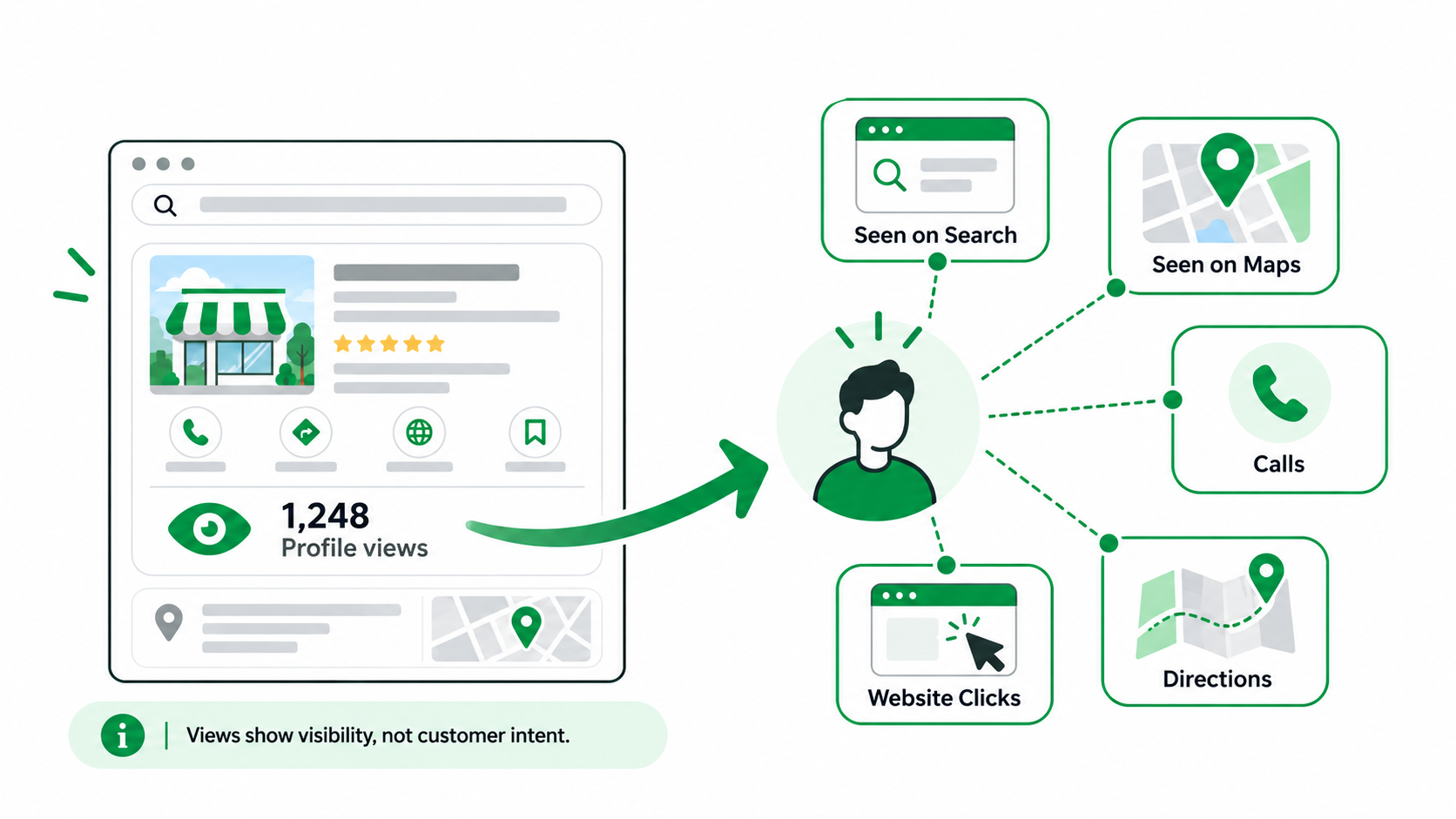
Getting views on your Google Business Profile is a good sign, but if those views aren’t turning into calls or enquiries, here are a few reasons why this might be happening:
Your Google Business Profile may get plenty of views, but missing information, outdated photos, poor reviews, or unclear services can stop potential customers from reaching out. Fixing these issues can help turn more views into genuine calls and leads before that you need understand these reasons properly for a better outcome.
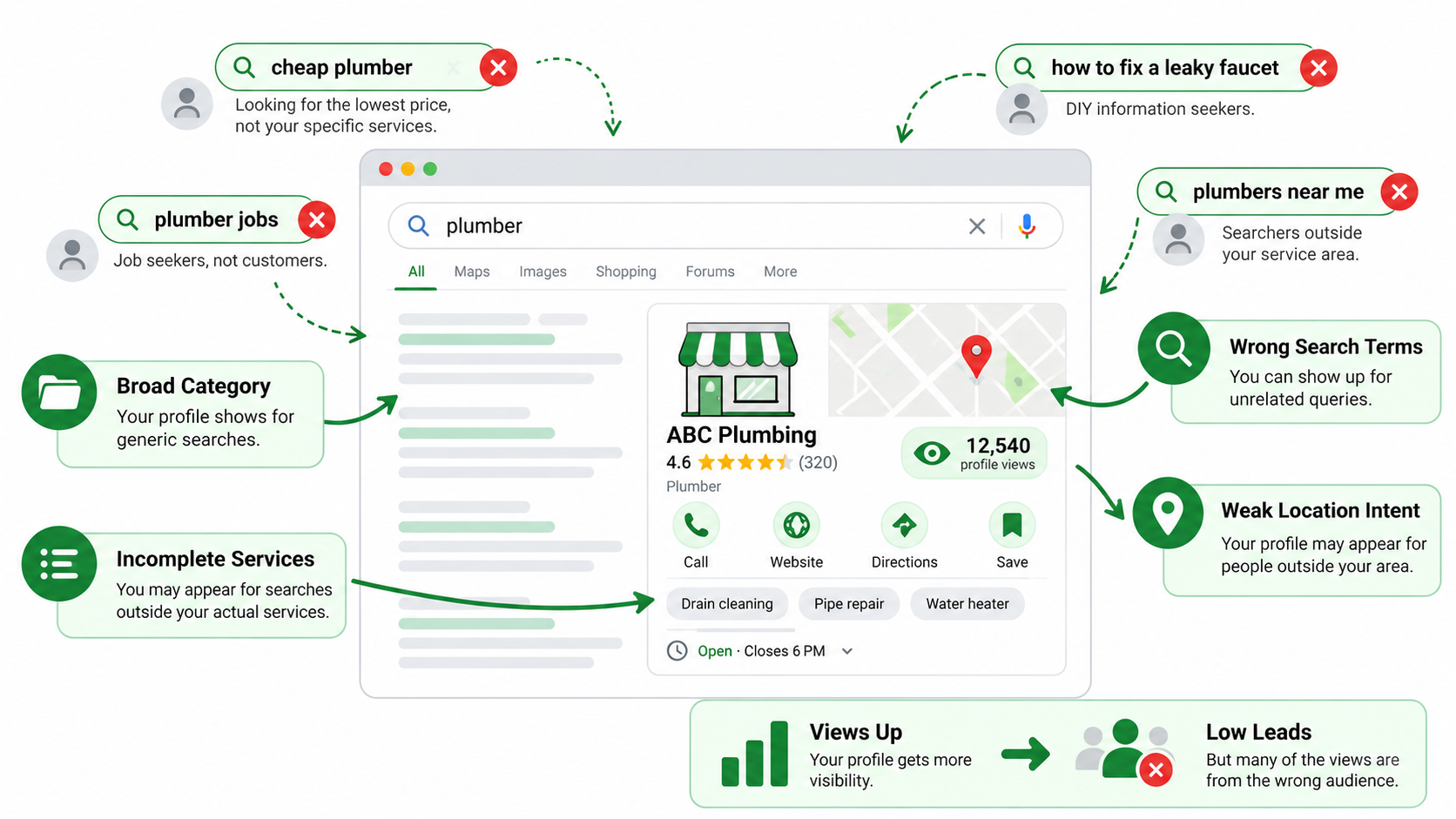
Reason 1 – Your Profile Is Appearing for the Wrong Searches
Getting found on Google is important, but getting found by the wrong people won’t help your business grow. Sometimes a profile shows up for searches that are only loosely related to what it offers. These views can make the numbers look positive without generating any meaningful inquiries.
Google explains that local rankings are mainly influenced by relevance, distance, and prominence. These local ranking factors also help explain why some searches bring more valuable customers than others.
Your Business Category May Be Too Broad
Your business category tells Google and potential customers what your business is. If it’s too broad or doesn’t accurately describe your primary service, your listing may not be sending the right message.
For example, a company that does emergency plumbing should choose the most accurate eligible category and not choose something loosely related because it sounds more popular. Please review your category options. The best choice is the one that truly describes your primary business activity.
Your Service Information May Be Incomplete
Now, imagine you need a certain cleaning service and you find a company that only says that it is a cleaning provider. You may ask: Does it do residential cleaning, office cleaning, or deep cleaning? That’s exactly the uncertainty incomplete service information creates. Adding accurate Google Business Profile services helps customers understand what you offer before they contact you. It also reduces inquiries from people looking for services outside your expertise.
Search Terms May Not Match Your Best Customers
The business can attract the attention of people who are not interested in the services actually offered. For example, a company offering premium commercial landscaping might attract visitors researching basic home gardening tips. Those people may find the listing, but they’re unlikely to become customers. Review the search terms available in your business profile performance reports. Look for patterns that show whether your visibility matches the services and customers you want.
Location Intent May Be Weak
Location is another reason why views don’t always turn into leads. Someone not planning on coming to your location may see your listing if they are searching for businesses in another city. A service provider could also generate leads outside of their service area. Make sure your business location and service areas are correct. Customers should be able to tell quickly whether you can serve them.
Reason 2 – Your Profile Does Not Explain the Business Clearly Enough
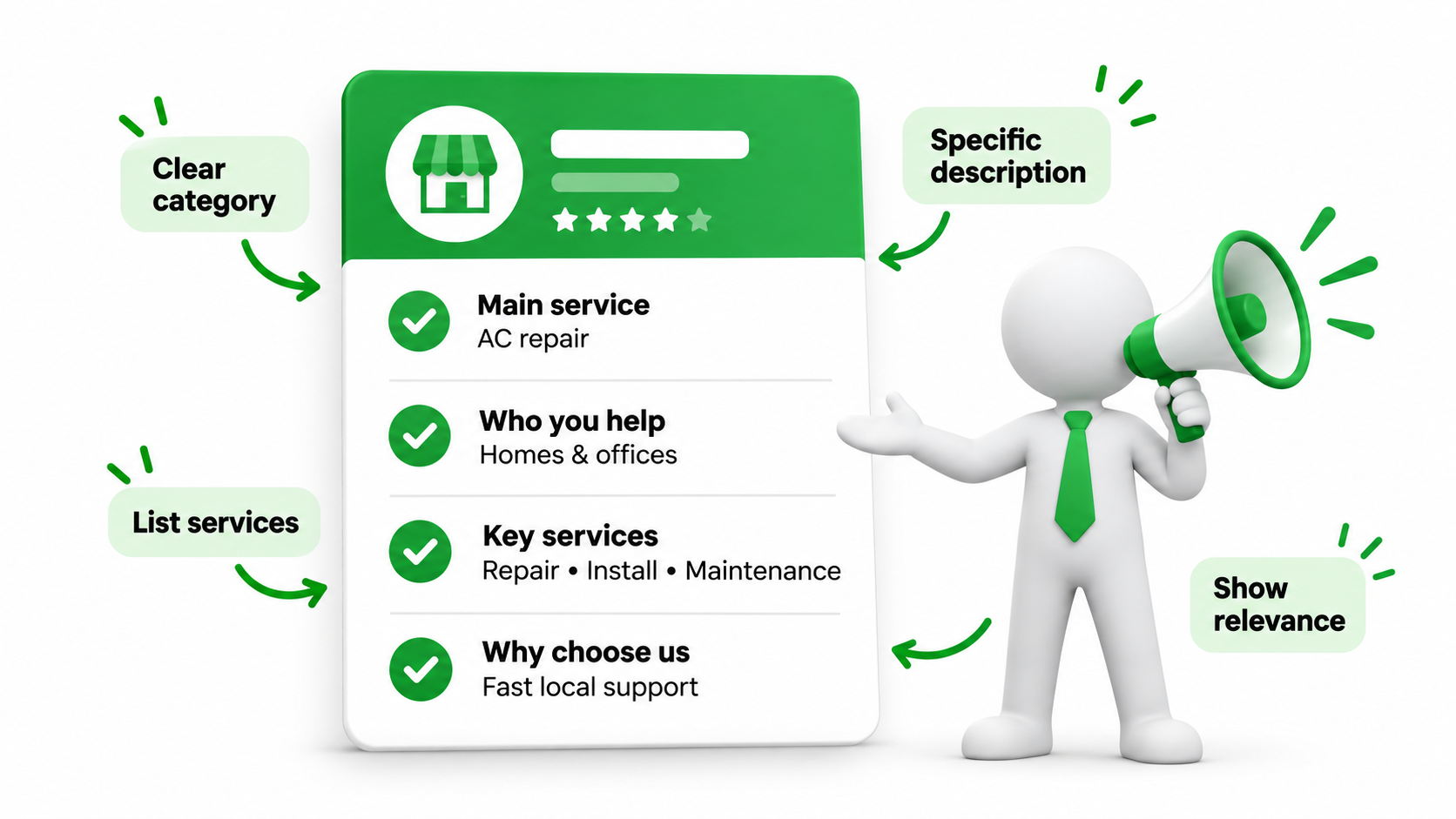
People don’t usually spend several minutes studying every Google Maps listing. They scan the information, compare a few options, and decide which business deserves their attention. If your profile leaves them guessing about what you do, they may simply choose someone else.
Your Primary Category May Not Reflect the Main Service
Your primary category should describe the main activity of your business. For example, an air conditioning repair company shouldn’t rely on a loosely related category when a more accurate option is available. The category helps customers understand what kind of provider they’re looking at. Choose it based on the services you actually deliver, not the category you think might attract the most searches.
Your Business Description Is Too Generic
Descriptions such as “We offer excellent services at competitive prices” don’t tell customers very much. Almost any company could make the same claim.
A better description tells your main services, relevant expertise, and who you help. For example, a renovation company may list kitchen remodeling, bathroom renovations, and interior upgrades. Specific details make your business easier to understand and give customers a clearer reason to inquire.
Important Services Are Missing
Your customers shouldn’t need to call just to discover whether you provide a basic service. A dental clinic offering general dentistry, teeth cleaning, and cosmetic treatments should make those services clear.
The same applies to repair companies, consultants, salons, and other local providers. Complete service information can improve business profile engagement by helping visitors recognize that your business matches their needs.
Your Profile Does Not Show What Makes You Relevant
Customers want to know whether you can solve their particular problem. A commercial electrician, for example, might explain that the company handles office installations, electrical maintenance, and workplace upgrades. Those details are more useful than a general statement about providing electrical solutions. Focus on the information that helps your ideal customers understand why your business is relevant to them.
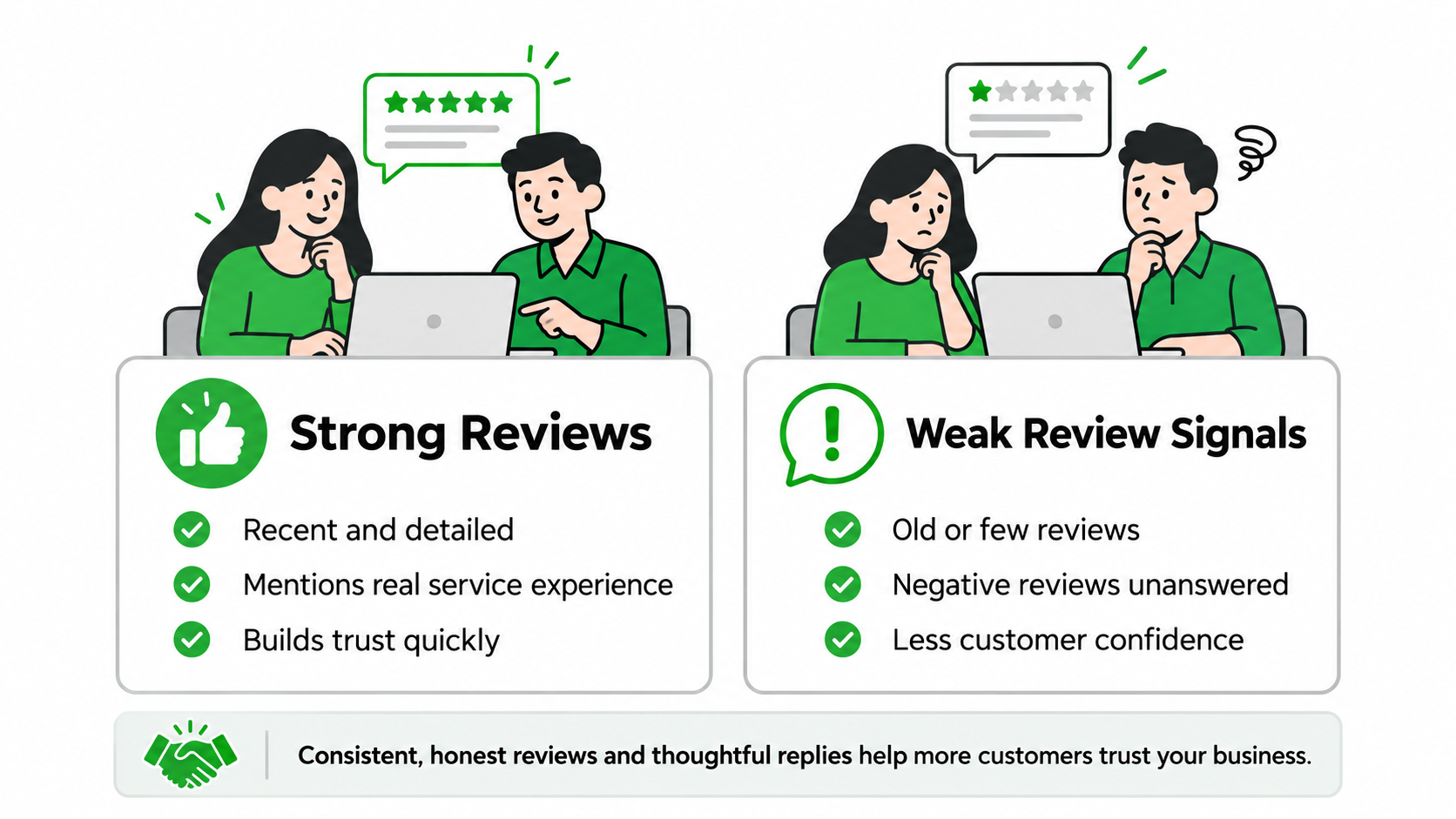
Reason 3 – Your Reviews Are Not Strong Enough to Build Confidence
Reviews often determine whether a customer will reach out to a local business. People want to know that others have had a good experience before they make a decision. Google also says review count and positive ratings can help local prominence. But it’s not just visibility; reviews also affect the perceived trustworthiness of your business.
You Do Not Have Enough Recent Reviews
A collection of positive reviews from several years ago is still useful, but customers may wonder what the business is like today. Has the quality remained consistent? Is the company still active? Are customers still satisfied? Recent reviews help answer those questions. Make requesting genuine feedback a normal part of your customer follow-up process rather than something you only do occasionally.
Competitors Have Stronger Social Proof
Local business comparisons often lean heavily on reviews. When a competitor has a lot of recent, detailed feedback and your listing has only a few short reviews, customers may feel more comfortable reaching out to them.
But that doesn’t mean the business with the most reviews always wins. Believable feedback and relevant experiences also count, as does an overall impression of trustworthiness.
Negative Reviews Are Left Unanswered
Any business can get negative feedback. What matters is your answer. If you dismiss a review about a missed appointment or late service, potential customers may question whether you take complaints seriously. A calm, professional response shows you are listening. Acknowledge the concern, provide an appropriate solution, and do not argue in public or share private customer information.
Review Content Does Not Mention Important Services
A review saying “Great service” is positive, but it doesn’t explain much. Now compare that with a customer saying how a repair guy showed up on time, diagnosed the problem, and got the job done. The second review gives future customers a better feel for the experience.
Don’t pressure people to use particular words or mention specific services. Instead, encourage honest feedback about what actually happened. Detailed Google Business Profile reviews can help visitors judge whether your business is suitable for them.
Review Requests Are Inconsistent
Some businesses collect several reviews in one month and then go quiet for the rest of the year. Usually, this happens because no one has a consistent process for asking customers. A simple follow-up after a completed service or purchase can make a difference.
Keep requests convenient, stick to Google policies, and never incentivize reviews. It’s more about consistency than trying to get a whole bunch all at once.
Reason 4 – Your Photos Do Not Build Enough Trust
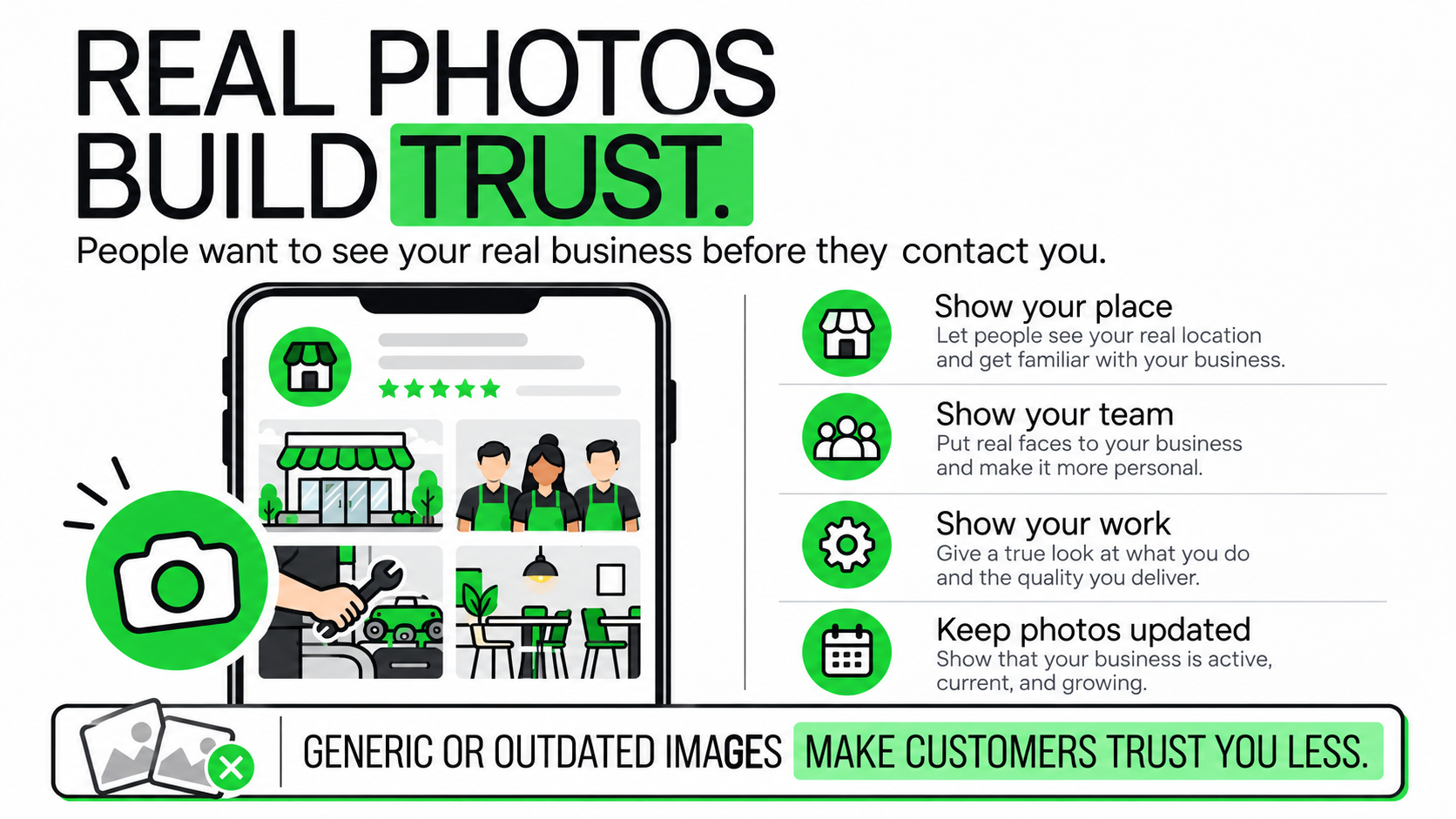
Photos are usually among the first things customers see when they’re looking around local businesses. They want to see the premises, products, team, or quality of work before deciding to contact. Google recommends adding photos and videos that are relevant to give your customers an idea of what to expect.
You Are Using Too Few Photos
A logo and one exterior photograph may not be enough to help customers evaluate your business. A restaurant could show its dining area, food, seating, and entrance.
A contractor might share examples of completed projects. A fitness studio could display its actual training space and equipment. The idea isn’t to upload hundreds of pictures. It’s to show the things customers genuinely want to see.
Photos Do Not Show the Real Customer Experience
Stock photographs can look attractive, but they rarely tell customers much about your particular business. Authentic photos are usually more informative.
With the permission of the customer, a salon can show examples of real work. A repair company can demonstrate its workshop and equipment. These images give people a picture of what it might actually be like to work with your business.
Competitors Look More Established
Imagine two businesses appearing side by side on Google Maps. One has a handful of outdated pictures. The other has clear, recent photos showing its premises, team, and work. Which one would you feel more comfortable contacting? Photos alone won’t guarantee more Google Maps leads, but they can make your business easier to evaluate and trust.
Reason 5 – Your Contact and Business Information Creates Friction
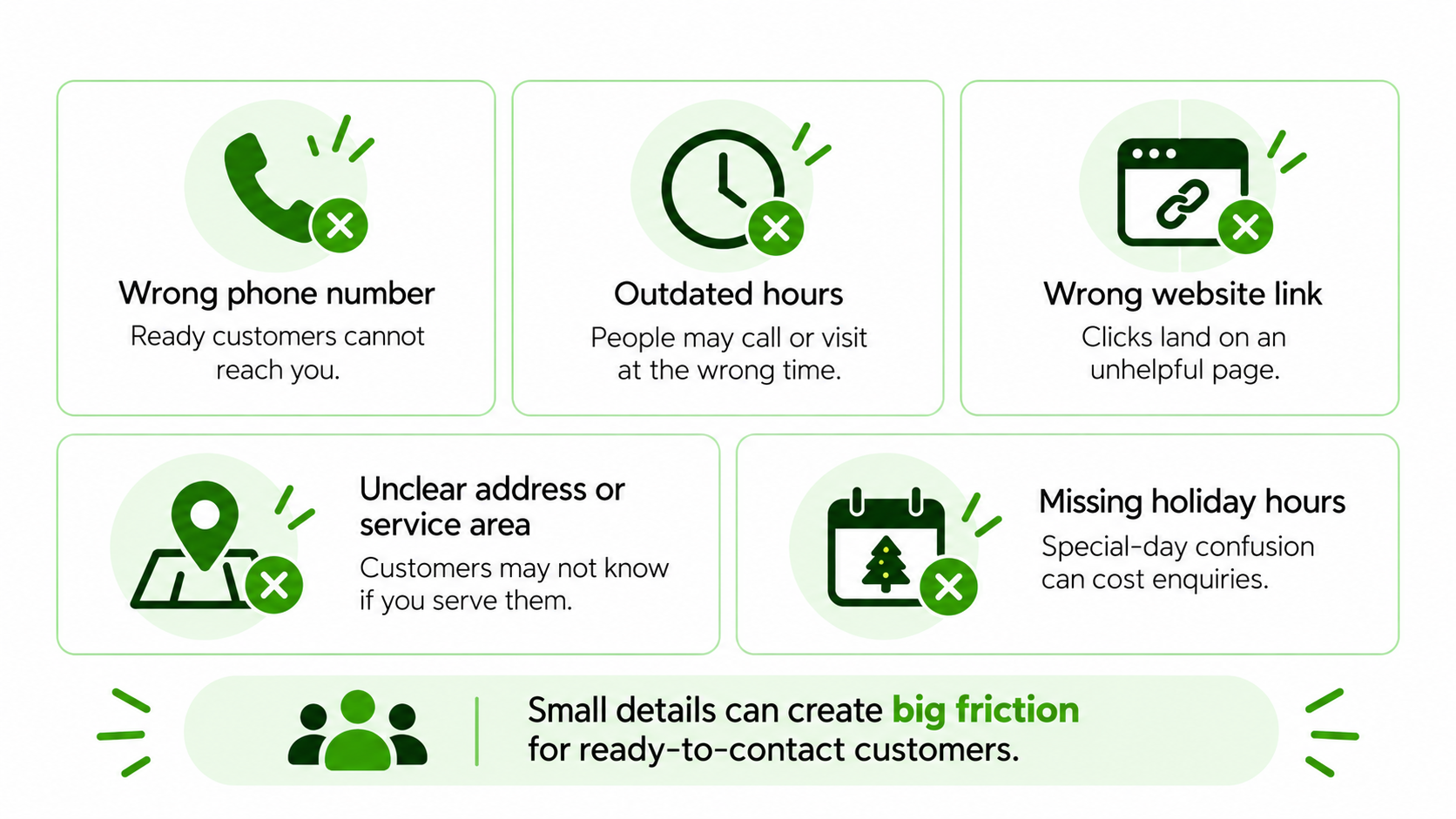
Sometimes a customer is ready to call you, but some little thing stops them. A wrong phone number, out-of-date opening hours, or confusing address may be enough to lose an inquiry. These details might seem basic, but they’re an important part of local business profile optimization.
Phone Number Is Incorrect or Difficult to Reach
An old phone number can quietly cost business valuable inquiries. Even when the number is correct, unanswered calls can create the same problem. Check that your listed number works and that calls are handled during your stated business hours. If missed calls are common, introduce a practical follow-up process so interested customers aren’t left waiting.
Opening Hours Are Outdated
Opening hours matter when customers want to visit or call. It’s frustrating when Google says you’re open, but the business is closed. When schedules change, check your regular hours. This is especially true for organizations with seasonal operations, rotating schedules, or alternate weekend hours.
Address or Service Area Is Unclear
Customers want to know if your business is in their area. The storefront should have accurate location information. A service-area business should configure its coverage according to Google’s rules. Clear information helps to stop customers from contacting companies that cannot provide them with a service and reduces the number of unnecessary inquiries.
Holiday Hours Are Missing
Public holidays, special closures, and temporary schedule changes are easy to miss. However, customers can still take their trust in the hours listed on your profile. Update special hours as needed. It’s a small thing, but it can save wasted journeys, missed calls, and unnecessary frustration.
Reason 6 – Your Website Is Weak after the Profile Click
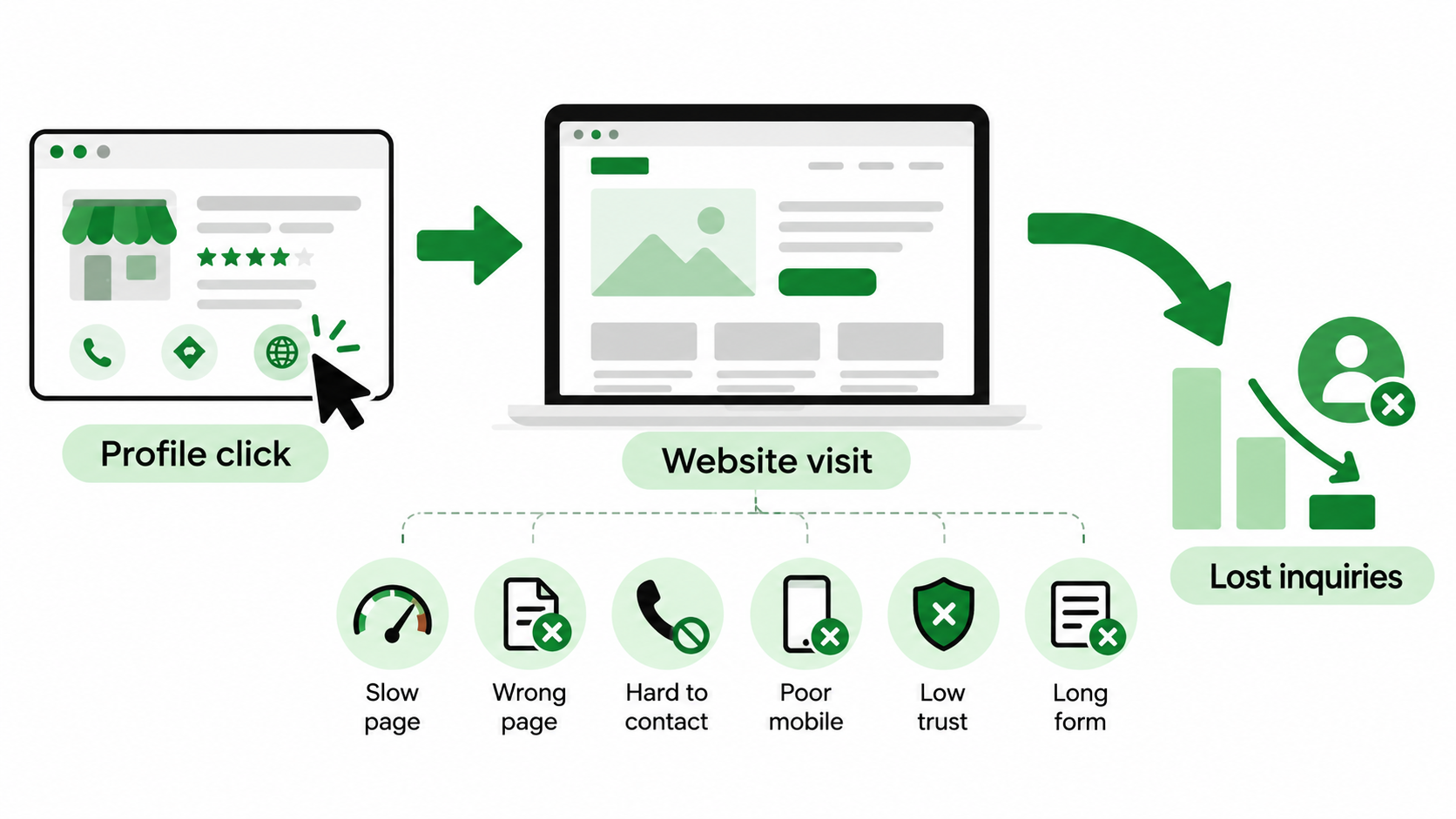
Your Google Business Profile might be doing a good job of getting people interested. But what happens when they click through to your website? If the page is slow, confusing, or difficult to use, that interest can disappear quickly. This is why Google Business Profile optimization shouldn’t stop at the listing itself.
The Website Loads Slowly
Local customers are often on their phones browsing, sometimes when they’re already out and about. They don’t want to wait for a slow-loading page. Heavy images, unnecessary scripts, and hosting issues can bring a site down. Test key pages on mobile devices and fix issues that make the website difficult to use.
The Landing Page Does Not Match the Local Search
What happens when someone searches for emergency plumbing services and clicks on your profile? They end up on some generic home page that talks about the company’s history but says nothing about emergency repairs. The visitor may leave because the page doesn’t answer their question immediately. The landing page should match the service and location information that brought the customer in. A closer match can support stronger local SEO conversions.
Contact Details Are Hard to Find
Someone who wants to call shouldn’t have to search through several pages for your number. Make contact details easy to notice, particularly on mobile. A click-to-call button can be helpful when phone inquiries are important. The fewer obstacles between interest and contact, the easier it is for customers to take action.
The Page Does Not Build Trust
A website should give visitors enough information so they’re comfortable calling the business. Helpful service descriptions, real testimonials, project samples, and transparent company info can help. For example, a renovation company might show previous work and how they handle projects. Customers want to be sure they are dealing with a competent, reliable provider.
Forms Are Too Long
Nobody enjoys filling out a complicated form just to ask a simple question. If someone wants a basic service quote, asking for excessive information can discourage them. Keep forms focused on the details needed to respond. You can always collect additional information during the conversation. A shorter, clearer form often makes the process feel much easier.
Reason 7 – Your Call to Action Is Not Obvious Enough
Local customers often want to do something quickly. They may need to call, book an appointment, request a quote, or visit your premises. If the next step isn’t clear, even someone genuinely interested in your business may hesitate.
The Profile Does Not Support the Most Important Action
Look at how customers usually contact your business. If appointments are essential, check whether suitable booking options are available and supported. If calls generate most of your inquiries, make sure the phone number is accurate and someone can respond. The profile should make the customer’s preferred next step as straightforward as possible.
The Website Uses Weak CTAs
Buttons such as “Learn More” aren’t always helpful when someone is ready to inquire. Clearer wording tells visitors what will happen next.
For example:
- Request a Free Consultation
- Call to Discuss Your Requirements
- Book an Appointment
- Get a Service Quote
Choose the wording that genuinely matches your offer. A useful CTA doesn’t need to be clever. It needs to make the next action obvious.
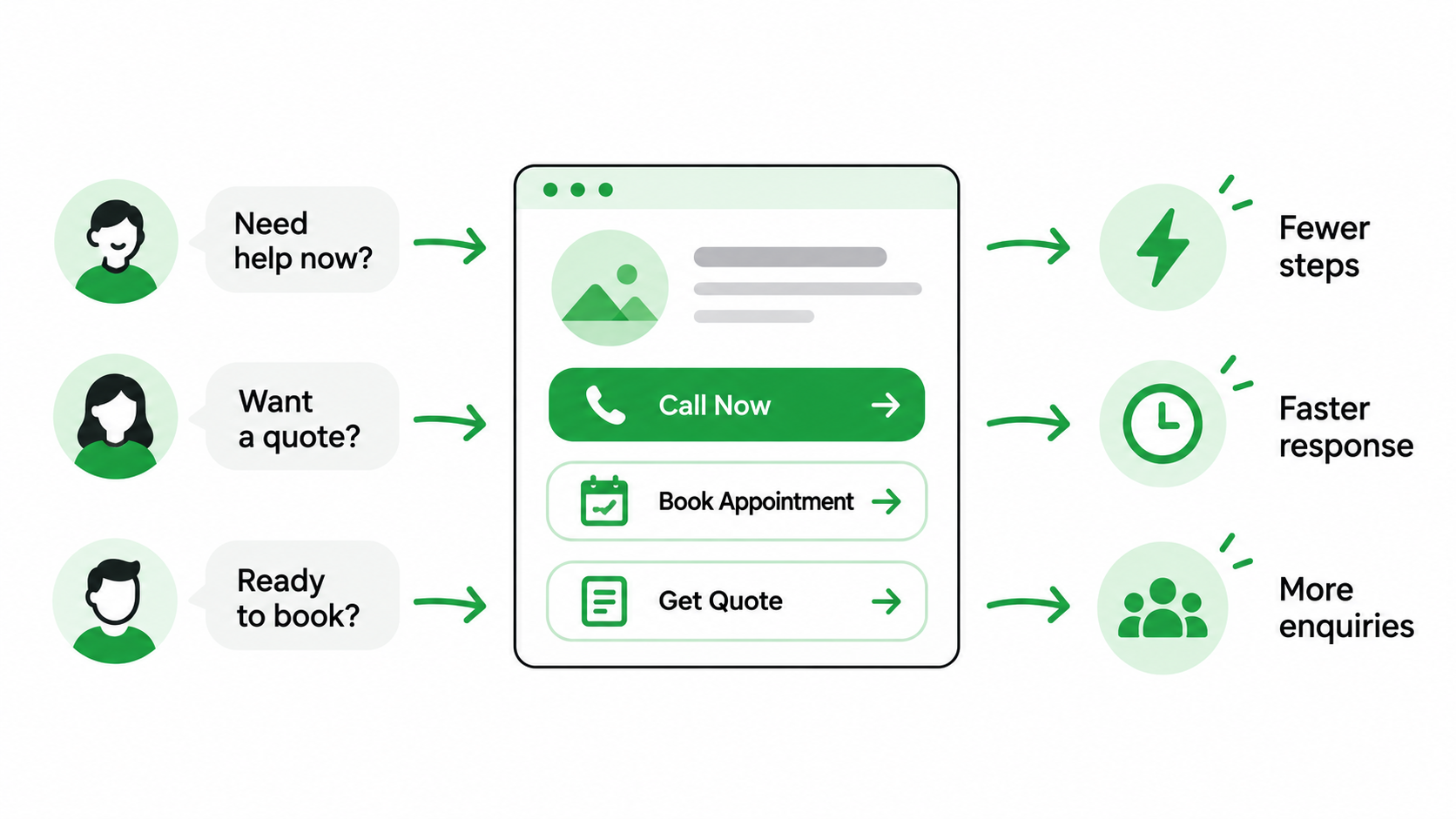
High-Intent Customers Need Fewer Steps
Someone dealing with an urgent plumbing problem doesn’t want to navigate five pages before finding a phone number. The same applies to customers who are ready to book or request a quote. Remove unnecessary steps. Make the most important contact options easy to access and ensure they work properly.
Reason 8 – You Are Competing on Visibility but Losing on Trust
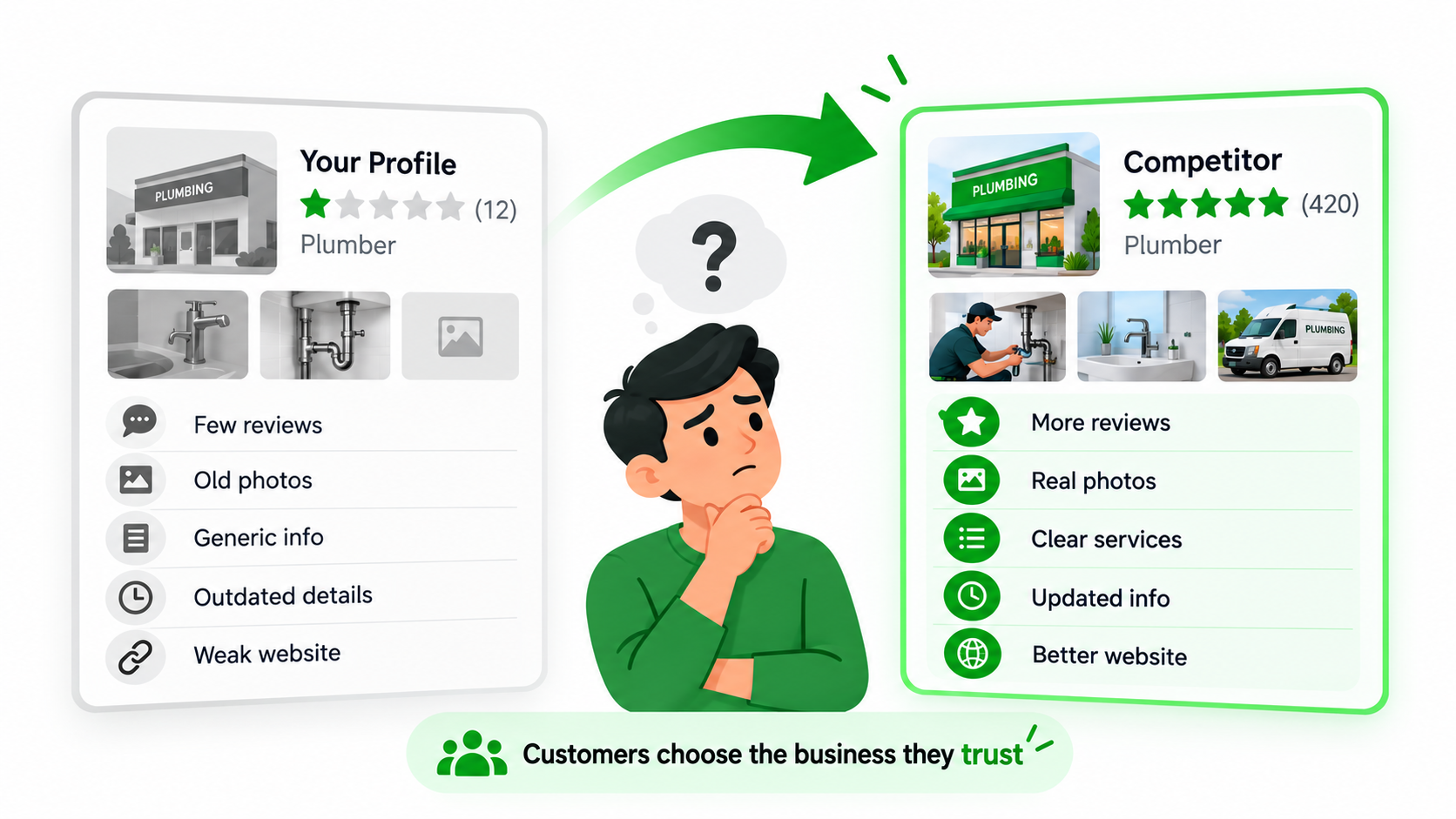
Showing up on Google Maps is only part of the challenge. Your business may appear alongside several alternatives, and customers are comparing those options before deciding who deserves their call. The real question often isn’t whether people can find you. It’s why they should choose you once they do.
Competitors Have More Reviews
A competitor with a good set of real, recent reviews might appear more established. Feedback is a way for clients to tell if a business is reliable. Instead of trying to hit a certain review number overnight, focus on providing good experiences and continuously asking for honest feedback.
Competitors Explain Their Services More Clearly
People don’t want to guess what a company offers. If a competitor clearly explains its services and specializations, customers may feel more confident contacting it. Review your own profile and ask whether a new visitor could understand your main offerings within a few moments.
Competitors Look More Active and Current
Accurate hours, recent reviews, current photos, and up-to-date business info can all help a listing appear more trustworthy. If the profile is not current, people will wonder whether the business is still doing what the profile describes. Update information and react to client input accordingly.
Competitors Have Stronger Websites
Sometimes a customer will visit several websites before making a decision. A competitor with better service pages, useful examples, and easier contact options might make a stronger impression. Improving local SEO performance therefore involves looking beyond your Google listing. The website needs to support the confidence your profile begins to build.
Reason 9 – Your Local Offer Is Too Weak or Too Generic
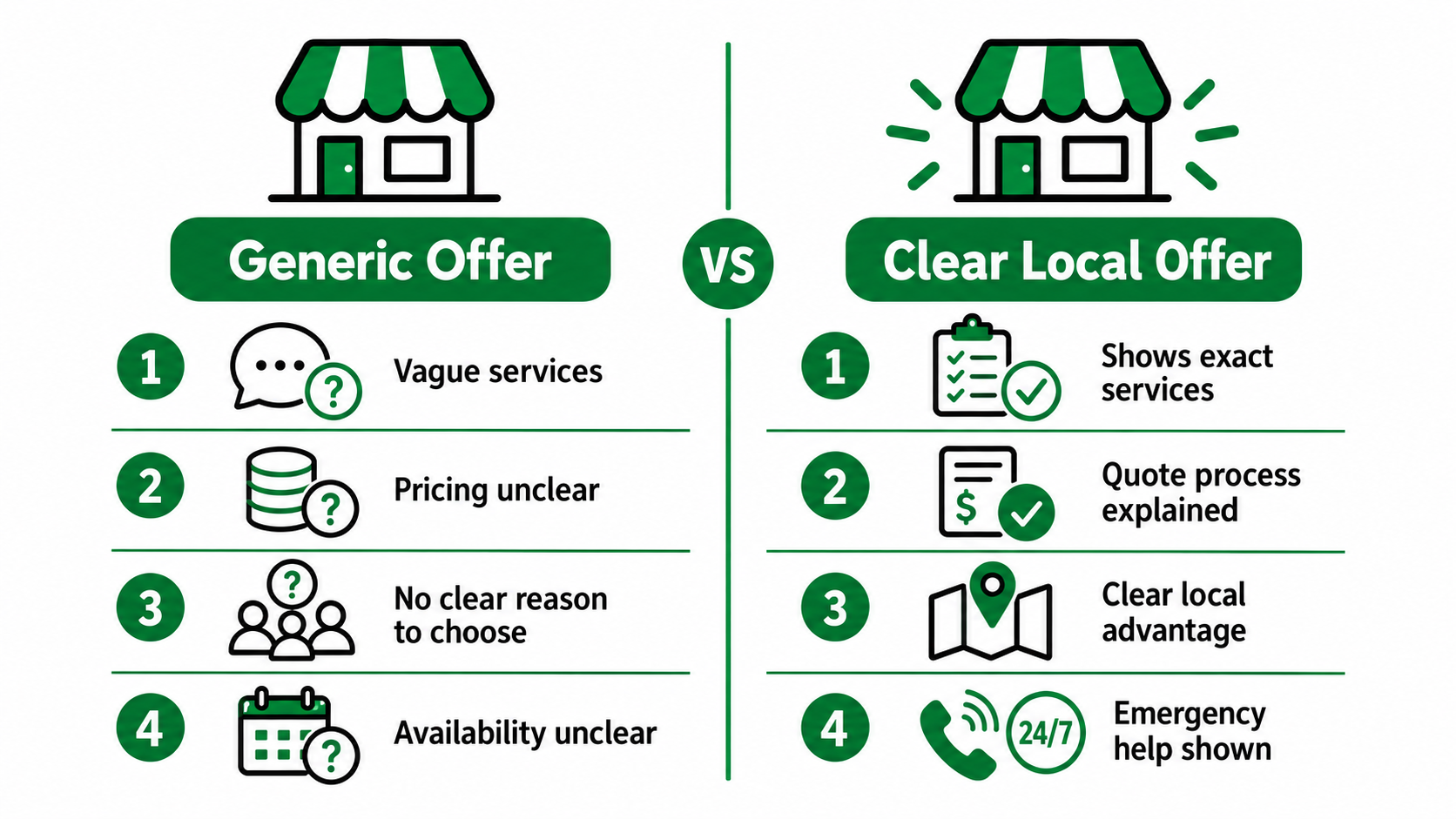
A well-optimized profile can help customers discover your business, but it can’t make an unclear offer appealing. People need to understand what you provide, how it helps them, and whether the service matches their situation.
Customers Cannot See the Main Benefit
A cleaning company describing itself as a provider of “professional cleaning solutions” isn’t saying very much. Knowing whether the business does deep cleaning, move-out cleaning, office maintenance, or other specific services would be more helpful. Your description needs to show customers their own needs. Concentrate on benefits and services that are important to them.
There Is No Obvious Differentiator
With so many companies making similar claims about quality and customer satisfaction, it’s hard to choose between them. Think about what truly differentiates your company. It might be specialist expertise, certain service capabilities, availability of appointments, or experience on certain projects. Be clear about those differences. Don’t make unsubstantiated claims like being the best in the area.
The Profile Does Not Match the Customer’s Urgency
Some searches are from people who need help right now. When you need an emergency locksmith, you might not have the luxury of searching through several websites. If your business really does offer emergency services, make sure you communicate availability clearly and accurately. They should be able to see if you can help them with their situation.
Reason 10 – You Are Measuring Views Instead of Customer Actions
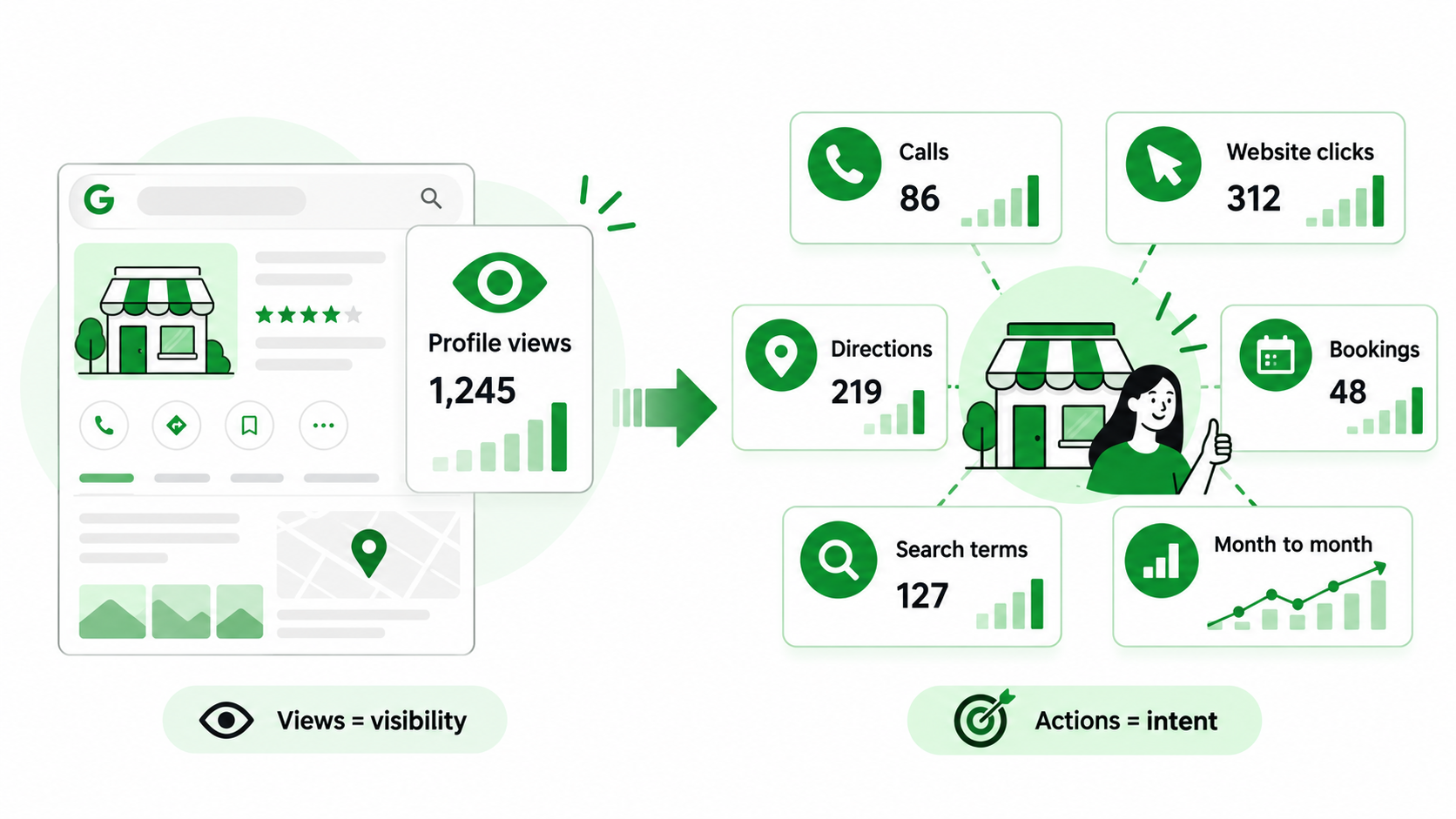
It’s tempting to judge progress by how many people see your profile. But a rising view count doesn’t explain whether those people are becoming customers. Google Business Profile performance reports include several interaction metrics that can help businesses understand what happens after someone discovers the listing.
Track Calls
Review available call interaction data to see how often people use the call option. Remember that a call-button interaction doesn’t necessarily mean a completed conversation or qualified lead. You may also need your own call records to understand whether inquiries are relevant and how often they become customers.
Track Website Clicks
Google Business Profile clicks show when people move from your listing to the website. That’s useful, but it doesn’t tell you whether they submitted a form, booked an appointment, or purchased anything. Website analytics and appropriate tracking can help you understand what happens after the click.
Track Bookings Where Available
Businesses using eligible booking features may have access to relevant booking interactions. Review this information where it’s available. For appointment-based businesses, completed bookings and attended appointments are often more meaningful than profile views.
Review Search Terms
Search term reporting can help you understand how customers are finding the business. Look for patterns involving services, locations, and customer needs. If the terms don’t align with your main offerings, review your categories, service details, and website content.
Compare Actions by Month
One month alone can be misleading. Check performance over a few periods to see if there are any big changes. For example, calls may go down but views may go up. This may be a result of changes in customer behavior, search relevance, competition, or profile effectiveness. Seasonality and business conditions should be considered before any conclusions are reached.
How to Audit Your Google Business Profile for Conversion Problems
If your listing is getting noticed but you’re not getting the type of inquiries you’d hoped for, a structured review can help you identify where things are going wrong. You don’t have to do everything at once. Start with what your customers see and understand and how easy it is for them to get to you.
- Check Business Information: Start with the basics. Please check your business name, main category, phone number, website, address or service area, and opening hours. I am a self-employed consultant and have a number of clients. I am not employed by any of these clients. Small inaccuracies can create more confusion than you might expect.
- Review Services: Look at the services listed on your profile. Are your main offerings included? Do the descriptions accurately explain what you provide? Check for important omissions or wording that’s too vague. A customer should be able to tell whether your business can help without making an unnecessary inquiry.
- Review Photos: Open your profile as though you’re seeing the business for the first time. Do the images show the current premises, services, products, or completed work? Are there important things customers might want to see but can’t? Add genuine photos that help people understand what to expect.
- Review Your Last 20 Reviews: Read your most recent 20 reviews, where available, and look for patterns. Are there particular services that customers consistently praise? Are there any issues with delays, communication, or quality? Check if negative feedback has been thoughtfully responded to. Reviews can be a valuable insight into your reputation and customer experience.
- Test the Customer Journey: I’m a potential customer, and I’m using my profile. Open it on your phone and check the services. Click on the link to the website and test the contact options. Is it simple? Can you find the information you want quickly? This simple exercise often reveals problems not seen in the performance reports.
- Compare With Strong Local Competitors: Look at several similar companies competing for the same customers. Compare service descriptions, reviews, photos, and websites. The idea is not to copy what they do. It’s about seeing what the customer sees when they’re making a choice, and where your listing may not be as informative or convenient.
Practical Example: A repair company might discover that its profile has good reviews and accurate details, but the website link leads to a general homepage with no obvious repair enquiry option. Improving that page could be more useful than simply trying to attract another thousand views.
How to Turn More Profile Views Into Calls and Leads
Once you know what’s holding customers back, focus on practical improvements. Strong local lead generation isn’t about making a listing look busy. It’s about helping the right people understand your business, feel confident in it, and contact you without unnecessary effort.
- Improve Profile Completeness: Review all the relevant sections of your profile. Check review categories, opening hours, phone numbers, services, website links, and other relevant information. Fill in the fields that truly describe your business. Update everything as services, schedules, or operating details change.
- Strengthen Service Relevance: Ensure your profile accurately reflects the services customers are looking for. Select suitable categories and add clear service information. Give your website helpful explanations to support those facts. This helps to create a more consistent experience between the customer’s search and the business they end up at.
- Build a Steady Review Process: Make genuine review requests part of your normal customer follow-up. Ask at appropriate times and keep the process simple. Respond professionally to feedback and avoid offering incentives for reviews. A steady collection of honest experiences can help customers form a clearer picture of your business.
- Add Better Real Photos: Select photos that truly reflect the nature of your business. It could be your premises, products, equipment, team, or completed projects, depending on your industry. Think about what a person would want to see before contacting you. Update images when the business changes.
- Improve the Website Landing Experience: Check where customers arrive after clicking your website link. Does the page explain the relevant service? Does it work properly on mobile? Are contact options easy to find? The website should continue the experience started on Google Search or Maps. A smoother journey can support stronger local search conversion.
- Make Contact Easy: Eliminate the unnecessary hurdles between interested customers and your business. Test phone numbers are working, inquiry forms are easy, and booking options are available where relevant. If calls are important, have a reliable process in place to answer or call back. Convenience matters, especially when customers are ready to act.
- Review Search Queries Regularly: Use available performance information to understand how people discover your listing. Look for changes in service-related searches and customer interactions. If views increase without useful inquiries, investigate whether the profile is attracting the right audience. Regular reviews help keep Google Maps visibility connected to actual business goals.
Common Mistakes That Keep GBP Conversion Rates Low
Poor conversion rates rarely come from one dramatic problem. Often it’s a combination of a few small issues that make the customer experience frustrating. Even with good visibility, inquiries may not be generated if the services offered are unclear, reviews are outdated, or the website makes it unnecessarily difficult to contact the team.
Common mistakes include:
- Focusing only on views: Celebrating visibility without checking whether customers take meaningful action.
- Choosing broad categories: Selecting categories that don’t accurately describe the main business.
- Leaving services incomplete: Making customers guess what the company provides.
- Ignoring reviews: Leaving important customer feedback unanswered.
- Using outdated photos: Showing images that no longer represent the business.
- Sending traffic to a weak homepage: Forcing visitors to search again for the service they need.
- Keeping incorrect opening hours: Creating confusion about when the business is available.
- Using an old phone number: Making it difficult or impossible for customers to reach you.
- Hiding contact options: Requiring unnecessary effort to call, book, or inquire.
- Ignoring mobile website performance: Frustrating people browsing on their phones.
- Failing to review search terms: Missing signs that the profile is attracting poorly matched visitors.
- Comparing rankings without conversion quality: Assuming the most visible business must also be generating the best leads.
Think about the customer journey as a whole. Someone might find your business, notice outdated images, struggle to understand the services, and then leave because the website contact form is too complicated. Improving local SEO performance means addressing these small barriers together rather than concentrating on one number.
A Simple GBP Conversion Framework
There is no need for a complicated system to improve the performance of your Google Business Profile. It’s a simple process that can help you link visibility with trust, customer action, and meaningful inquiries.
Step 1 – Attract Relevant Searches
Start there. Make sure your profile accurately reflects your business. Verify the primary category, related categories, service details, and website content. The idea is to get to customers who are actively looking for what you have to offer. And a smaller number of targeted visitors can be much more valuable than thousands of casual views.
Step 2 – Build Immediate Trust
Customers often form opinions within moments of opening a listing. Accurate details, genuine reviews, thoughtful responses, and current photos can help create confidence. Look at your profile as a new customer would. Does it feel reliable? Is there enough information to make you comfortable getting in touch?
Step 3 – Explain the Offer Clearly
Make your main services easy to get a handle on. Be specific and mention benefits/capabilities relevant. Add details on availability, service areas, and customer expectations as appropriate. Avoid vague claims that don’t help people make decisions.
Step 4 – Make Contact Easy
Think about how customers usually reach your business. Do they call, book appointments, request quotes, or visit in person? Make the most important action easy to complete. Test phone numbers, booking links, and forms regularly so interested customers don’t encounter unnecessary problems.
Step 5 – Strengthen the Website Journey
A profile click has to go to something useful. Make sure the landing page is relevant to what the customer was searching for, is mobile-friendly, and explains the relevant service. Contact details should be easy to locate. The website should be an extension of the Google listing, not a completely different experience.
Step 6 – Measure Actions, Not Just Exposure
Review Google Business Profile views alongside calls, clicks, direction requests, bookings, and qualified enquiries. Where possible, connect those interactions with actual appointments or sales. Look for patterns over time and investigate where customers may be dropping off. Use the findings to make practical improvements rather than chasing visibility for its own sake.
Final Thoughts
Seeing your Google Business Profile views increase is encouraging, but it doesn’t necessarily mean your local marketing is delivering results. A profile can attract plenty of attention while generating very few worthwhile inquiries. Sometimes the searches aren’t relevant enough. Other times, customers may be comparing your business with competitors that have clearer services, stronger reviews, better photos, or more convenient contact options. Rather than assuming you need more visibility, it’s worth finding out where potential customers are losing interest and why they’re choosing not to get in touch.
The best improvements usually come from looking at the entire experience. Accurate information, useful service descriptions, genuine reviews, current photos, and a website that’s easy to use can all make a difference. Keep reviewing performance, but pay more attention to calls, bookings, qualified enquiries, and actual customers than views alone. Ultimately, local search should do more than help people discover your business. It should give them a good reason to choose it.
Getting plenty of Google Business Profile attention but not enough genuine inquiries?
Your local search journey may need a closer look. With eSign Web Services, you can improve profile relevance, strengthen customer trust, and simplify contact options. Connect with our team to turn local visibility into more qualified leads.
Frequently Asked Questions
Question: Why is my Google Business Profile getting views but no calls?
Answer: Your profile may show up in searches that are unrelated to what you offer, or customers may not feel confident enough to contact you. There’s also the incomplete information, the weak reviews, the unclear service descriptions, and the wrong phone details. Search terms, customer interactions, and the entire profile experience can all be used to find potential problems.
Question: How can I get more calls from my Google Business Profile?
Answer: First, check the hours, categories and services, and phone number. Add quality photos, request honest customer reviews, and clearly describe what you offer. Answers to calls during business hours. Keep an eye on how you’re doing to make sure your profile is pulling the right customers that are interested in what you’re offering.
Question: Why is my Google Business Profile getting views but no website clicks?
Answer: Your profile can provide customers with enough information so they don’t need to visit your website. Others may be comparing businesses or don’t see a compelling reason to click. Review your services, photos, website destination, and search relevance. Other customers may want to call or ask for directions rather than check a website.
Question: Do more Google Business Profile views improve local SEO rankings?
Answer: More profile views by themselves won’t naturally boost local rankings. Google says it is mostly relevance, distance, and prominence when determining local ranking factors. Views are a measure of visibility, not a guaranteed ranking signal. Instead of trying to get more views, focus on accurate business information, relevant services, genuine reviews, and a trustworthy presence.
Question: How do Google reviews affect GBP calls and leads?
Answer: Reviews help potential customers know if a business is trustworthy. Recent, detailed feedback makes people more comfortable calling or booking. Google says that review count and sentiment can also help boost local prominence. “Encourage honest reviews and always respond to them professionally, and do not offer incentives or engage in practices that manipulate customer ratings.”
Author Details

Ashwani Kumar Sharma
Ashwani has been actively involved in SEO services since 2005. His expertise and distinctive work approaches have made him one of the most experienced and trusted SEO experts in the industry. He is a certified SEO and Google Ads professional. He also has strong business development skills in advanced SEO, PPC, and digital marketing strategies.


