



The Role of UX in SEO Rankings: How Design Impacts Search Visibility

Key Takeaways
- UX and SEO increasingly overlap because both aim to provide users with useful, accessible experiences.
- Effective design supports SEO when it improves navigation, content accessibility, speed, and mobile usability.
- Core Web Vitals connect measurable aspects of page experience with technical search performance.
- Poor information architecture can make valuable content difficult for both users and search engines to discover.
- Visual design should support content comprehension rather than prioritize aesthetics at the expense of usability.
- Mobile-first UX is critical because users increasingly interact with websites through smartphones and other mobile devices.
Introduction
Getting a website into search results is only one part of the job. What happens after someone clicks matters just as much. A page can have useful information and target the right searches, but if it loads slowly, feels awkward on mobile, hides key details, or makes simple actions difficult, people may leave before they get any real value from it.
This is where UX and SEO begin to overlap. SEO helps people reach the right page, while user experience shapes what happens once they arrive. Can they quickly understand what the page is about? Can they move around the site without getting lost? Can they locate the information they require and proceed without unnecessary effort?
That does not mean every design choice directly affects rankings. Search performance depends on many things. Still, a website that is clear, fast, well-organized, and easy to use gives both visitors and search engines a much better experience. In this blog, we will look at how UX affects SEO, which design elements matter most, where websites often create friction, and how businesses can improve usability without putting their search performance at risk.
What Does UX Mean for SEO?
UX is simply about how a website feels to use. A successful website usually does not make visitors stop and think about where to click, what a button means, or how to find basic information. Everything feels clear enough that they can focus on what they came for. That is why UX SEO goes far beyond making a website look attractive. It is about making the whole journey smoother.
A page can rank well and still disappoint the person who lands on it. Think about a local service page with useful information, but the phone number is buried at the bottom, the menu is difficult to use, and the inquiry form breaks on a phone. The content may be good, but the experience around it is not.
Why Does UX Matter for Search Visibility?
The connection between UX and SEO rankings is often explained in an overly simple way. You may hear that a lower bounce rate or longer time on page will automatically improve rankings, but those numbers do not always tell you whether the experience was actually good.
A person can spend very little time on a page and still get exactly what they need. If someone searches for a phone number, finds it in ten seconds, and leaves, the page has done its job. On the other hand, someone may spend several minutes on a site simply because they cannot find the right information. A better way to look at UX is through usefulness.
When a page is clear and easy to navigate, user engagement often improves naturally. Visitors may read another article, compare services, open a product page, or contact the business because the website makes the next step obvious. The goal should not be to keep people on a website for as long as possible. The real goal is to help them do what they came to do with as little friction as possible.
How Do Core Web Vitals Affect UX?
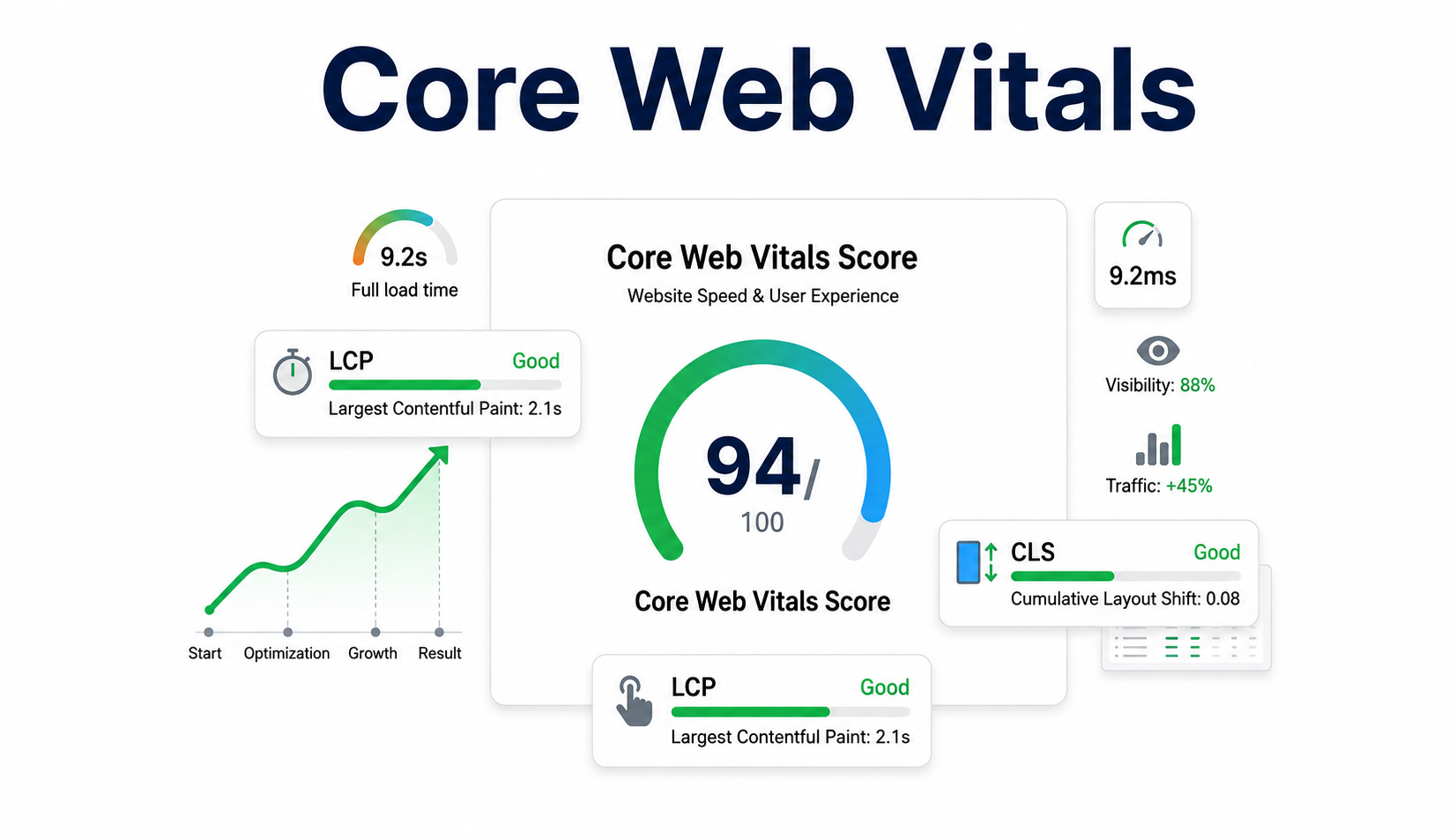
Core Web Vitals give website owners a practical way to understand how a page feels while it loads and responds. They focus on three areas people notice quickly: loading, interaction, and visual stability.
These measurements are useful because a website can feel fast on a strong office connection but much slower for someone using an older phone or mobile data.
- Largest Contentful Paint: A page feels faster when its main content appears quickly. This is what Largest Contentful Paint measures. Large hero images, slow hosting, heavy scripts, and poorly optimized files can delay it. Imagine opening an online store and waiting several seconds before the products appear. The page may look fine in the end, but the slow start has already affected the experience.
- Interaction to Next Paint: A website should also respond quickly when someone clicks, taps, or types. Interaction to Next Paint measures that response time. Heavy JavaScript can make menus, filters, form fields, and buttons feel slow even after the page looks fully loaded. This becomes especially frustrating on booking sites and e-commerce pages where users expect each action to work without delay.
- Cumulative Layout Shift: Another common issue is content moving around while the page loads. Cumulative Layout Shift measures this unexpected movement. A late image, banner, font, or advertisement can suddenly push text or buttons into a different position. Anyone who has tried to tap something just as the page shifts knows how annoying that can be. Stable layouts make the page much easier to use.
How Do Speed and Mobile UX Impact SEO?
Poor page speed is often much more noticeable on a phone. A delay that feels minor on a fast desktop connection can feel painfully slow on mobile data or an older device. This is why speed should be tested in realistic conditions, not only on powerful computers.
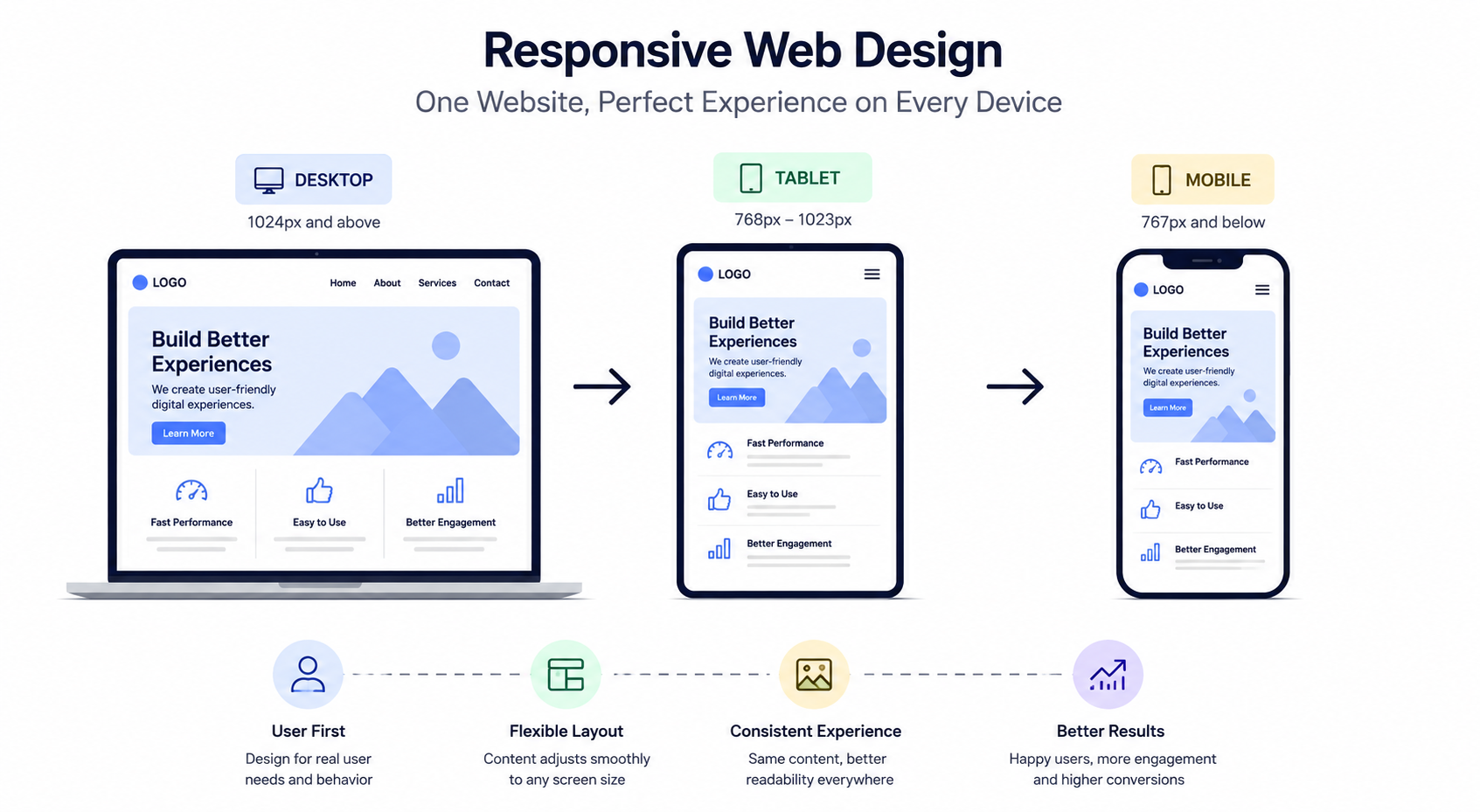
The same is true for mobile usability. A page may technically resize to fit a smaller screen and still be difficult to use. Responsive web design handles the layout, but it does not automatically make the experience good.
Strong mobile-first design looks at what people are actually trying to do. Menus should open easily, buttons should have enough space around them, text should be comfortable to read, and forms should not ask for more information than necessary.
Take a restaurant website as an example. It may look perfect on desktop, but place the reservation button below several large promotional images on mobile. Moving the booking option higher and reducing image weight can make the page easier to use while improving website performance at the same time.
How Do Navigation and Page Layout Affect Users?
People should not need instructions before they can use a website. Clear navigation supports user experience and search rankings because it makes important information easier to find. Main services, product categories, useful resources, and contact options should all have simple, sensible paths. Page layout matters for the same reason.
Strong visual hierarchy helps people understand what they should look at first. Headings should guide the eye. Important information should not be buried inside long blocks of text. Good spacing, readable typography, useful images, and well-placed calls to action can make a page much easier to scan.
Imagine opening a service page and reading ten long paragraphs before finding out what the company actually offers. The information may be correct, but the visitor has to work too hard to get to it. A clearer layout makes the same content easier to understand and can help improve search visibility by supporting a better overall experience.
How Does Search Intent Shape UX Design?
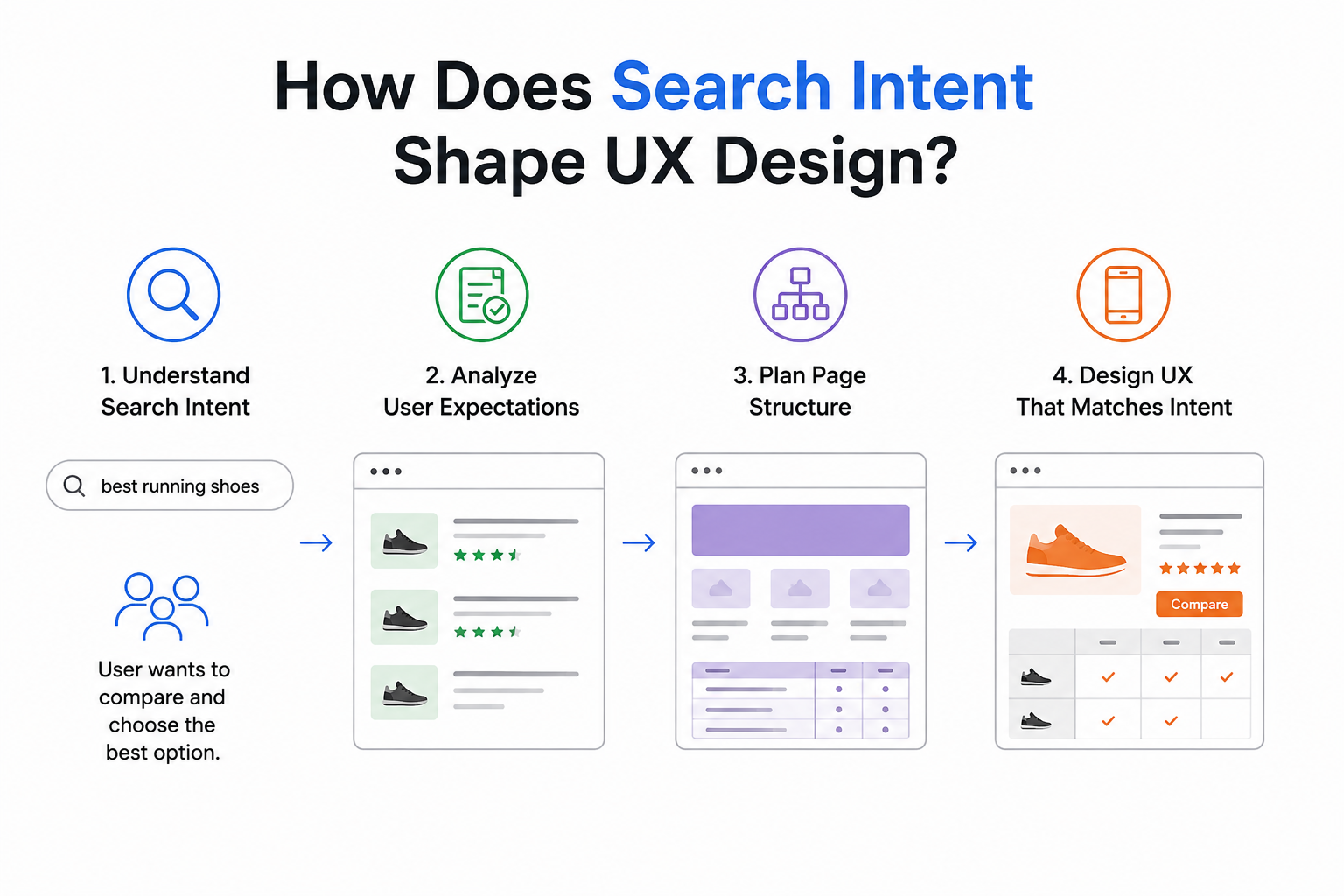
A page should feel like it was created for the reason someone searched in the first place. That is why search intent should influence both content and layout. Someone looking for a simple definition probably wants the answer quickly. A person comparing two products may need features, differences, prices, pros and cons, and examples. Someone searching for a local service may care more about location, experience, reviews, availability, and how to get in touch. This is where web design SEO becomes more useful. Not every page should follow the exact same layout.
The order of information should match what the visitor needs. Informational pages could use clarifications and examples right at the top. Service pages could need features, testimonials, and an action point. Product pages could need specs, reviews, availability, and shipping info. It’s logical for that reason, as well as because search results keep featuring direct answers and AI-generated content. Pages should be able to feature their best arguments right away instead of burying them under introductory and irrelevant content.
What UX Elements Influence SEO Performance?
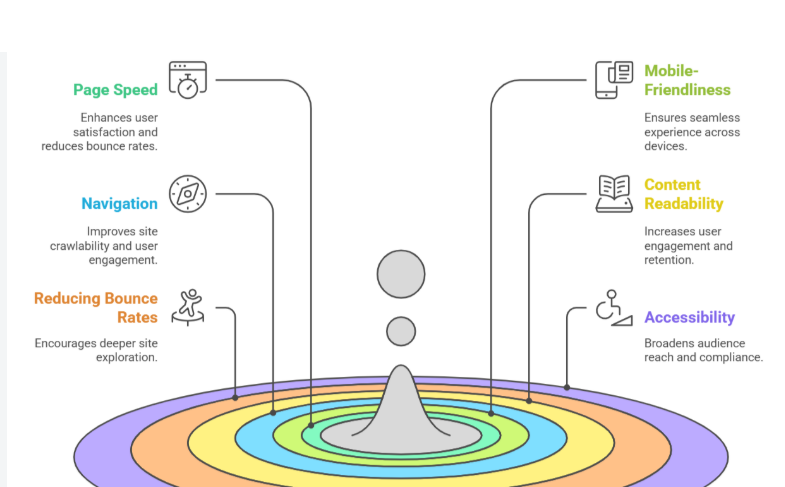
Several parts of website design and SEO overlap in very practical ways. It is not really about adding more visual effects or making every page look impressive. What matters more is whether people can understand the website quickly, move around it easily, and reach the information they came for without getting confused.
- Clear structure and easy navigation: Good information architecture keeps related pages together and gives the website a structure that feels natural to visitors. Website navigation should also use simple, familiar wording rather than internal terms that only the business understands. When menu labels are clear, people know what to expect before they click and can reach the right page without going in circles.
- Useful links between related pages: Internal linking works best when it genuinely helps the reader. For example, a blog about slow-loading pages could naturally point visitors towards a performance audit or another useful guide. The link should make sense in the moment. Clear anchor text also helps people understand where the link leads, so the journey feels connected instead of random or forced.
- Content people can actually access: Good accessibility makes a website easier to use for a wider range of visitors. Readable fonts, clear contrast, useful labels, image descriptions, and keyboard-friendly navigation all make a difference. Crawlability matters as well. Important content should not be hidden behind complicated interactions or features that make it difficult for visitors and search engines to reach the page properly.
- A technical setup that supports the design: Technical SEO works best when it is considered during the design stage rather than being fixed later. Things such as URL structure, headings, mobile layouts, page templates, scripts, images, and links should be planned from the start. This leads to stronger SEO-friendly web design because search requirements and user needs are built into the same website instead of treated as separate jobs.
What Common UX Mistakes Can Hurt SEO?
Most websites do not have one huge UX problem. More often, several smaller issues build up until the site becomes harder to use than it should be. These problems can also weaken conversion rate optimization because even qualified visitors may leave before taking action.
- Confusing navigation and hidden information: Customers shouldn’t have to open multiple menus to access information such as services, costs, product categorization, or contact details. This kind of issue usually arises when navigation uses terms from the internal perspective of the business rather than that of the customer. When visitors are unsure of where to go next, they simply abandon the site.
- Pages that carry too much weight: Large videos, oversized images, heavy animation, third-party scripts, and complicated page builders can slow everything down. Every visual element should have a reason to be there. If something adds little value but makes the page slower, simplifying or removing it is often the smarter choice. Good design should support the message, not get in the way of it.
- Poor mobile layouts and intrusive pop-ups: Full-screen promotions, tiny close buttons, crowded menus, and desktop-style forms can quickly frustrate mobile visitors. Pop-ups should not block the content someone came to see. If a promotion is useful, show it at a sensible time rather than interrupting the visitor the moment they arrive.
- Fixing the appearance instead of the real problem: A common mistake in website UX optimization is changing button colors, fonts, or icons while ignoring deeper issues. A brighter button will not fix a broken form, confusing checkout, or badly organized service page. Find out where people are getting stuck first, then fix the real cause.
How Can Businesses Identify UX Problems?
It is hard to improve UX by guessing. Business owners, developers, and designers know their websites too well, so they often move through them very differently from a first-time visitor. Real behavior gives you a much better picture.
Google Search Console can help show which pages receive organic traffic and whether there are search or indexing problems. Analytics can show where people enter the site, which journeys lead to conversions, and where visitors commonly leave. Heatmaps and session recordings can add useful context. They may reveal people repeatedly clicking something that is not actually clickable, abandoning a form at the same point, or never reaching an important section. Manual testing still matters as well.
Someone should regularly complete important tasks on different devices. Try finding a service, filling out a form, checking a price, opening the menu, or moving between related pages. Combine these observations with performance data, accessibility checks, customer feedback, and conversion results.
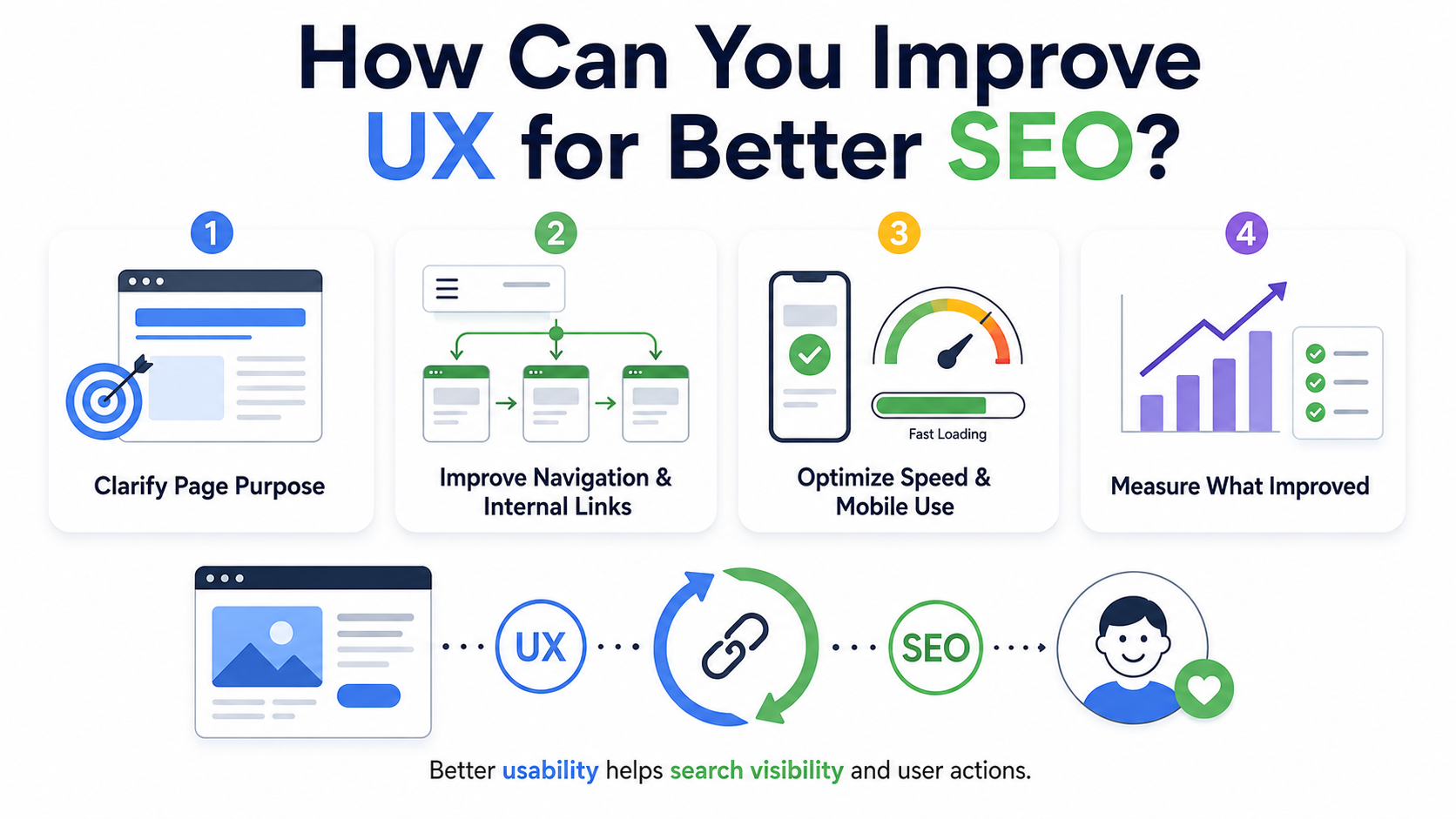
How Can You Improve UX for Better SEO?
Businesses do not need to redesign an entire website every time they find a usability issue. In many cases, the best results come from fixing the most important problems one by one.
- Start with the purpose of the page: Decide what someone should understand or do after visiting each important page. Then look at whether the content helps them do that quickly. If the main answer is buried under unnecessary copy or decoration, move it higher. Once the purpose is clear, it becomes much easier to see which parts of the design are helping and which are getting in the way.
- Fix the journey before changing the look: Simplify confusing menus, improve internal linking, repair broken pages, make mobile layouts easier to use, and place key actions where people can find them. During a redesign, protect useful URLs and existing content where possible. A website can look more modern and still perform worse if strong pages disappear or become harder to reach.
- Test performance in normal conditions: Review large images, scripts, videos, fonts, plugins, and third-party tools that add extra weight. Test important pages on ordinary phones and average internet connections. Visitors care about how quickly they can read, tap, scroll, or complete a task. That matters far more than how fast the page feels on a powerful office device.
- Check whether the changes actually helped: After making improvements to website UX optimization, compare the results with your earlier data. Look at organic traffic, inquiries, purchases, form completion, technical performance, and behavior on key pages. A redesign should do more than look fresher. It should make the website easier to use while protecting or improving the search value it already had.
When UX and SEO are handled together, design becomes much more practical. Content teams, developers, designers, and SEO specialists can protect visibility while building a website that feels simpler and more natural to use.
Conclusion
The relationship between UX and SEO becomes much easier to understand when rankings and design are not treated as two completely separate jobs. SEO can help the right people find a page, but that click only becomes valuable when the page helps them understand the information and move forward without unnecessary friction. Clear navigation, strong mobile usability, useful content, good structure, accessible design, and reliable performance all play a part in that experience.
Businesses should avoid treating UX as a cosmetic exercise or assuming that every engagement metric directly affects rankings. When both sides work together, organic visibility becomes more valuable because the traffic has a better chance of turning into real inquiries, sales, and long-term customer relationships.
Could your website be doing more to attract visitors, improve their experience, and turn them into customers?
eSign Web Services can help improve your site’s UX, performance, structure, and SEO so visitors can find what they need and take action more easily. Build a stronger digital presence with a website designed to support both users and search visibility.
Frequently Asked Questions
Question: What is the relationship between UX and SEO?
Answer: SEO and UX serve different aspects of the same journey. While SEO will assist you in attracting your target audience, UX will affect their behavior once they get there. Good navigation, helpful content, mobile optimization, performance, and structural elements will help improve user experience while boosting search experience at the same time.
Question: Does user experience directly affect Google rankings?
Answer: User experience is not supposed to be ranked directly. Google measures many different systems and signals, such as Core Web Vitals. Rather than manipulating bounce rates or time spent on a site, companies need to make sure that their website provides value, stability, speed, accessibility, and usability for actual users.
Question: How can website design and SEO work together?
Answer: Website design and SEO are both most successful when all involved parties plan major pages in advance – that is, before the design is done. The website design must take into account readability, usability, mobile usability, proper linking, and performance, and the SEO needs to be taken care of at an early stage.
Question: Why is mobile usability important for search performance?
Answer: The usability of mobile web pages is important since many people will search and browse using their mobile phones. Ideally, a mobile web page will be one where the text is readable, the menu is simple, the buttons are appropriately spaced, the forms are manageable, and it’s easy to get relevant data. The responsive design helps, but actual testing on a device is also required.
Question: What should businesses prioritize during website UX optimization?
Answer: Businesses must start optimizing the user experience on their websites by identifying the issues facing actual users. Issues like navigation, readability, mobile access, page loading speed, form completion, and site internal linking come first before thinking about any decorative modifications. Performance needs to be measured beforehand and afterwards to see if there was any improvement.
Author Details

Ashwani Kumar Sharma
Ashwani has been actively involved in SEO services since 2005. His expertise and distinctive work approaches have made him one of the most experienced and trusted SEO experts in the industry. He is a certified SEO and Google Ads professional. He also has strong business development skills in advanced SEO, PPC, and digital marketing strategies.


